
- Title: NEWMAN K18
- Listed: February, 2014
- Last modified: 04/09/2014 7:19 pm
- Version: ROM Android 4.2.2
You must be logged for ROM download.
29293 total views, 3 today
 Member Info
DESCRIPTION
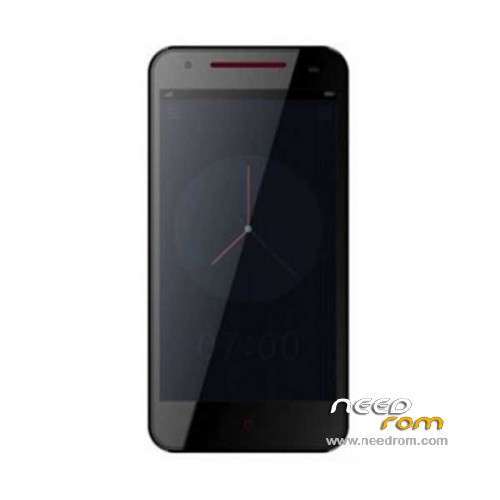
ROM Mobile NEWMAN K18 – ROM Android 4.2.2
ONLY MT6592
——————————————————————————————————————————————
Update Official ROM NEWMAN K18 Version : Newman_K18_V1.0.10
——————————————————————————————————————————————
Official ROM NEWMAN K18 Version : Newman_K18_V1.0.9
Gapps include – Multilang
Install ROM :
- Unpack FlashTools, and Click on Flash_tool.exe
- Select a the MT6592_Android_scatter_emmc.txt in ROM
- Wait file to be added into Flash Tool
- choose Option->USB Model,click USB Model
–> Choose Option->DA DownLoad All->Speed->High Speed, click High Speed
- Turn off your phone, remove the battery.
- "Press F9 (hit Download button)" OR " if upgrade ROM Firmware->Upgrade "
- and connect your phone into the computer via USB data cable.
- The process will start and a red progress bar will appear after color purple, yellow.
- And green circles display
- Finish !
- You can now safely disconnect your phone and turn it on.
※Please make a backup of your device before installing or updating ROM
Do you have " USB debugging" on? Is your phone recognized in the device manager or do you have some uninstalled devices in the list?
Hi, thanks for the reply. I managed to fix it, the USB Debugging mode was indeed turned off and there was no Developer Options in the system menu. Found out had to go to About Phone and tap Build Number about 6 or 7 times which then enables the developer options.
Anyway all sorted now thanks.
And another Warning!!
If you intend to buy the original newman K18 protective Half shell case, dont do it, you will end up with damaging the soft rubber coating of your K18 like this:
The case has a bulge that presses so hard against the soft rubber coating in the corner that its teared appart!!
I am talking about this half shell case:
http://pic.pandawill.com/media...../k/sku49530.jpg
heres the picture, tried to change it but it somehow confirmed the post so again:
" If you intend to buy the original newman K18 protective Half shell case, dont do it, you will end up with damaging the soft rubber coating of your K18 like this: http://www.pic-upload.de/view-.....155826.jpg.html
I have original version Newman k18 rooted with framaroot1.9.1 but i dont now how flash in CWM recovery,anyone help me!Thanks
Download this: https://drive.google.com/file/.....dit?usp=sharing
copy "recovery.img" to your phone sd card or internal storage
download " mobile uncle" from playstore, open it, make sure to grant superuser privilegs, scroll down to "update Recovery" select first entry from Internal/ external mermory " recovery.img"
mobile uncle asks if you want to boot into recovery, select yes, phone reboots into CWM recovery.
If you already have clock work mod recovery installed you can either install " recovery reboot" from the playstore to reboot into recovery or you can also switch your phone off, hold volume up while also pressing the powerbutton, hold both buttons until the newman boot logo appears , now let go and after a few moments cwm recovery will open up.
Or if you mean you dont know how to flash a .zip file in clock work mod recovery ( watch out, the firmware for the newman K18 available here on needrom.com is not ment to be flashed with CWM you need SP Flashtool for this!!!)
To flash a .zip file in cwm recovery select " install zip from sd" or " install zip from internal" select your zip file in the list (move up and down with the Volume up and down button and confirm with the power button)
Thats all about it.
before you flashing anything make a "backup" also available in clock work mod recovery!!!! Just in case something goes wrong or you end in a boot loop. Then you can still boot into recover with holding volume up and power button and restore your backup!!! DONT FORGET TO DO THIS FIRST!!!!!!
Thank you,can’ i instal cynagenmod 10. after recovery rom?Update version1.0.10 it’s a best rom?
Theres no big performace improvement with 1.0.10 even more problems ( cant install google plus from playstore) GPS still sucks, 1.0.9 is the best to go atm.
As far as I know there is no Cyanogen Rom for the K18, you can only flash firmware made for the K18.
Flashing a random firmware from another smartphone will turn your K18 into a useless brick.
Ok,so as to install update 1.0.9.i ‘dont need a root!?…Thank’s you have been helpful
I dont understend,i just have to download v.1.0.9. on my phone end direct install,or do i need a computer for that?…
You need a computer for that, also a programm called SP Flash tool and of course the proper drivers for the phone as well.
Check this tutorial out for how its done:
http://forum.xda-developers.co.....d.php?t=1982587
Hello, maybe someone get instructions on how to disconnect the batteries at Newman K18?
Thank Dialynne