
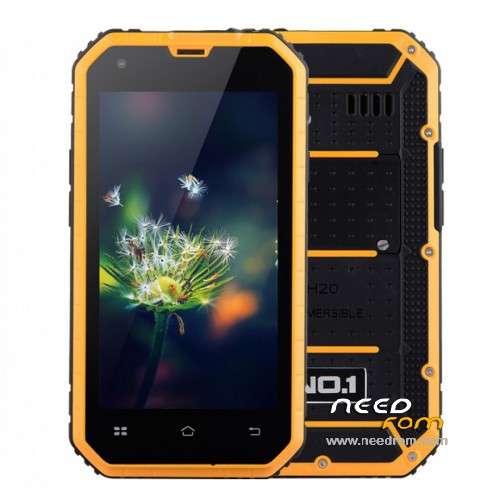
- Title: NO.1 M2
- Listed: September, 2015
- Last modified: 09/24/2015 2:23 pm
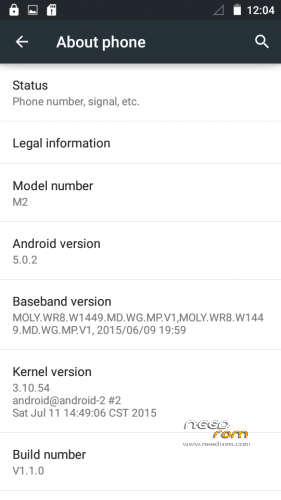
- Version: Android 5.0.2
You must be logged for ROM download.
15412 total views, 1 today
2 Total favorites
 Member Info
DESCRIPTION
This is official ROM from the manufacturer.
ROM version: Android 5.0.2
ALPS.L0.MP2.V1_HEXING6582.WT.L_P17
GApps – included
Multilang – about 50 languages
Install ROM :
- Unpack FlashTools, and Click on Flash_tool.exe
- Select the MT6582_Android_scatter.txt in ROM
- Wait file to be added into Flash Tool
- choose Option->Choose Option->DownLoad->check DA DL All with Checksum
- Turn off your phone
- choose Firmware Upgrade
- press Volume+, Volume-, Power ON at same time
- and connect your phone into the computer via USB data cable.
- The process will start and a red progress bar will appear after color purple, yellow.
- When green circles display, it is finish succesfully
- Finish !
- You can now safely disconnect your phone and turn it on.
※Please make a backup of your device before installing or updating ROM
Hello,
is it a rooted rom please ?
gps fix ?
wifi fix ?
buggs ?
… pls more info (:/
I am trying it to install but it doesn't install anything pls help
am i supposted to click on download button ?
when i boot to recovery am i supposted to click on some TEXT – command ?
PS don't push volume+- and power button, keep phone turn off
giude works for M2 too https://www.youtube.com/watch?.....v=356cm8t6MBs
and guide to install drivers : http://www.nairaland.com/28225.....l-mediatek-vcom
on the end it takes bout 10 minutes on black screen with sign blahblahblah.cc don't do anything with phone !
IT WORSK :O encrypting count from 100% to ?% but it's complete XD
pls all asks there
first start can bee long, another starts takes about 30 seconds
This build seems to work, so far.
Did need to press PWR/Vol+/Vol-(this was after the chinagadgetsreview load), that brings up some diagnostics(chinese).
Lucked out by scrolling to that last one then the update started…It did not do this on the orginal Android 4 build.
Before figuring this diagnostics and powered off, thought I'd bricked it cause it wouldn't power back on.
Unsoldered the battery waited a bit, then soldered the battery back on and it powered up(whew!).
Also had to reformat the SD card in a PC….
The one from http://chinagadgetsreviews.com.....smartphone.html
Has bugs, wifi drops (usually on playstore), screen won't rotate:gods knows what else…
The build from here is working, behaving, no more 1GB limit BS (what were they thinking!!).
Anyway, it's like a new phone……time will tell on the rest of it….
Good luck all…
adendum: While you can store to SD card now, phone goes blank when you dial someone and the camera won't store pictures who know what else.