
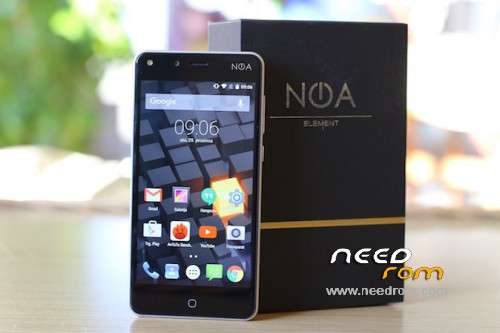
- Title: NOA H5 Custom Recovery (NOA H5 CWM-6.0.5.1)
- Listed: June, 2016
- Last modified: 06/14/2016 1:32 pm
- Version: Android 5.1
You must be logged for ROM download.
12326 total views, 1 today
 Member Info
DESCRIPTION
NOA H5 Custom Recovery (NOA H5 CWM-6.0.5.1)
I have included the original recovery.img for backup needs!
How to root and flash recovery:
Download zip http://download.chainfire.eu/supersu-stable
Download Supersu from playstore
Turn off phone
Hold VOL UP + Power
Press vol up to navigate and press vol down select.
Select [Fastboot mode]
Connect to USB 2.0 connection and your phone.
Hold Shift and right click in the CWMNOAH5 folder and click on open command prompt here (CMD)
Type "fastboot devices" (Do not type the "") to see if it's connected correctly.
Type "fastboot oem unlock" (Do not type the "") and press Vol up on the phone to confirm
Type "fastboot flash recovery cwmnoah5.img" (Do not type the "")
type "fastboot reboot-bootloader" (Do not type the "")
turn off phone
Hold VOL UP + Power
navigate to recovery and press vol down.
Flash the zip Supersu you downloaded
reboot
Start Supersu to see if you need to update anything.
Root apps to use for example are ad blockers like Ad away
https://f-droid.org/repository/browse/?fdid=org.adawa
L Speed [ROOT] and Greenify from the Play Store.
※Please make a backup of your device before installing or updating ROM
Salut j’ai essayé mais portable reste planté à l’allumage sur noa