
- Title: NoveCento Next – 2000/900 (Release II)
- Listed: January, 2015
- Last modified: 01/31/2015 8:19 pm
- Version: Android 4.4.2
You must be logged for ROM download.
28337 total views, 2 today
2 Total favorites
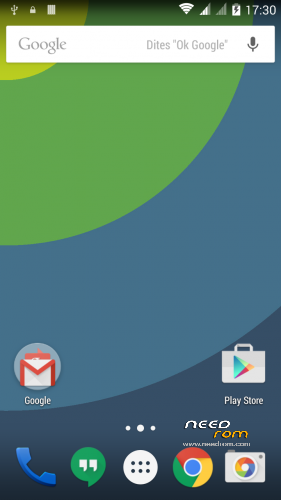
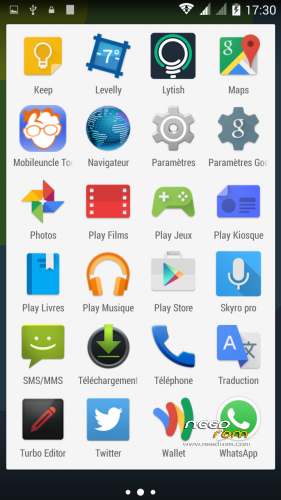
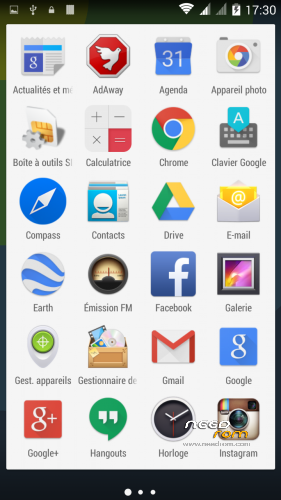
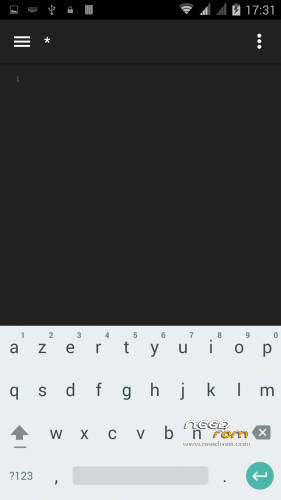
 Member Info
DESCRIPTION
Novecento V3 – "Next" Release II
- Kernel 3.4.67
- Build 1.0.13
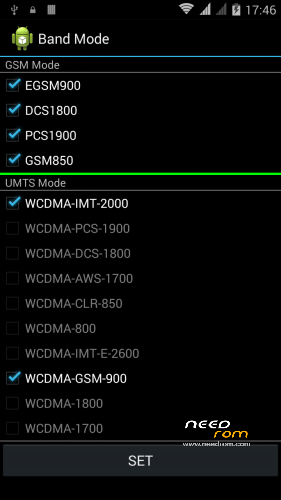
- Bandmode 2000/900
- Based on GAPPS KK Stock Release
- KitKat 4.4.2
- Google Now Launcher
- Google Keyboard (with material design support)
- Mobile Uncle Tools
- Rooted (BusyBox)
What's new (Release II)
- Google Now launcher instead of unmaintained KitKat Launcher
- Updated most of Google apps to reduce update time after first boot
- Moved Google apps to /data/app to allow removal
- Updated Dialer to Google Dialer 1.0
- Updated Google Maps to most recent working version
- Updated Google News & Weather to most recent working version
How to install
* Flash your device under your sole responsibility *
- BACKUP IMEI TO SDCARD (MOBILE UNCLE TOOLS)
- Copy ZIP to sdcard
- Reboot in recovery
- Factory Reset (wipe /system /data /cache & dalvik)
- Install from sdcard
- Reboot
First reboot may requires up to 5 minutes (device rebuilds its nvram and /data)
Setting up
- Restore IMEI (Mobile Uncle Tools)
- Set Wifi
- Add your carrier APN (see their support pages)
- Open Google Play Store
- Proceed to all required updates
- Next, have a KitKat
How to set GPS
- Activate Data/Wifi
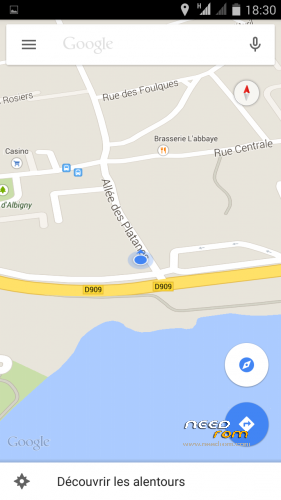
- Open Google maps to bind device location services to Android
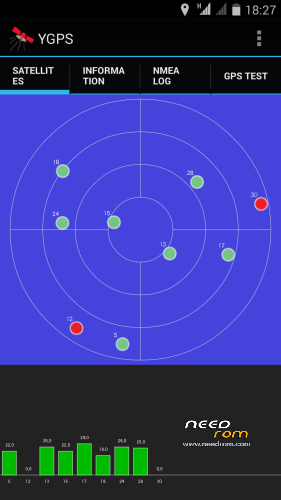
- Open Mobile Uncle tools/Engineer Mode/MTK/Location/YGPS, or Google maps
- Keep device in a clear & wide area
- Be (really) patient, it'll fix
- Next fixes come in less than 1 sec
※Please make a backup of your device before installing or updating ROM
Same to me for the apps in data/stock… it says 'App not installed'.
Google camera doesn't work either… 'Couldn't initialize camera', but the Lenovo camera app from Marsapa ROM works like a charm.
Anyway, this ROM is smooth, quick and I don't get any Wakelocks as the others. GPS is fine too. I'll keep it.
How about the battery with this ROM? Does it charges complete?
Congrats for your work verbatim
I flashed this rom and the phone stopped with a power sign on the scree – I guess the boot process it is stucked. What shoul I do?
Finnaly I solved it!
I don't think this rom can be flashed via recovery by JB users. This what I did and the phone stucked at power logo.
I think the problem appears becouse in KK the recovery takes 8mb and in JB 5mb. Flashing from JB to KK will mess the partition table and internal memory and the phone will get stucked.
The solution is to flash the complete image of KK (including preloader). This https://www.needrom.com/downlo.....inew-v3-1-0-13/ helped me to unbrick the phone. I stopped to 1.0.13 though, didn't flased NovoCento yet.
Hi i flashed this from recovery JB – Marsapa rom v5 and it works fine. Maybe some users can have problem with this
Verbatim, did you manage to install the google camera with your ROM ?
Missing stock apps. Very bad.
hi there,
rom is really pretty good, fast and gps seem work fast. great radio 3g signal and wifi, too !!
about stock apps i downloaded it there and i istalled it without problems:
filesystem:https://mega.co.nz/temporary/m.....ega/UEcn0IgQ
i have only a little problem with error "app not installed" when they are installed instead!!
how cai i solve it? at now i had this with galaxy app animated desktop theme.. no matter, but i do not know if this problem will appear on other important app!
VERBATIM, if you can solve this problem and post the link for stock apps as optional install your rom will be the LIFETIME ONE because it's GOOD
Hello, can I use this room in Italy? Actually I’ m using Marsapa kk v4.Thanks.
yes, i'am using in taly with no problems but the one i described above on 11/12/2014 @ 11:11
—
si certo, io la uso tranquillamente!!
no camera ? fix camera
camera has no stock apps such as camera, file manager, gallery, flashlight etc.
i posted a link whre you can download it and install them.