
- Title: Nubia Z11 mini Jeff72 custom Rom on Update V1.32
- Listed: July, 2016
- Last modified: 07/30/2016 5:56 pm
- Version: Android 5.1.1
You must be logged for ROM download.
16088 total views, 2 today
10 Total favorites
 Member Info
DESCRIPTION
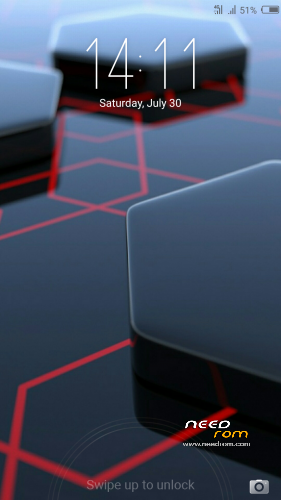
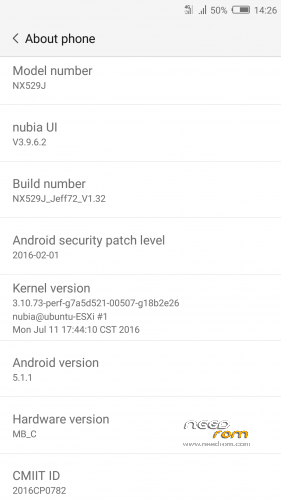
Custom Rom based on 1.32 stock firmware
Rom is rooted with SuperSU.
Multilanguage
Alarms , Ringtones , Notifications are traduced (they were in Chineese).
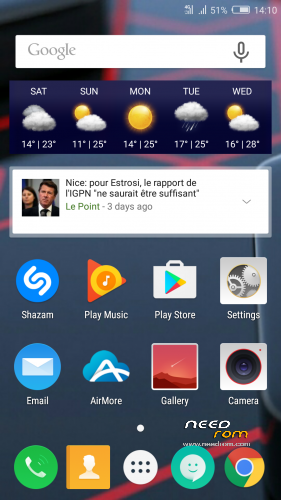
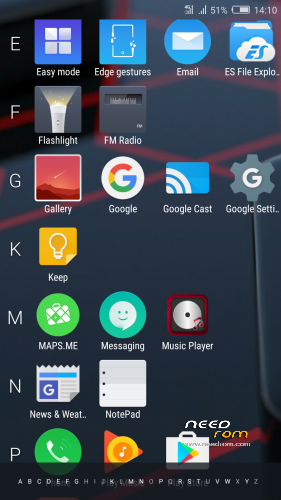
Nubia launcher is changed with Mokee/Cm launcher (Trebuchet).
All Chineese Bloatwares are removed.
Apps removed:
Aliauthpay
Nubia Neoshare
Nubia Neostore
Nubia manualintegrate
Nubia weather
Nubia Music
Nubia Myfile
Nubia Browser
Apps added :
Airmore
Equalizer pro
Yandex Browser
Es Explorer
Adaway
Music Player
Installation through TWRP.
If you're updating from my 1.30 custom version , just flash the zip (don't wipe).The rom will be updated.
For a first installation , wipe and flash the zip.
※Please make a backup of your device before installing or updating ROM
Update without wipe failed, lost root permission and SuperSu.
By installing with full wipe the system crashes immediately.
OK.
Maybe a problem of download with you or upload with me.
If someone else already tried it , I would appreciate to get the result.
If there is a problem I will modify the ZIP in 3 weeks. I’m on holidays.
One last thing : After full wipe , did you have install the file and system crash on installation or did you have an error message on TWRP ?
After full wipe the installation process (flash) proceeded without any problems. But just after booting into system an error message appeared that one process has been terminated. For this reason the system did not get running. Unhappily I can´t remember which process had been mentioned.
Meantime I have already re-installed the previous version, so I´m not able to retrace the error message.
Can you help me (afther your vacation) wich installing these ROM?
Can you give an list of steps (or een link to those list)?
Bonne vacance
Right now I succeeded in installing this ROM by following these steps:
I downloaded BOTH ROM files (V1.30 and V1.32) and stored them in the phone memory.
Then I booted the phone into TWRP recovery and wiped cache, dalvik, data and system. (In my first trials before I only wiped cache, dalvik and data, but not system. This might have caused the fail of previous attempts to update from V1.30 to 1.32.)
After that I installed (via TWRP) the FIRST ROM (V1.30) again. This is absolutely necessary! Installing the second Rom directly failed; I got an error message in TWRP that the system path could not be mounted, and booting into system afterwards led to a boot loop!
In the next step I booted into system and set up the system settings (WIFI, display, etc.), logged in to my Google account and imported my contacts. Nothing else! Above all I did not update SuperSU or other apps.
Then I got back to TWRP and only now I installed the Second ROM (V1.32) without wiping again.
Done! It,s running and working properly.
From this state I updated SuperSU and other pre-installed apps and installed additional apps from Playstore.
Hope it helps you! By the way: Backup your data before doing this (if necessary)!
P.S.
And even the FM Radio is working fine …
Happy it’s working.
Strange it didn’t work the first time.
Yes , the FM radio is working well.
Thanks for the update.
I have alraedy install V1.30. I have found a version TWRP http://www.nubiamobileshop.com.....ni-how-to-root/
Got some problems wich the chinees.
I am looking for een international rom with dutch as language.
Thanks for info and Rom.
After having tested is for 2 weeks now, I am very fine with this ROM. It´s working smooth and stable. Just one wish: Could you please upgrade the translations?
I use MoreLangs en got almost everything in Dutch. Only the settings are still in english.
Hi everyone, i am getting, Unfortunately, com.android.provision has stopped. error after i flash the 1.32. Any idea how to fix it ?
This is the same issue that I was faced with.
Read my post from 08/04/2016 and follow the given instructions. This should lead to success.
I tried various methods, but this one seems to be the only one that works.
Very important:
After having installed the first ROM, you MUST NOT update SuperSU! Otherwise you will lose root access!
Try and leave a report if you want.
P.S.
Only update SuperSu and other apps after having finished the second installation …
WhatsApp just recieve messages when the application is on. Is this a common problem?