
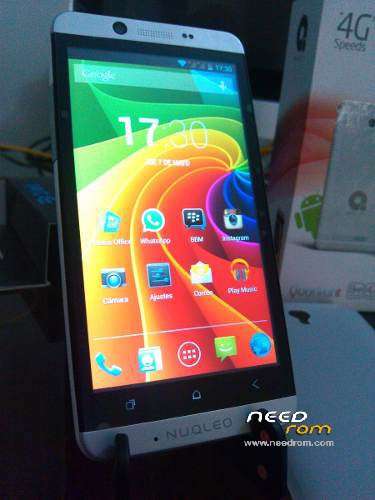
- Title: Nuqleo Quadrant
- Listed: January, 2016
- Last modified: 08/05/2016 7:15 pm
- Version: Android 4.2.2
You must be logged for ROM download.
13546 total views, 2 today
1 Total favorites
 Member Info
DESCRIPTION
Differences of firmware from the factory ROM: included 3 new points only ( 4 points for the new ROM "New!Nuqleo_Quadrant_CWM_SuperSU_boot_patched") -
1. + CWM recovery ( Created in the automatic mode, the program SP_Flash_Tool_v5.1352.01 ) ;
2. + root (SuperSU);
3. Rename the file to lk.bin uboot.bin;
4. + patched boot ( Created in the automatic mode, the program SP_Flash_Tool_v5.1352.01 specially for the new ROM "Nuqleo_Quadrant_by_trennt_CWM_SuperSU_boot_patched" )
You must use the SP Flash Tool v5.1352.01 version or newer, but not older.
Official ROM for Nuqleo Quadrant: https://www.needrom.com/download/nuqleo-quadrant/
Not at all 
※Please make a backup of your device before installing or updating ROM
Hello !
I tried both of your 2 roms (stock / custom) for my Quadrant but now , nothing, doesn 't boot, no light, nothing…
Have you any clue please ? (tried download twice each, unpack with last 7z and last winrar, flashed again and again..)
Best regards,
Please, use Google Translator or Google Chrome browser.
1) Full instruction (in Russian, sorry):
http://4pda.ru/forum/index.php.....#038;p=45624374
2) If the instruction does not help, read second part in post #45:
http://4pda.ru/forum/index.php.....#038;p=45813968
By the way, a small piece of advice: before flashing your smartphone , run wipe factory reset in the recovery menuhi there!
It can not detect the phone off. I installed drivers, so What can I do to solve it? SP flash tool is on auto detect mode.
Btw my phone now is on brick :/ it doesn't start!
Saludos!
En ruso . Utilice el traductor en el navegador Google Chrome .
http://4pda.ru/forum/index.php.....howtopic=469340
Ver spoiler " Las instrucciones completas en el firmware . "