
- Title: Official Lenovo A7-30HC Lollipop
- Listed: September, 2015
- Last modified: 09/03/2015 3:29 pm
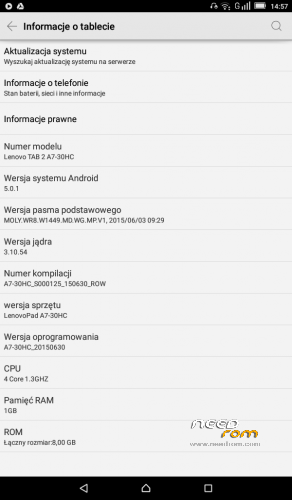
- Version: Android 5.0.1
You must be logged for ROM download.
58855 total views, 1 today
45 Total favorites
OFFICIAL
 Member Info
DESCRIPTION
ZIP install in recovery
※Please make a backup of your device before installing or updating ROM
Thanks for de rom you help me please with 4.4.2 rom for the same table
oye puedo ayudarte
work in tab2 a7-30h?thanks
tested in tab2 a7-30 and work good,touch problem fix,all work good,i dont have test simcard and call,but i think work!thanks for rom,now the tablet its very fast!
hi bro
how i can install this rom ?
hi bro
I installed it . beiefly it's amazing !!! every thing works very well.
thanks a lot .
it work for me<<<< thank for share
Detail on how to install this update please..
1.copy ****.zip to root folder of the SD card (no need to unzip).
2.Turn off the tablet, then keep pressing power button and volume+ button until the robot icon appear, then press power button again
3.Press the volume- to move up and down to choose“wipe data/factory reset”, then press volume+ button to confirm.
4.Choose “yes—delete all user data”, then press volume+ button to enter the page as below.
5.It will enter below page after finishing delete all user data.
6.Then choose“apply update from sdcard”
7.Find and select the ROM, press volume+ to enter the page as below.
8.Please make sure the power is sufficient during the upgrading. It will showed as below when the upgrading finished.
9.Choose “reboot system now”,then press volume+ button to reboot your tablet.
بدرود
enjoy anroid L on your device and be happy
THANKS!!!
I already root my device.. Is that i must unroot first before install this zip..
Can this work for A3000?
no,se brikea si lo haces
Wag!!!! Magkakaroon ka ng HARDBRICK
Funcionando en tablet lenovo tab2 a 7 30GC
INTRUCCIONES:
1)descarga el update y sin descomprimir nada pasa el archivo zip a tu tarjeta sd,posterior mente vuelve a introducir la sd
2) apaga tu tablet y entra en modo recovery,presionando power y volumen + al mismo tiempo
(con la tecla volumen abajo te mueves por el menu y con la tecla + seleccionas tu opcion)
3) despues haces un wipy factory y wipy cache
4) despues te diriges a "apply update for sdcart" y seleccionas el archivo rom que pasaste a la sd
5) al terminar solo reinicia (reboot system now) y listo,espera a que carge todo el sistema
el proceso demora un poco,a mi me tardo aproximada mente 10 minutos en instalar la rom y 15 en iniciar el sistema,asi que se pasiente
Enserio te sirvió en el _gc? Voy a probar como lo detallaste,
No me funcionó en mi TAB 2 A7-30GC, ni siquiera el sistema dejó que se instalase por incopatibilidad pero https://www.youtube.com/watch?.....v=B9xxjzMELJQ este video me ayudó
muy buen apunte, gracias
me sirvira para una table lenovo a7-30hc mi amigo
What about version S000126 Lollipop? S000125 is older version? OTA zip is very risky it can boot loop .