
- Title: Official update N3
- Listed: January, 2015
- Last modified: 01/29/2015 2:08 pm
- Version: 4.4.2updat10Jan2015
You must be logged for ROM download.
18655 total views, 1 today
4 Total favorites
 Member Info
DESCRIPTION
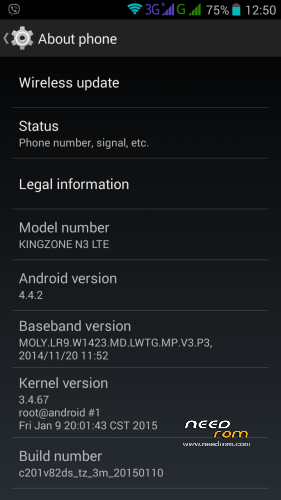
Official update N3 Kingzone
version: c201v82ds_tz_3m_20150110
How to install :
you have to download this rom first and then download SP_Flash_Tool_v5.1343.01
extract file both of them to use.
1.open flashtool file with blue and red arrow.
2.click scatter loading,choose file scatter in extract rome file which you just done.
3.turn off your fone and connect fone without batterry to PC,wait till you PC detect your fone..you'll see on flashtool detect which COM?
4.click download on flashtool,wait till it's done,then you'll see green curcle.
Ps.if you do not want to change what you have download and install in your fone click out CACHE and USRDATA
Enjoy.
※Please make a backup of your device before installing or updating ROM
I was not able to download the ROM from the link gg
Dear Nguyen, sorry for lately reply..link from Needrom? it should be problem from here.I hope you can solve problem?
thak you sir
Will it be ok with the N3 MT6582 ? 5.7inch .
helle, it's work with n3 MT6582
during the operation ,
open the sp flash tools>load the scatter>click download> remove the battery>press power+down(or up) until the opration finished>connect the phone to the computer and waittttttttttt
Thank you kanok and lovasoa96! It finally worked !