
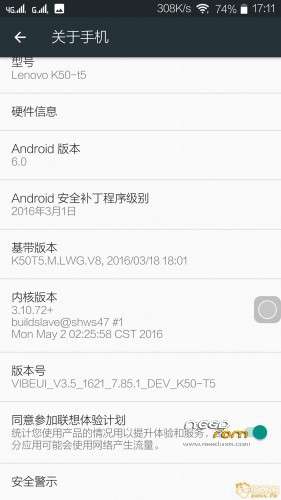
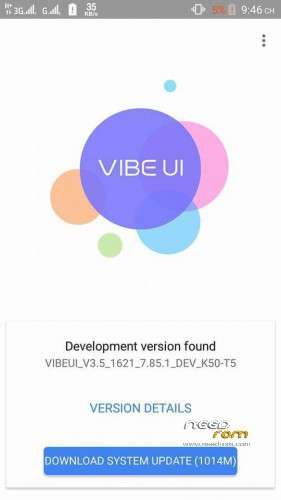
- Title: Official VIBEUI_V3.5_1621_7.85.1_DEV_K50-T5_WCA03077E1
- Listed: May, 2016
- Last modified: 05/20/2016 3:09 pm
- Version: 6.0
You must be logged for ROM download.
23029 total views, 2 today
13 Total favorites
 Member Info

DESCRIPTION
MULTILANGUAGE
PREROOTED
GAPPS ALREADY ADDED
DEBLOATED
HII AWESOME UPDATE FOR AWESOME ROM
HERE IS CHANGELOG…..
Set up
• Press the power button repair occasionally exit the current application
• Fixed display settings can not be used by more than a point to wake probabilistic
• repair the local music set to ring probabilistic failure
• Repair dual card data connection between occasionally can not be switched
• repair coverage but not WIFI connection WIFI display
• Repair intelligent answer decentralized probabilistic pocket to automatically answer incoming calls
Contacts
• Repair contacts probabilistic stop running when there are two or more numbers to open contacts
• repair call after not put out near the ear probabilistic screen
Broadcasting station
• When you exit the station repair station probabilistic stop running
camera
Set screen appears • repair using the golden years when the camera returns
• Repair using probabilistic stop taking pictures golden years return
• Fixed slow response to the album
mailbox
• Click the mailbox repair EXCHANGE left cross after probabilistic stop running
application Center
• Repair Applications Download applications occasionally fail
video
• Repair failure probability Open local video from video
cloud service
• repair abnormal cloud services back up photos
Lock screen
• repair of low probability of lock screen music being played after being cleaned
Installation:
Install TWRP
Boot on Recovery Mode (TWRP)
Wipe System / Cache / Data / Dalvik Cache
Install zip file
Reboot
Enjoy !
After sucessful boot
plz compulsary do factory reset
#Credits for sharing this awesome update
Dev
Udvardi peter
ydss forum
Russian developers
Viksandroide
(www.viksandroide.blogspot.in)
※Please make a backup of your device before installing or updating ROM
turkish language %30…
yes yes..%0
yes, notification drop down works fine. i am not using OTG as i have a 64g sd card, so dont need to use other ext storage ( if you mean USB on the go), so cannot give you that answer. by the way, all the roms from 1615 to 17,19, now the 21, notification has always been working. and this 1621 is also very smooth. i will give it a few days to test battery life.
to be honest, i dont know what wrong with your phone. have you enabled the notification for your apps? if not, go to the notification setting, and enable it for your app.
sorry not otg it’s usb on the go is not working
apps notifications are fine I’m talking about in unlocked main screen .. notification drop down not working.. is it works you?
I returned to Nexus rom !!
HELP!
help!
delete complete reload
I have the exact problem with you when installing the vibe rom , but everything fine with miui rom
language translation are negligible
Whatssap led do not work.
not working
Great rom everything works. Change region to row then LED works for all apps..
And make Nova system app then you can add widgets, works perfectly for me, also deleted shitty lenovo launcher..
Hi grekton, I made Nova a system app and rebooted. Still I am not able to place the widgets. Am I missing anything. Please advise.
Cheers Paddy
Move nova into /system/priv-app make a folder for it, then delete cache, I modified the rom on my pc before I installed it but u can do it after install I think.
Hi Grekton, You mention that you modifieid the rom in the PC. What modification did you do. For even after making the novalauncher a system app, I am unable to place widgets I want to try the modification through pc. Otherwise, the ROM is very impressive.
can you install the rom on the K3 NOTE K50-T3S model?
how chance region to ROW ?