
- Title: Omni Rom Beta Build
- Listed: February, 2018
- Last modified: 02/06/2018 2:55 pm
- Version: 8.1.0
You must be logged for ROM download.
22931 total views, 2 today
5 Total favorites




 Member Info
DESCRIPTION
This Rom is developed by Daniel_hk
This is the latest Oreo build 8.1 of Omni Rom
Finally Guys the video Recording is fixed,It's a dirty fix but works.
Changelog [06/02/2018] :
- The latest OmniROM 8.1 source, Android-8.1.0_r7 (OPM3.171019.013)
- Source is sync to the latest Omni-8.1
- userdebug build.
- Video recording is fixed.
- Phonograph and equalizer are also fixed.
- MP3 and FLAC can be played now.
Bugs:
All the major issues are more or less fixed.There might be some occansional Soft Restarts and FCs.
How to Install :
Flash with the latest TWRP
1. Factory reset
2. Flash ROM
3. Flash SuperSU (tested ver.2.82)
4. Reboot and setup wifi
5. Flash Gapps
Please donate to Daniel_hk @ XDa if you like his work
※Please make a backup of your device before installing or updating ROM
I flashed this rom and its not booting to system,stuck in the boot logo what should i do??
Flash rom and super su at same time and then reboot..
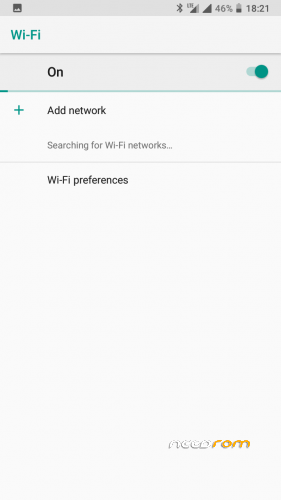
If I take a backup of this, or another Orea-Custom-ROM, ROM and restore this, than I am not able to activatie WiFi. I tap WiFi On, but the button changes to Off. Therefore I can't use this backup and I have to install new. Any suggestion why? Thank you in advance.
If you go in "Settings" ==> "Network & Internet" ==> "Mobile network" ==> First Sim-Card ==> "Advanced" ==> "Preferred network type". There is "2G". The first Sim-Card is for mobile data. But in this ROM I can't change to "3G". Always the "Preferred network type" changes to "2G". What do I wrong"
any way to fix youtube
when installing is showing,the zip file is corupted..please fix it.
How to fix ussd issue..
And proximity fix also ?
Bro, fix volte too.
OK, can run successfully!
Thanks!
But I cannot install any app from sdcard!!!!!!