
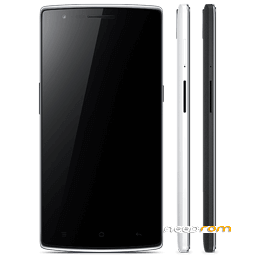
- Title: OnePlus One Stock ROM
- Listed: February, 2017
- Last modified: 02/10/2017 8:18 pm
- Version: Version: 2.1.4
You must be logged for ROM download.
10554 total views, 1 today
1 Total favorites
 Member Info
DESCRIPTION
ow to Install Firmware/ROM files
Method 1: Flashing From PC
Step 1. Install ADB Files & USB drivers of your device. Download your device’s ROM file in your computer.
Step 2. Reboot your phone into recovery mode. To do this, shut down your device and turn it back on while holding the power and volume down buttons simultaneously.

Boot into Recovery mode
Step 3. Choose “Install from USB” option in the recovery screen, tap OK to confirm. A screen with “You are in sideload mode” will be displayed. (Refer this)
Step 4. Connect your device to PC using a USB cable. Now open adb.exe from ADB folder & enter below command
or Windows: “adb sideload ”
For Mac/Linux: “./adb sideload ”
Wait a while, your phone should now update to the selected build and reboot automatically to take you into OxygenOS.
Method 2: Flashing from phone.
Step 1. Copy downloaded ROM file into your device. Switch off your device & Reboot your phone into recovery mode. To do this, shut down your device and turn it back on while holding the power and volume down buttons simultaneously.
Step 2. Choose “Install from local / Install from SD”, find your .zip file and click on “Install” to confirm. (Refer this)
Wait a while, your phone should now update to the selected build and reboot automatically to take you into OxygenOS.
How to Install Minimal ADB & Fastboot Tool
Well installing the Minimal ADB & Fastboot tool is really very easy. Just launch the .exe file & Click on Next > Next & Install.

How to Install Minimal ADB & Fastboot
Once you have installed the tool, launch the tool from the desktop icon named as “Minimal ADB and Fastboot”. You should now see a command window open, with the command window open you can now issue ADB and Fastboot commands to your device

Minimal ADB & Fastboot Tool
Note:
Minimal ADB only works with Windows OS both 64-bit & 32-bit.
Make sure to use the most latest version of tool to flash files in latest Android version devices as well as with old devices.
Install USB Drivers for Android device by connecting your device in USB Debugging mode.
To check if everything is working well, enter “adb devices” in the command window. It will return your device code which means everything is set to go!

adb devices
Learning ADB commands will help you come out of non-working devices or tweak your device. Most of all, it will help you increase your knowledge regarding Android system & its files.
※Please make a backup of your device before installing or updating ROM
modify thos links