
- Title: OPPO SMART TOOL VER.2 {SETUP}
- Listed: January, 2025
- Last modified: 01/14/2025 8:36 pm
- Version: android
You must be logged for ROM download.
6020 total views, 3 today
3 Total favorites
CUSTOM
 Member Info
DESCRIPTION
OPPO SMART TOOL Rev.2
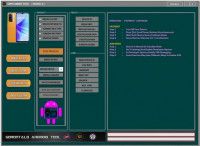
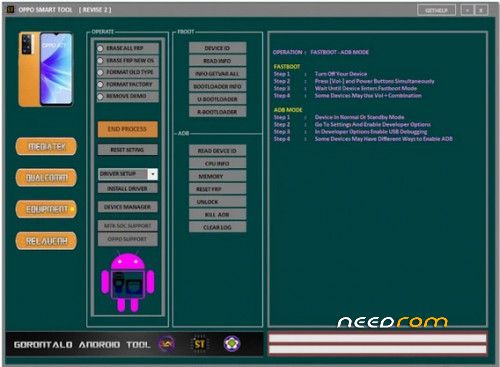
For devices built with MediaTek and Qualcomm, It can be used to remove demo mode, factory reset, and erase FRP, among other things. This tool confirms smooth device management, including boot mode operations and fastboot/ADB support, and is compatible with a large variety of OPPO and Realme models. It makes it easy to perform tasks like reading device information, unlocking bootloaders, and resetting FRP, which makes it perfect for technicians.
Oppo Smart Tool Rev.2
Features:
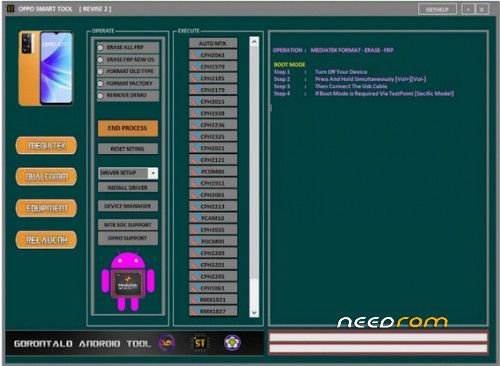
MediaTek:
- Erase All FRP
- Erase FRP (New OS)
- Format (Old Type)
- Format Factory
- Remove Demo
Qualcomm:
- Erase All FRP
- Format Factory
Fastboot:
- Device Info
- Read Info
- GetVar All
- Bootloader Info
- Unlock Bootloader
- Relock Bootloader
ADB:
- Read Device ID
- CPU Info
- Memory Info
- Reset FRP (ADB)
- Unlock Screen
- Kill ADB
- Clear Log
Supported Models:
MediaTek [MTK]
-
OPPO Models:
- OPPO A12 (CPH2077/CPH2083)
- OPPO A11K (CPH2071)
- OPPO A5s (CPH1909/CPH1912)
- OPPO A16 (CPH2269)
- More models…
-
Realme Models:
- Realme 1 (CPH1861/CPH1859)
- Realme 3 (RMX1821)
- Realme 3i (RMX1827)
- Realme 6 (RMX2001)
- More models…
Qualcomm:
-
- OPPO A11s (PDVM00)
- OPPO A53s (CPH2135/CPH2139)
- OPPO F17 (CPH2095)
- More models…
-
Realme Models:
- Realme 7i (RMX2103)
- Realme 8 (RMX3081)
- Realme X3 (RMX2081)
- More models…
Boot Mode Instructions:
- Turn off your device.
- Press and hold [Vol+] and [Vol-] simultaneously.
- Connect the USB cable.
- Use TestPoint for specific models if required.
Thank and Donate….
File Free
※Please make a backup of your device before installing or updating ROM
Hi
Need pass