
- Title: Original Lollipop Rom(Non-Emulated)
- Listed: May, 2016
- Last modified: 05/19/2016 12:09 pm
- Version: 5.1.1
You must be logged for ROM download.
13604 total views, 1 today
4 Total favorites
 Member Info
DESCRIPTION
1.Downlod ROM and place to root dirrectory of SD card.
2.Enter CWM recovery by holding VOL UP + Power button.
3.Wipe Data->Factory reset
4.Wipe Cache
5.Advance->Wipe Dalvik Cache
If You Have Any Problem Or Bug,Message Me……..
MTK6582 8GB ROM and 1GB Ram
N.B. : Do all things at your won Risk. I will not be responsible for any kind of Brick/Damage of your Device/Phone.
ONE MORE IMPORTANT THING TO SAY
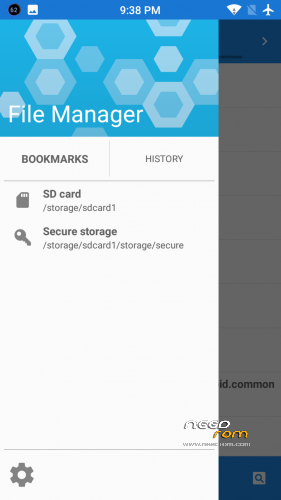
THIS ROM IS A NON EMULATED ROM SO INTERNAL STORAGE WILL NOT BE SHOW BUT DEFAULT STORAGE IS SD CARD
FOR CAMERA GREEN OR ERROR DOWNLOAD THE CAMERA FIX.ZIP
NO GAPPS NEEDED ALREADY PREINSTALLED
BUGS:
YOU TELL ME……
※Please make a backup of your device before installing or updating ROM
Umm, Nice ROM. But home button doesn't work on my N9000.
i wil fix that
Dicen que no funcionan los botones de abajo home etc.. es un error que suelen poner en todas las ROM solucionen esos botones son necesarios ya que si quedan no funcionales estropean la estética del diapositivo
well in some rom home button cant be fix
this rom also have the same problem
i have tried total 20 roms like blisspop, resurrection remix…etc…
these rom work super and smooth but the only problem is default storage is internal sd and not sd card so what is the use of releasing them
thats y it took me a lot of days to post a perfect rom and this rom is all i get
Fallo de cámara
Dirección mac rotatoria (cambia a cada media hora más o menos )
Problema de memoria (memoria interna 2,36 la demás desaparece )
No deja descargar nada (inserte una sd para descargar)
No funciona el botón home (para salir atrás hasta el inicio)
camera bug is solved using camera fix.zip
internal memory cannot been used due to this rom is a non emulated rom
home button cant be fix due to rom bug but still trying to fix
When you press the Home button should be the KEYCODE_HOME.
But making it to KEYCODE_MOVE_HOME.
Home bouton, fix it:
Lo que hacemos ahora es dirigirnos a la carpeta system/user/keylaout y abrir el archivo
generic.kl que se encuentra en ella. Nos ponemos a editar el archivo y vamos hasta la
línea 102; como precaución podemos comentar la línea ya existente añadiendo un ‘#’ (sin
las comillas) al principio de la misma, y luego vamos a añadir lo siguiente por encima de
la línea original:
key 102 HOME
Guardamos, reiniciamos el smartphone o tableta y veremos que la tecla Home ya
funciona como se debe.
(http://sobreandroid.com/como-s.....-la-tecla-home/)
Where do I find the CWM recovery for Star N9000?
https://www.needrom.com/downlo.....-customize-rom/
screen rotation not works on my phone
G-sensor not works… it´s a pity…