
- Title: stock ROM 1.1.1.
- Listed: December, 2014
- Last modified: 12/04/2014 3:32 pm
- Version: install from TWRP
You must be logged for ROM download.
29189 total views, 3 today
4 Total favorites
 Member Info
DESCRIPTION
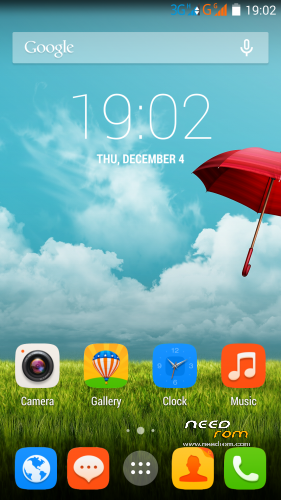
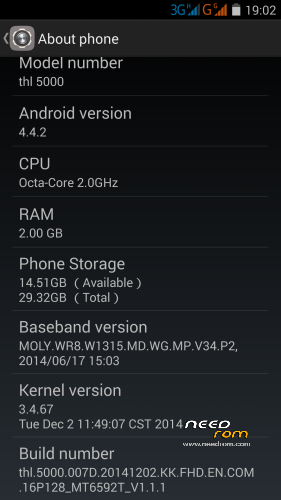
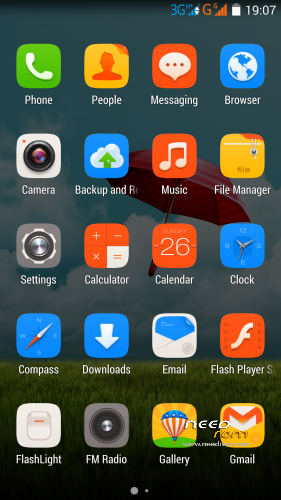
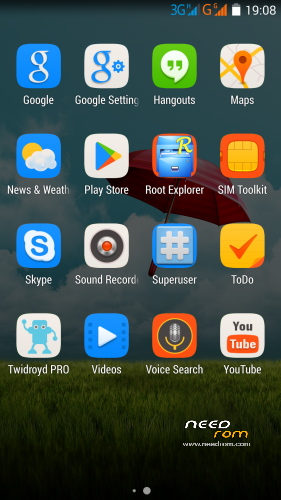
Dimid/iv2012 prepared this special installation file of latest original ROM 1.1.1. File is designed for the installation from TWRP recovery. Minimally modified new official firmware. None of the system file is changed! If you will not install patch files, OTA will work. But, patch files are really great  .
.
Changes:
* Root Shell
* Support init.d
* Integrated Root
* Installing busybox
Installation:
- save the ROM ZIP file "THL5000_v1.1.1_twrp" on the SD card
- jump to TWRP recovery, if you haven't it, install it (installation instructions are here, sorry in slovak language only, use Google translator):
http://androidforum.cz/twrp-2-7-1-0-root-pre-thl-5000-t57731.html
- click Wipe and select items: Dalvik Cache, System, Cache, Data, Int.SDcard and Android Secure
- click "Swipe to Wipe"
- click on Install, choose ROM ZIP file, click "Swipe to Install"
- restart the phone
- go to Settings / About Phone 8x click the last item "Build number" – it will unlocks the "Engineer mode" in "Developer options"
- done
ROM patchs. install it from TWRP (Each archive contains the patch and patch rollback "otkat"):
WithOut_G_v1.1.1.rar - Network indicators network without big G
Settings_v1.1.1.rar - Advanced Developer settings, Smart gestures work after a reboot, Engineering menu in Developer option
Framework_v1.1.1.rar - Fixed Brightness, Changed Power Profile, Green LED for notifications, Advanced Power Menu, The ntp server is "europe.pool.ntp.org"
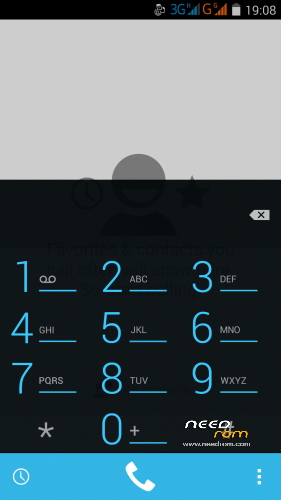
Dialer.rar - A large photo of the caller, The dark background in the flip cover, Call button moved down.
Boot_Uboot_110.zip (from original ROM 1.1.0.) – set gama for old type displays
PermissionControl.zip - add "App permissions" to Settings/Security – allow manage permissions
wallpapper from Classsic ROM - http://uloz.to/xtbjDFdj/default-wallpaper-jpg
Author's page (Dimid): http://4pda.ru/forum/index.php?s=&showtopic=592576&view=findpost&p=36224810
My page: http://androidforum.cz/thl-5000-f1104.html
※Please make a backup of your device before installing or updating ROM
Sir Rbarat the patch files have 2 zip files which one to use? otkat or normal thanks!
"otkat" is Rollback-File.
Patched file is without "otkat".
Do i have to use TWRP to flash this rom ?
If so how do i install twrp ?
I am new to this world.
Above is the installation manual. There is written exactly what to do.
Rbarat i reboot the phone and deep sleep works
anyway the apk you link what's for? To test what?
When it works, so nothing needs to be tested.
I added instructions in the first post:
- go to Settings / About Phone 8x click the last item "Build number" – it will unlocks the "Engineer mode" in "Developer options"
I followed the instructions to install TWRP and this rom.
But after the first reboot I get stuck in a screen asking foi a privacy password. I don't know what privacy password is this?! How can I solve this problem?
Please help because I can't even use the phone…
That's strange, I installed this ROM many times and the phone did not want any password. Somewhere you have to make a mistake.
Try install my another ROM, e.g. https://www.needrom.com/downlo...../classic-v3mod/, then try install this ROM.
Or first install original ROM through FLASHTOOL https://www.needrom.com/downlo.....16p128-mt6592t/
I formated the phone and now it doesn't even turn on.
Redoing the steps, I can install de recovery.img with the ok image, but the phone doesn't turn on
Install with SP Flash tool this ROM here, recovery TWRP is included.
https://drive.google.com/file/.....nbsp; Sp FlashTool
https://drive.google.com/file/.....nbsp; ROM THL 5000 1.1
Start SP flashTool, search scatter file in directory where unRARed rom, choos scatter file, click dowload. Plug USB cabel and press Button under SIM2. When finished, if not self reBOOT, press reset Button again and wait reBOOT. You have Your Phone running
Copy this one down on SD Card.
https://drive.google.com/file/.....nbsp; ROM V3 from RBARAT
ReBOOT in recovery and WIPE, wait, BACK, INSTALL, choos where you copied rom and SWIP to install.
This ist the best rom for THL 5000, Rom is ROOT. You can install the add on here down if you will.
https://drive.google.com/file/.....nbsp; Home button long press clear memory
https://drive.google.com/file/.....nbsp; Modem 900 MHz
https://drive.google.com/file/.....nbsp; Back to modem 850
Auther addon you can choos on NEEDRO, but carefully
Some widgets its not more available after this actualization.
Reinstall your problematic application and check if application is located in internal memory. Some widgets work if application is located strictly in internal memory only.
Nice Rom. Antutu 31928. No Problems after two days of usage. Thank you very much. One small flaw maybe : when choosing notification sounds only ringsounds are available. Don`t know if this is exists only on my phone . With the enhancements this rom is very good !!! :):)
:):)
I'm new to this too.
I read that you included Boot_Uboot_110.zip (from original ROM 1.1.0.) – set gama for old type displays
I just bought my THL5000 and have a gamma of 1.2, that means new display.
Can I use your ROM ?
Yes, by default this ROM suport a new type of display…