
- Title: Original stock dg280_KK_R10 ROM with 6GB system partition and CWM recovery
- Listed: December, 2015
- Last modified: 12/08/2015 1:57 pm
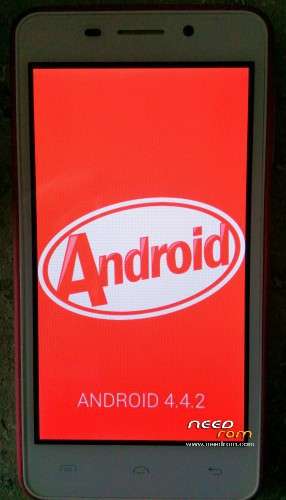
- Version: dg280 KK R10 upgradable to R13 via OTA
You must be logged for ROM download.
16090 total views, N/A today
4 Total favorites



 Member Info
DESCRIPTION
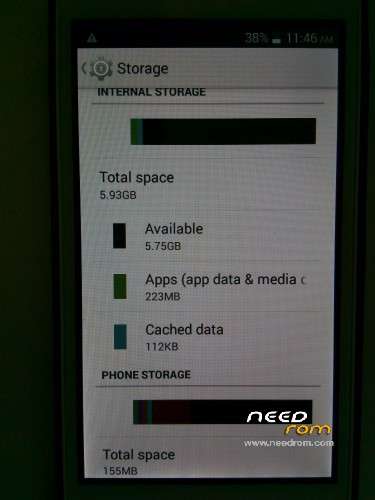
Original stock dg280_KK_R10 ROM with 6GB system partition, CWM recovery (STOCK recovery in cluded in case someone want it) and 155MB emergency internal storage in case you don't have SD card. It is upgradable to R13 via OTA and proven to be rooted by the latest Kingroot.net directly from your phone.
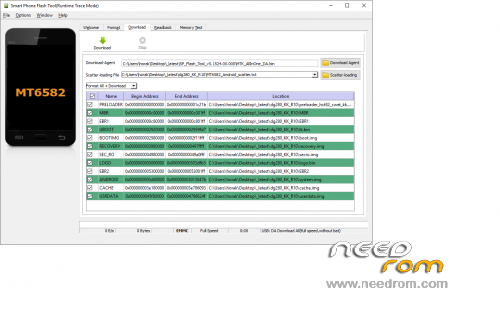
just use latest http://spflashtool.com it's set-up with CWM recovery so all you need is only root it afterwards with the kingroot.net like I mentioned above. Of course you have to have installed MTK preloader drivers and to put your phone into the preload mode by pressing Volume down button together with power button.
Here you have the package with the SP Flash tool and the MTK preloader drivers.
Enjoy and feel free to ask me if needed.
https://drive.google.com/file/d/0B2btwl3zYaixYmZtYy12V2FrSjg/view?usp=sharing
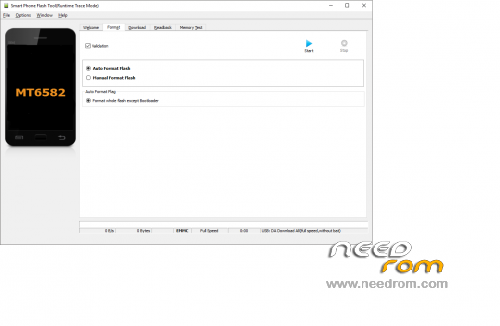
I added the screenshot of how the SP Flash tool looks like for your proper flashing. You have to Format+Download and then then in CWM you better reset the phone to factory meaning clear all data and caches, because your partition schema changed.
※Please make a backup of your device before installing or updating ROM
Hi yes it exactly is for the SP Flash tool.
как права запись видео прошивка 6гб
Is it possible to do a similar rom for the lollipop version of dg280? Stock with 4,5 or 6 GB?
Somehow the only only rom I'm able to flash successfully is Android R15. For the other roms, including this one, I get black (grey) screen and thats all. Even I'm not able to enter in CWM mode (pofer+vol-up). Finally I always end flashing back to R15 and everything works fine again (inc. CWM). I'm wondering what I'm doing wring here.
this comment saved my day, thx
after i install it comes black screen what can i do help please
Great, it's perfect and perfectly working.
Flashed a charm with SP Flash Tools 5.1552
It has some problems when you try to download some app that installs some data on the phone storage, it shows that you don´t have enough space on phone storage to download it, so i guess it´d be better one single partition on this phone
Hey please help me. My Doogee is crashed, its black, don't start, no recovery mode available, nothing. I had tried to install a new rom with the flashtool from this side, but the scan failed and failed and failed. I think the phone is damaged, but I hope, you have any ideas??? Please.
sorry for the english, I am from Germany.
Nice Greets
Unreak your phone in spflash tools ….. click dowload rom insert usb cable (remove the battery) press and hold volum up button and well be start downloaded
I have the same problem as partner. SP Flash tool does not recognize. Might be a little more in defining specific steps.
can i write this rom ti dg280X?? i mean are they the same dg280 and dg280x?
perfect