
- Title: Oukitel K6000 Pro
- Listed: October, 2016
- Last modified: 10/16/2016 2:02 pm
- Version: CM13
You must be logged for ROM download.
23450 total views, 2 today
7 Total favorites
CUSTOM

 Member Info
DESCRIPTION
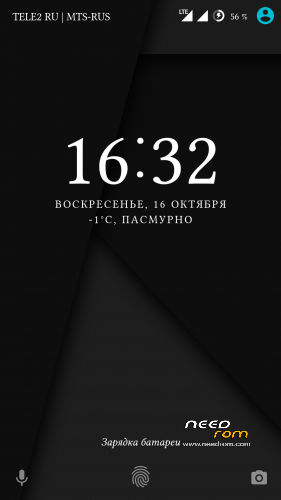
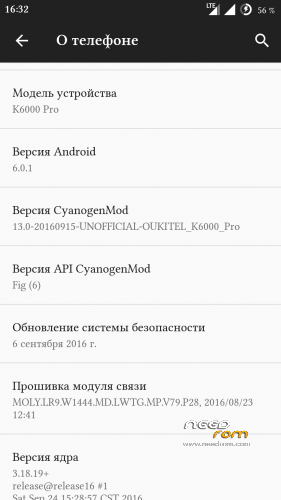
Stable см13 Android 6.0.1
Everything works
Gapps
Multilingual
Use for installation is attached twrp
To put only through updated TWRP that in the same post under the firmware and the scatter there prilogaetsya
First sew through Flashtool recovery
update_cm13:
fixed distribution over wifi and Bluetooth (in profile Bluetooth yet so can't enter I'll look further)
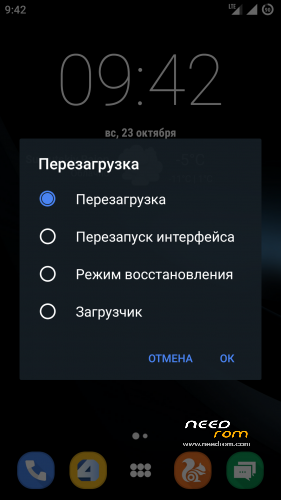
firmware update ,rather after this , you may lose the shortcuts to some programs ,do not panic ,just reboot the interface is in the advanced reboot menu
※Please make a backup of your device before installing or updating ROM
hey guys….i maked a mistake…i dont know what…i flashed the phone….maybe i had low battery …i don't know….and now…i open the phone…and it appears only one black screen and nothink else….what can i do to make it like factory??? maybe is because i flashed it with preloader…i'm new in this…the only roots who i have do it's in the past with android 4.2.2 with one click root …i don't have the knowledge to restore it…it not feel any solution …( no on/off + vol up …nothink ) only black screen and nothink else!! please help me..i lose my mind with this cellphone!!!!!!!!!if you can send me a PM message please if u have any solution!!!THANK YOU
https://giveawaytricks.in/root.....itel-k6000-pro/
the first thing you need to do is install the recovery such as putting on this site, then recovery mode and then install 13.0 cm'll have everything ready and make a backup in case you have any problems
link: recovery twrp v7, v8, v9, sp_flashtool, drivers and cm 13.0
https://mega.nz/#!uAoSTZbb
passw: !FykIKbazw5WTeCOErHpZFllW8cL7Ti_kPRr89Y_B-e0
install v.8 version and twrp recovery, wipe and cache and rom cm 13.0
format phone (dont format bootloader) with sp flash tool and then flash factory rom.
rozko view
is password
https://1drv.ms/u/s!Aj9ZgiSO8_.....VdqOU1gMKIZLh8T
link onedrive link no password
Hello, do you know if you will experience an update to CM we have become accustomed, but this has so far proven useless ….. eternal freezes, does not work with some applications and mainly it is about 2x slower than the stock rom …..
is still some support?
I didn't tested the rom under a heavy load or gaming, but it doesn't feel slow to me.
has someone try to send a movie with whatsapp?
if i do whatsapp freezes
anyone the same problem?
I now have a rom v9. Root made. I have uploaded twrp the link (dedicated to cm13) Before flashing cm13 I have to do a full wipe / date format? I think so.
That's right. Wipe / format is needed. Today I tested cm13.
rom cm13 installed, the update as well. After the start I got the message "CM audio services has been stopped," What is this about? I have another problem on stock rom like cm13 charging stops on 97%. Sometimes, only 92% Has the battery damaged?