
- Title: Oxygen™OS 2.0
- Listed: February, 2016
- Last modified: 02/18/2016 9:04 pm
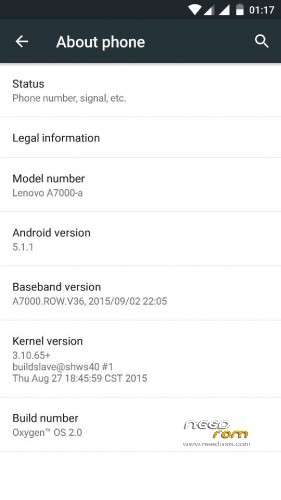
- Version: 5.1.1
You must be logged for ROM download.
19710 total views, 2 today
3 Total favorites
 Member Info
DESCRIPTION
DISCLAIMER: Rooting your phone and using custom ROMS have risks, and if instructions aren't followed you can BRICK YOUR DEVICE. We are NOT responsible if your phone breaks, if world war occurs, or if your dog dies!!!!
Copying of my works, editing, rebuilding, and re-porting will give me respectful credits.
[ROM Features]
- Oxygen™OS 2.0 Stock Deodexed (A AOKP Stock Vanilla Clean Rom of One Plus Two)
- Originated from Snapdragon Kang Source
- 5.1.1
- Pre-ROOTED
- Gapp installed (PlayStore)
- OxygenOS Latest Bootanimation
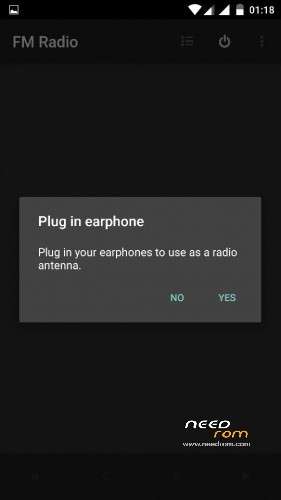
- Minimal apps (Browser, Calendar, Clock, Contacts, Radio, Camera, Compas, Music, Greenify, Root Explorer(R). ETC
- Oxygenos (Trebuchet Launcher)
- BusyBox installed latest (1.24.1-Stericsson)
- Multi-Languages
- Dual Sim (Dual standby)
- init.D Support
- exFar Support
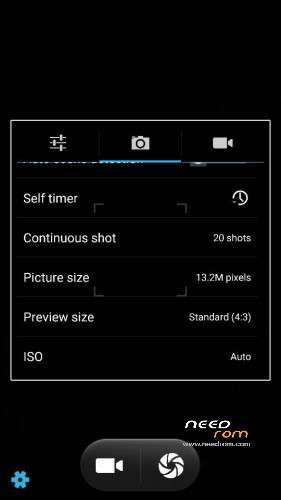
- Camera 13.22MP-5.22MP ok
- 2.0 Fast charging Technology™ (5-6v~ 2.0A)
- Android Core
- Liquid Smooth
- Xposed Enabled (XposedV82-sdk22-arm64) Tested
- Xposed Apps All Working
- DPI 480
- Boom Sound Technology Via Dolby (Must Flash)
- MiraTechnology™
- Ultra Clean, No Hogs, No Hangs, No Lags 
ROM
Link: https://mega.nz/#!sQYG0C7L!yZvPu9ML3MMSl4oT2iP8EivWI1yPWbaPkVITEP1kzsM
init.d Enabler
Link: https://mega.nz/#!gMVlWIyL!GUzp13pVE2yVZ7nL3ChN1X8NbASh2rxS8PTWcz-XCm4
HOW TO FLASH? (READ QUITELY DONT EVEN REPEAT ME)
1. Download file
2. Extract the TWRP Folder on your SD-Card
3. Go to your TWRP Recovery (old or Latest)
3. CHOOSE WIPE>Slide to Wipe>BACK>Click Advance Wipe>CHOOSE ONLY>Dalvik-cache and cache>Slide to wipe! (keep it in your mind! for avoid nvram error and imei) you can use it on your future coming roms!
4. GO TO MENU>CLICK RESTORE>CHECK ALL>Slide to RESTORE
5. K3 NOTE USERS Must Flash your ModemPatch, and for A7000Plus (after restoring Reboot Directly)
(it is similar restoring like Leishui 1606)
Credits:
*Specially For Me
*Nikolai Zinoviev
*Miyers Bernabe
*Maximum™ Rom Porting Team (Philippines)
*NamelessPortingTeam™ (Philippines
*AndroidOpenKangProject
*OnePlusTwo and X
*Most of all GOD (for everything)
Bugs:
-Only Led
-Double tap
-else nothing follows.
※Please make a backup of your device before installing or updating ROM
after 1 day use of this rom . its clean and smooth ….modem is fixed by flashing latest s121 modm ,,, doa battery calibration (must)
else u willl get seroius battery drain issue…. after all these i gt alost 9 hr of stand by time ….in that 2 hrs of sceeen on and 1 hr in call..comparing to other cm roms . its poor ….and taking much time to charge than cm .. sorry i go back to cm .. so idont have the screen shots …one thing is there is no issue with proxmity (which is present in cm and its annoying )
)
How to flash modem
gentlemen go this link to download modem
https://drive.google.com/folde.....=drive_web#list
just flash it through TWRP. Reboot that is all
In my opinion this is one of the best roms apart from nexus 5
smooth rom
check this out
thanks to dev
https://youtu.be/yc2MDCTpr3U
sorry but no exfat support. Can u fix it and add the DPI setting?
Double Tap to wake up not functioning
please tell me how to restore this backup i tried a lot of times
my twrp is 2.8.7.4.
it dont show me the backup when i try to restore
can't restore backup,
i installed twrp 2.8.7.4.
twrp dont show the backup when i go to restore
sorry but no exfat support. Can u fix it and add the DPI setting?
Thanks for share
Lệ Vấn Tiếu :3
when i try and flash modem my phone reboots, and the "setup" at the start keeps crashing when I type my name in?
when setting up it keep saying settings have crashed please advice