
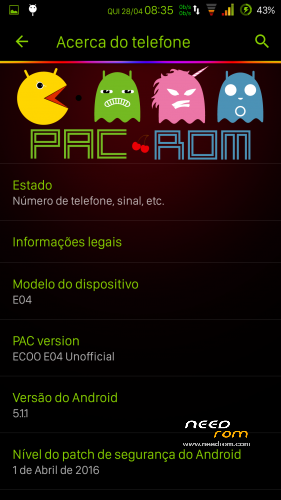
- Title: PacMan ECOO E04 (MT6753)
- Listed: April, 2016
- Last modified: 04/28/2016 2:12 pm
- Version: 5.1.1
You must be logged for ROM download.
16507 total views, N/A today
4 Total favorites
OFFICIAL













 Member Info
DESCRIPTION
No rádio
Fingerprint implemented but not scanning yet.
After install reboot for cameras work properly.
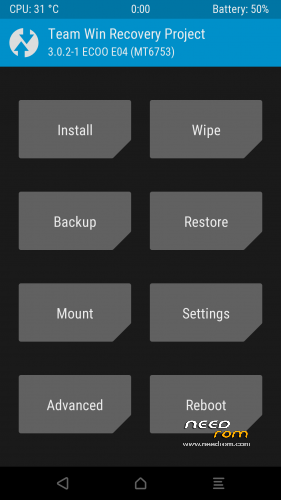
TWRP
Recovery install
For those who have problems with camera and recovery install, post a link for a TWRP backup with boot, system, and recovery. just unpack to your backup folder an restore.
※Please make a backup of your device before installing or updating ROM
ftscp Hello, if I could fix the camera, it would be great, and if a patch for recovery, would be perfect, the rom is great, it is perfect.
Thank you very much for your work.
Everything is good, except for the camera!
Uploaded a TWRP backup with Boot, System and recovery partitions. Unpack to your TWRP backup folder and restore.
Thanks, to try, then you cuento.gracias for your work.
ftscp not recognize me copy the TWRP
Backup is for TWRP
Put backup on SDcard/TWRP/ECOO_E04_3GB/PacMan/…backup files here…
When TWRP 3.0.2-1 from backup installed the backup folder name must be renamed from ECOO_E04_3GB to 0123456789ABCDEF (new name of backup folder)
thx man
Reinstated backup via TWRP , the camera runs Android! CYANOGEN (org.cyanogenmod.snap 2.0.002) camera stops!
Able to remove from the firmware (org.cyanogenmod.snap 2.0.002) camera?
With a file manager with root access delele folder System/app/Camera2 folder. But for me both cameras work, try to wipe dalvic and cache.
!!! Once again restored backup, wipe dalvic and cache. Both cameras work! THANK YOU FOR YOUR WORK! СПАСИБО!!!
Oops! Again, the camera 2 is stuck!!!
Oops! Again, the camera (CM) is stuck!!!
Delete Folder Camera 2 still hangs CM camera!
i've no problems with cameras. Try to install the base pacman file and then restore the backup.