
- Title: PHILIPS I928 ROM
- Listed: December, 2014
- Last modified: 02/18/2015 1:58 pm
- Version: Lang:EN/UA/RU/RO
You must be logged for ROM download.
26099 total views, 5 today
 Member Info
DESCRIPTION
PHILIPS_I928_ROM by Dimid/iv2012
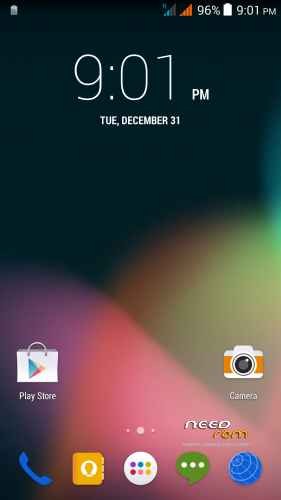
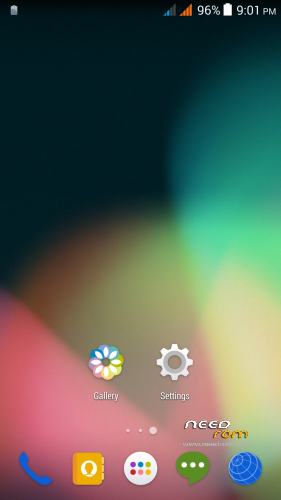
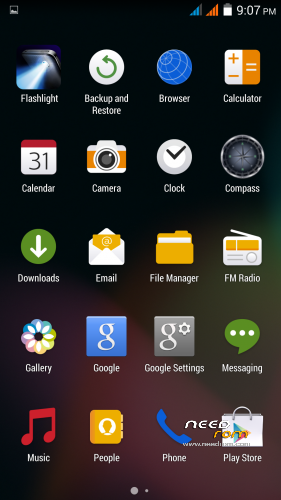
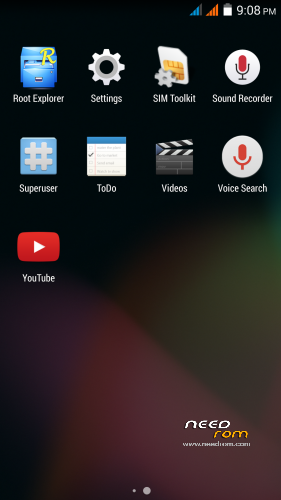
Good ROM port from Philips I928 phone, comes from excellent ukrainian author with nickname Dimid/iv2012. Contains only 4 languages - english, russian, ukrainian and romanian. It is a pure Android 4.4.2, Gapps are integrated, ROM is ROOTed. Part of this ROM Dimid used in his other ROMs. But, on russian debate are people who use this simple ROM and are happy with it. Too bad the ROM contains only 4 languages. I uploaded it here for archival purposes. Try it if you want.
History of changes:
V4 (Philips_ROM_v4.zip)
* Upgraded kernel to correctly display the battery charge lever
* Dolby Digital +
* Upgraded camera saves video to mp4
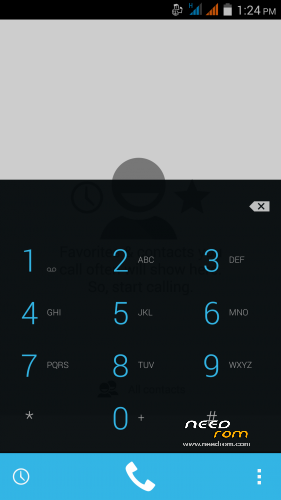
* Dual SIM dialer with full-screen photo
* In the dialer functionality integrated flip cover
* When you start the dialer, dialpad starts immediately
* Replaced the libraryies: Bluetooth, Mali, GPS, sound (from the office. Firmware v1.1.2)
* Developer Menu is enabled by default (it was hidden)
* Menu "Setting the init.d" in the parameters of the developer. Warning! Experimental function. For advanced users only!
* Improved smooth scrolling
V3 (THL5000_Philips_ROM_v3_rbt1)
* Fully signed AOSP keys
* Separate volume control (as in stock)
* Smart gestures
* Fixed a bug in the start-up dialer
* Fixed a bug standard Launcher, if left alone desktop
* Fully deodex
* Unlock the 4-position (as in stock)
* Flip-Case with clock
* Dialer with integrated flip cover
* Increasing the ringer volume (can be disabled)
* Increasing the volume of the alarm (can be disabled)
* Lock coup (delay 2 sec.)
* Mute call flip (delay of 2 sec.)
* Mode "in the pocket" (delay of 2 sec.) + Track activity dialer (not to include in conversation)
* Adjust the sensitivity of the accelerometer
* Startup manager
* Permits manager
V2 (THL5000_Philips_ROM_rbt1 + THL500_Update_rbt1)
* Support init.d
* Valid root shell
* Integrated root
* Engineering mode parameters Developer
* Modem with support WCDMA 900 MHz
* Advanced menu Developer
* The menu Developer: CPU Statistics
* The menu Developer: CPU control
* Set a speech synthesizer in the "Language & input"
* Removed the Google search bar
* Fixed Auto Brightness according to the testimony LightSensor
* Advanced Power Menu multilanguage
* Removed large icons G near the antenna
* Default is disabled BesAudEnh (so as not to interfere with the installation of other "uluchshayzerov")
* Terminate moved down
* Full-screen photo caller
* The default setting is enabled from unknown sources
* Default on display battery %
* Default is off animation
* Select the system fonts
* 13 megapixel camera from Philips
* Partially changed Power Profile in line with THL 5000 battery (only battery capacity)
My small changes:
* Default installation in english
* Removed boot sound
* Added some usefull applications (Smart keyboard, …)
* Added Xpossed framework (can install Gravity Box KK)
Installation V4/3:
- jump to TWRP 2.8.1.0.
- click on na Wipe, then Advanced Wipe
- select Dalvik Cache, System, Cache, Data, Android Secure
- pull Swipe to Wipe
- click on Back, then 2x on Back button under display, you will see the main menu
- click on Install
- choose V4 file "Philips_ROM_v4.zip" or V3 "THL5000_Philips_ROM_v3_rbt1.zip "
- pull "Swipe to Confirm Flash"
- installation will run
- click on "Reboot System"
- when the phone starts go to Settings/About phone
- click 7x on "Build number" – it will unlock "Developer options"
- do to Settings/Developer options and set this three items to ".5x"
a) Windows animation scale
b) Transition animation scale
c) Animator duration scale
(Notice: this is necessary for proper function of Dialer.apk)
- optionally install latest Titanium Backup from here - http://uloz.to/xvarbwpk/titanium-backup-v6-2-0-1-original-apk
Installation V2:
- jump to TWRP 2.8.1.0.
- click on na Wipe, then Advanced Wipe
- select Dalvik Cache, System, Cache, Data, Android Secure
- pull Swipe to Wipe
- click on Back, then 2x on Back button under display, you will see the main menu
- click on Install
- choose file "THL5000_Philips_ROM_rbt1.zip"
- click on button "Add More Zips"
- choose file "THL500_Update_rbt1.zip"
- pull "Swipe to Confirm Flash"
- installation will run
- click on "Reboot System"
- when the phone starts go to Settings/About phone
- click 7x on "Build number" – it will unlock "Developer options"
- do to Settings/Developer options and set this three items to ".5x"
a) Windows animation scale
b) Transition animation scale
c) Animator duration scale
(Notice: this is necessary for proper function of Dialer.apk)
- optionally install latest Titanium Backup from here - http://uloz.to/xvarbwpk/titanium-backup-v6-2-0-1-original-apk
Additional ROM patchs only for V4 (install it from TWRP):
LibCam_Ph_v3.rar - Camera library firmware from version nr.3 (For those who liked camera v3 more. The archive contains patch and patch rollback)
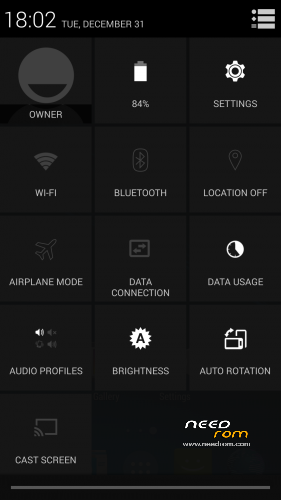
Quick_settings.zip - Opening the Quick Settings, immediately after the image, from the right corner of the screen
Q_settings_G.zip - Opening the Quick Settings, immediately after the image, from the right corner of the screen + bigger G signal indicator
Dialer_recent.zip - When Dialer starts does not open dialpad but call history (as in stock)
EditProfiles.zip - Settings with the ability to edit all sound profiles (For example, you can turn Vibrate in silent mode or "Meeting" edit profile "Street".)
Color_icons.zip - Colored icons in Settings and Power Menu
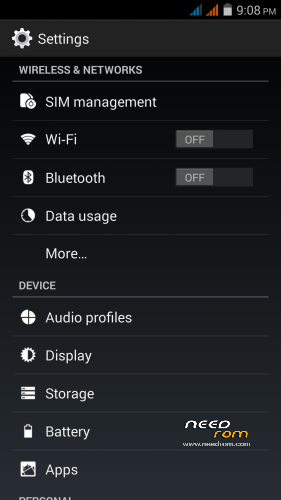
Add_Settings.zip - Advanced Settings, in the Settings menu added "Other Settings". There were moved some menu items from the developer menu, aded download epo.dat file, block ads and Wakelock Detector. This patch contains color icons patch.
THL5000_Philips_ROM_v4_Boot_112_fixed.zip - Modified kernel 1.1.2 (for new displays), better showing battery %
THL5000_Philips_ROM_v4_Boot_110_fixed.zip – Modified kernel 1.1.0 (for old displays), better showing battery % level
Custom kernel install if you have problems witch showing the battery % capacity. After kernel installation in TWRP make Wipe Cache/Dalvik. Completely discharge the battery, then fully charge the battery. Now, the battery level should display correctly (not guarantee that it will be so real).
Other original/modified kernels here (russian forum): http://4pda.ru/forum/index.php?s=&showtopic=592576&view=findpost&p=38034152
Additional ROM patchs only for V3 (install it from TWRP):
PowerProfile_5000_Philips_v3.zip - Corrected use of programs in statistics of the battery
Boot_Philips_111.zip - Kernel for new displays
Dialer_wo_alpha.zip - Dialer with opaque functional buttons and lights out at the top (as in stock)
LibCam.rar – Camera library from original ROM v1.1.1, In the archive is patch + patch rollback.
Keyguard.zip - Unlock in any direction
Dialer111.zip - Dialer from original ROM v1.1.1
Autors (Dimid's) page – russian forum:
V4: http://4pda.ru/forum/index.php?s=&showtopic=592576&view=findpost&p=37853450
V3: http://4pda.ru/forum/index.php?s=&showtopic=592576&view=findpost&p=36471696
※Please make a backup of your device before installing or updating ROM
Other good ROM is Rom V10.1 choos there V10.2, is based on THL original rom 1.1.
SETTING menu is not in color. but it works very well.
If the author is tha same, what's the difference from this ROM and Classic?
is this the updated version of 1.1.2? thanks
In fact this ROM has the kernel from 1.1.0 ROM, but you can apply the "Boot_Phillips_111.zip" patch. After that you will have the kernel from 1.1.1 ROM. Maybe in the future the author or somebody else will make a patch to change the kernel again. But in my opinion this ROM is the best at the moment.
Twrp 2.8 philips i908 ???
Anyone know if the 5000THL power profile can be applied to the classic v3 rom by Dimid?
I've almost given up getting mine to correctly read power usage.
I've completely ovehauled my THL5000 and still reads incorrect % battery usage.
Lee
In Classic ROM V3 power profile fix is applied – do not install power profile fix there.
You have to use the modified kernel to get the battery level correctly. A power profile patch can't help you.
By the way there is PHILIPS I928 ROM v 4. It has the modified kernel by default.
Thanks for your reply mate. I always thought that the classic v3 by Dimid and others were modified kernels.
It seems that the first use arfter reflashing the roms it seems almost ok, but there after it misreads the % of battery left and quite often drops to 0% from 30% in about 1 minute, then switches off.
You believe if I get the I928 ROM v4 it will correctly read.
Lee
I hope so. The people who use the modified kernel said (wrote) that everything is OK with the battery level.
Just flashed.. Awesome@
No FC all works.
Best rom off all…. V4 rocks
Great work
Thanx
What is in camera the rollback and what is tge New one?