
- Title: Philz Recovery For Fuel 50
- Listed: May, 2016
- Last modified: 05/06/2016 11:33 am
- Version: Philz OLD and Philz 6.59
You must be logged for ROM download.
11239 total views, 1 today
1 Total favorites
 Member Info
DESCRIPTION
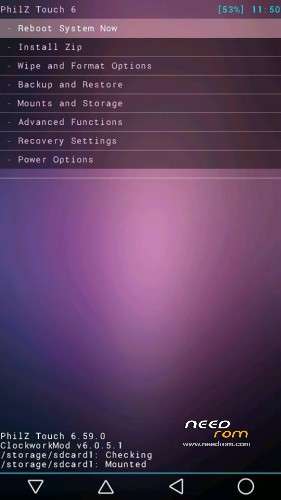
Philz Recovery for Lava Iris Fuel 50.
Note: To Install Philz Recovery, you need a Rooted Fuel 50. To Know how to Root your Fuel 50, go to irisfuel50.ml or See in the Fuel 50 Needrom Page Here.
Requirements:
1. The Philz Recovery Image that you want to install from the Link Above.
2. Rashr APK from Play Store.
Instructions:
1. Download the Philz Recovery Image that you want to install from Above and place it in the Root of your SD Card.
2. Download "Rashr" from Play Store.
3. Open "Rashr" and give it Root Access.
4. Go to "Recovery from Storage" and Select your Recovery Image and Flash it.
5. Reboot your Device.
Congratulations, All Done! You have now successfully installed Philz Recovery on your Fuel 50.
For Any Problems or Support Visit my website for Fuel 50 at http://irisfuel50.ml OR Join our FB Group at https://fb.com/groups/irisfuel50
※Please make a backup of your device before installing or updating ROM