
- Title: Philz Recovery
- Listed: December, 2014
- Last modified: 12/19/2014 2:59 pm
- Version: 6.57.9
You must be logged for ROM download.
21445 total views, 1 today
5 Total favorites
CUSTOM
 Member Info
DESCRIPTION
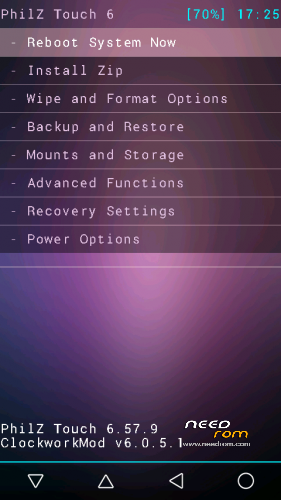
Philz Recovery 6.57.9 for T6S (Based on CWM 6.0.5.1)
How to flash:
1.Download "recovery.img"
2.Install Mobileuncle MTK Tools from Google Play (Phone must be rooted!)
4.Choose Recovery/Flash Recovery/Update Recovery and chose recovery.img from sd card
5.Wait to finish and enjoy
Screen is not upside-down like on other recoverys !!!
Bugs: Touch screen in recovery not working,use vol up/down and power button
Suggestion: In recovery go to Recovery Settings/GUI/Touchscreen support and change it do disabled.
※Please make a backup of your device before installing or updating ROM
is this recovery is still upside down like CWM and Carliv Touch recovery?
no . i flashed ..its ok
ohhhhhhhhh yeeeeeeeeeehh.. very thanks
I cant install it, img flashes, but when i boot to recovery, there is the default one.
Ok, this worked: http://grungemann.blogspot.cz/.....d-root-thl.html
Doesn't seem to work. When i select the "recovery.img" in mobileuncle tools it just right away reboots into my normal recovery.
What am i doing wrong?
Excellent!
I flash it, but when I boot into recovery, then my phone shows the thl logo and it fade to dark/black color and then it starts normally.
I dont now how I can fix it. I tried to flash it with Sp Flash Tool and with Mobileuncle, but both doesnt work.
Can anyone help me ?
same
same here, regret update to 5.0 via FOTA
I have a solution. I think because you have the lollipop 5.0 update. You have to flash back to the stock rom kitkat version via sp flashtool.
And then you can flash the recovery.img with sp flashtool [http://grungemann.blogspot.de/2014/08/how-to-flash-cwm-recovery-and-root-thl.html]
Or try via Mobileuncle MTK Tools !
Sp flashtool works for me !!!
i have the same problem
Can any one publish the MD5 of this file?
If Mobileuncle MTK Tools does not work, try using Rashr – Flash Tool from Google Play Store. Worked fine with me.
I solved the problem like "noko post14" using Rashr worked fine thanx
i've downloaded Mobileuncle MTK Tools but i see there only info for my phone.. what to do, i dont know…..
any help…?