
- Title: PopKAT v2 for Unite2
- Listed: April, 2015
- Last modified: 06/07/2015 8:27 pm
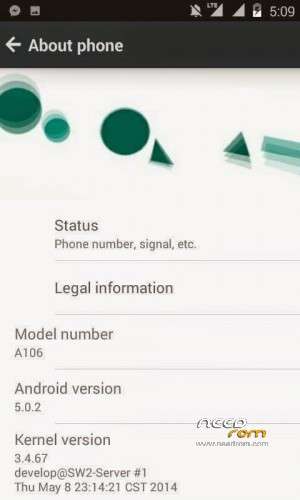
- Version: 5.0.2
You must be logged for ROM download.
17204 total views, N/A today
3 Total favorites

 Member Info
DESCRIPTION
Hello . I will tell you the flashing instructions for this ROM as the Author has not posted that.
So let's start off .
Root your phone . Flash any recovery for your phone such as CWM or TWRP .
Switch off your phone. Go in recovery mode by pressing VOL. UP +VOL DOWN + POWER BUTTON simultaneously.
You will see two options RECOVERY MODE and FACTORY MODE . Press VOL up button for RECOVRY MODE.
Select Wipe data / factory reset . Wait for the process .
Once it is done , select INSTALL ZIP FROM SD CARD.
Then select CHOOSE ZIP FROM SD CARD if your ROM is in your memory card . Otherwise select CHOOSE ZIP FROM INTERNAL SD CARD.
Select the ROM zip .
Wait patiently ��.
Then select the UPDATE V2 ZIP and flash it .
Then select the PATCH ZIP and flash it too .
The phone might boot automatically , if not then go back and select reboot system now.
Wait for the process as boot time will be long as the ROM is booting up for first time .
If your INTERNAL SD CARD IN NOT DETECTING by your phone then flash the file which VIVEK posted above .
follow me facebook link
https://www.facebook.com/biswajitmajumdar00
※Please make a backup of your device before installing or updating ROM
is this for lollipop or kitkat