
- Title: Popkatv2™
- Listed: March, 2015
- Last modified: 03/16/2015 4:23 am
- Version: 4.4.2 MT6582
You must be logged for ROM download.
20215 total views, 2 today
91 Total favorites

 Member Info
DESCRIPTION
ROM OWNER : NEIL EDWARD DIAZ
PORTED BY : Sohai
BUG FIXED BY:Sohai
NOTE: READ THE DOCUMENT TO AVOID UNNECESSARY QUESTIONS and PLEASE FOLLOW INSTRUCTIONS.. THE DEVELOPERS AND PORTERS WILL NEVER BE HELD LIABLE.
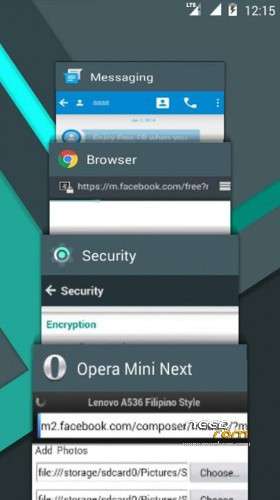
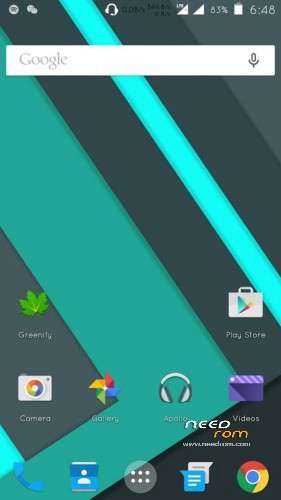
The Kitkat ROM closest to Lollipop looks is back and now even better!
PopKat (Lollipop + Kitkat) is here to immerse you into the Android Lollipop experience even in your Kitkat ROM.
Common features:DeodexedZipalignedTweaked
Aside from being heavily-skinned with material design, this includes the following:
• Based on MT6582 Android 4.4.2
• Lollipop Launcher, Icons, Apps,
• Lollipop Toggles in Notification Panel
• Floating Button in Modded MMS
• Simple Battery Styles• Switchable (on/off) Netstats/Netspeed
• Fluid animations all-throughout
• Listview animations for eye-candy
• Dolby Digital Plus (Super Loud Audio) for extreme music experience!
• No storage bug for single EBR firmwares!
• No keyboard force close in landscape mode
• Can receive/send apk via bluetooth
• Efficient RAM management
• Already rooted with Kingroot
• Root explorer working without bugs
• Lollipop Easter Egg
• And much more!
A536 POPKAT features and channel logs:
**Usual PopKat User Interface
*Added PopKat boot.logo with Paranoid Android L BootAnimation
*Added Shuttle+ Music Player (Best in UI and built-in music player themes)
*210Dpi by default
*Fixed Camera Force closing
*Fixed Misaligned off-phone charging animation
*Fixed wifi issues (not-connecting issues even your wifi is strong)
*EDITED off charging animation,. looks like flat Android L battery animation
*report any bug 
*default write to disk external sd
SCREENSHOTS?
http://postimg.org/gallery/6k73sndc/
How to Flash the ROM
(TWRP)
1. Place the ZIP in SDCard
2. Reboot to Recovery Mode (VOLUME UP + POWER BUTTON)
3. Wipe Data/factory reset, Wipe Cache Partition and Go to advance to Dalvik Cache
4. Go to Mounts and Storage
5. Format System,Data and Cache
4. Flash the ROM File
5. Then Reboot.
ROm: sohai
NOTES:
1. Owner picture in header must be set again in every reboot. It reverts back to the default after reboot.
2. Settings button in notif panel header works but doesn't automatically hide the panel. Not a bug.
3. Tap the area in the clock to show toggles
※Please make a backup of your device before installing or updating ROM
please update link download not working
working po b 2 s khit anong android phone like torque
can flash to torque droidz excite?
i'm gonna try this room and make a review for this room
have to face difficulty in caller screen.At the time of recieving call there is no indication whether the call is coming at sim 1 or sim 2.Only small pop up screen comes in the top it fails to open main caller screen at the time of recieving calls.
Do i have to flash GAPPS after the flashing..?
No sim card detected! no IMEI!
front camera not working… whats wrong with theese roms?
You don’t have any ROM with full lollipop
bad link bro