
- Title: PopWiz Black Edition Official
- Listed: June, 2015
- Last modified: 06/07/2015 2:25 pm
- Version: 4.0
You must be logged for ROM download.
14557 total views, 1 today
1 Total favorites
CUSTOM
 Member Info
DESCRIPTION
OFFICIAL POPWIZ BLACK EDITION v4
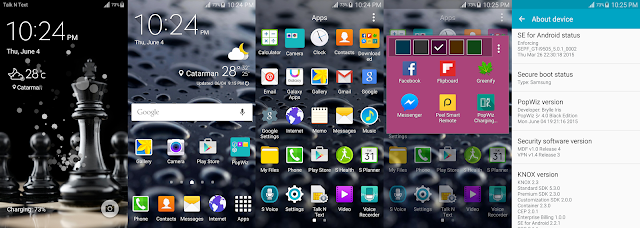
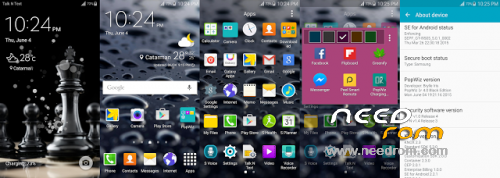
PopWiz v4:
Status: Stable
Device status: Official
Kernel: Stock 3.4.0-39996895
Recovery: Stock
OS version: 5.0.1 Lollipop
Model number: GT-I9505 Black Edition
Country: Philippines (Openline)
Product code: XTC
AP: I9505XXUHOC6
CP: I9505XXUHOC6
CSC: I95050LBHOC2
FEATURES:
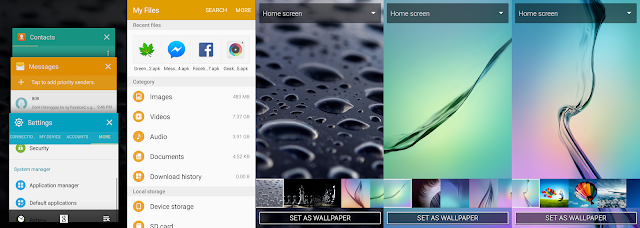
Black Edition Wallpapers, S6 Wallpapers, S4 WAllpapers, iOS Wallpapers
Black Edition ringtones and more…
Mod Stock Launcher (5×5, S6 icons & Folder)
Black Edition ringtones and more…
Mod Stock Launcher (5×5, S6 icons & Folder)
S5 Dialer and Contacts app
Mod SecMms apk (Increased SMS/MMS Limit to 1000 w/ priority senders)
Latest Flipboard
S6 S Health
S6 icons
5×5 Mod TouchWiz Launcher w/ Themes (LG, Lollipop and Default)
S6 Weather Widget
S6 Email
S6 Keyboard
S5 Video app
Mod HW Key Configuration like S5
Fixed Video Lag in 1080p
S6 Memo
S6 File Manager
Added Mms and Settings Search button
Rooted
Odexed
Deknoxed
Debloated (Gapps & S Apps)
Unlock effects ( Light effect, Ink in water, Abstract tiles, Popping colors, Water color, Geometric mosaic)
MIOS Theme
Grayscale mode
And more…
How to install PopWiz v4 Android 5.0.1 Lollipop I9505XXUHOC6 on Galaxy S4 LTE (I9505)
Step-1: Extract the downloaded firmware zip using any extracting tool
Step-2: Extract the Odin zip to get Odin3 v.3.09.exe with a few other files
Step-3: Power off the Galaxy S4
Step-4: Enter into Download Mode by pressing and holding Home, Power and Volume Down buttons together
Note: Ensure that you have installed proper USB drivers installed on your PC.
Step-5: Launch Odin as Administrator on the computer. Click on the Odin tool then right-click and select Run as Administrator from the drop down menu
Step-6: Connect the S4 to the PC using the USB cable while it is in Download mode. Wait for some time until Odin detects the device. When the phone is connected successfully, the ID: COM box in Odin will turn light blue with COM port number. This step might take some time
Step-7: In Odin select the firmware files extracted in step-1 in an orderly manner
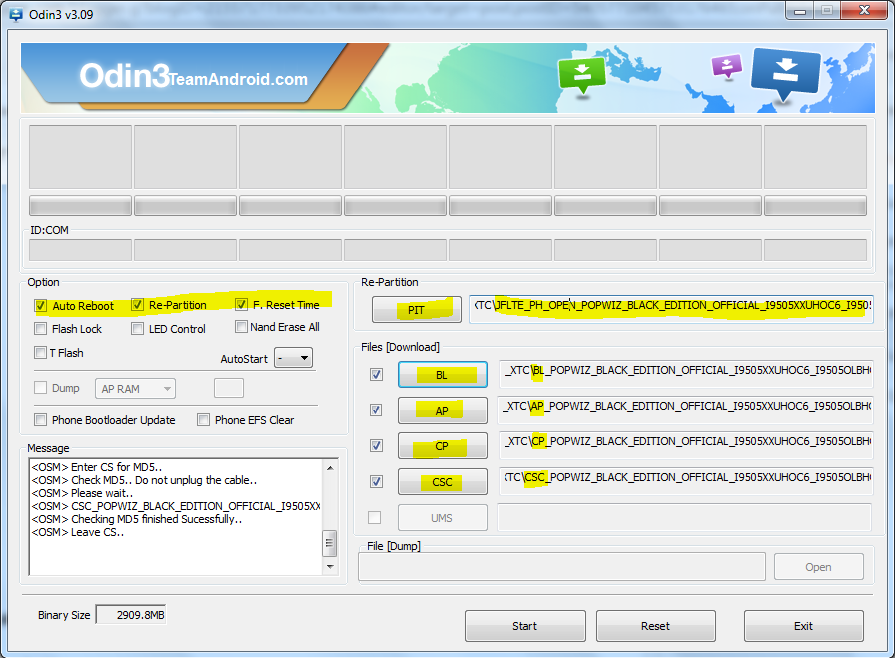
Step-8: Enable Auto Reboot and F.Reset Time checkboxes in Odin. Also, Re-Partition checkbox should be ticked
Step-9: Double check everything and click the Start button in Odin
Step-10: The installation should start now. It will take a few minutes to complete the installation. Once the process is completed, the phone will restart automatically. When you see the home screen on the phone, unplug the USB cable from the phone safely and remove the battery.
Step-11: Factory Reset (Enter into Recovery Mode by pressing and holding Home, Power and Volume Up buttons together) and Reboot. Enjoy!
Step-11: Factory Reset (Enter into Recovery Mode by pressing and holding Home, Power and Volume Up buttons together) and Reboot. Enjoy!
para mas mapaganda pa ang ROM, pwedi po kayong mag donate..kahit LOAD pwedi na 
pang INTERNET ko lang po..LTE 50 hehe
pang INTERNET ko lang po..LTE 50 hehe
My phone number
+639991185422
CREDITS:
Luca Albertini
Kards Le Sharpeye (para sa pagbili ng debayz ko)
Smart LTE (para sa letcheng 1mbps upload speed)
※Please make a backup of your device before installing or updating ROM
http://forum.xda-developers.co.....-i9505-t3129422
pwede po ba ito sa shv-e300l ??? salamat po > ianmiracle1211@gmail.com << SALAMAT PO !