
- Title: Port:Ulefone Metal + Universal Port Patch
- Listed: September, 2016
- Last modified: 10/05/2016 10:50 pm
- Version: 14/09/2016
You must be logged for ROM download.
15115 total views, 3 today
4 Total favorites
 Member Info
DESCRIPTION
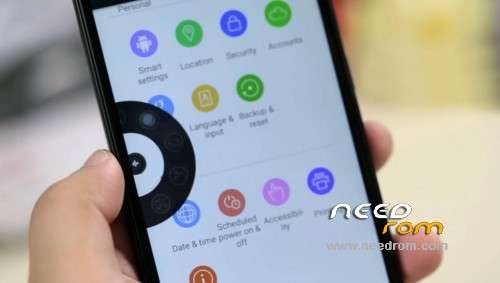
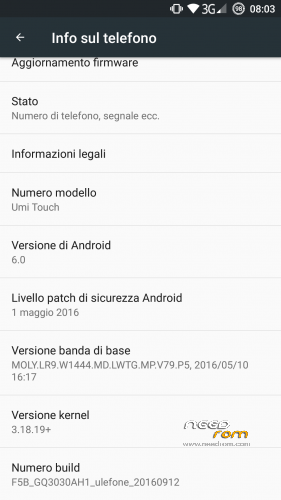
This is latest firmware (14/09/2016) from Ulefone Metal.I think one of the best around.Nice floating multitask window 
Better ram management and amazing battery backup.
Added a twrp flashable file for patching any rom and make system working in mtk 6753 (from same soc).
In my experience no bug exept fingerprint.Other bugs ? You tell me 
Maybe a better touch sensitivity and better photo quality.
Remember: you must stay in Umi's latest firmware (10/05/2016)
How to install :
1) Donwload archive.
2) Unpack,you'll find 3 files, boot.img (a kernel ported boot image) system.img (original system from ulefone) and a twrp flashable file.
3) Copy UmiPortPath in you external sd
4) Using SP_Flash_Tool flash only boot.img and system.img.
5) Now reboot in twrp and flash UmiPortPatch.zip
6) Reboot,set dpi to 440 for a confortable view.
7) Thats all…… enjoy your new updated Umi/Ulefone rom.
I really hope that UmiPortPatch.zip will help to port some other rom.I have not so much time.
* I am not responsable for any damage to your phone,i am not a developer nor an exepert !
Use at your risk !!!! Sorry for my english…..
UPDATE : Added ported libraries from Umi Super to fix camera problems…..Just flash with twrp. (i think will work to all 64 bit roms with sony cameras) Enjoy,
※Please make a backup of your device before installing or updating ROM
hola segui todos los pasos pero se queda en la pantalla de ulefone atyuddaaaaa
I dont understan espanol but try to clear cache and dalvik and make sure to be in latest original umi's firmware.
How can we change the dpi??
1. Open Root Explorer.
2. Go to /system
3. Look for build.prop. Long press on the file and press Open file in Editor
4. Scroll down to ro.sf.lcd_density=480
5. Change the value to anywhere between 420 and 440. The lower the value, the higher density your screen will have.
6. Click on the Menu button, and Save and Exit.
7. Reboot.
Or download buildprop editor from playstore.
The problem is that the ro.sf.lcd_density isn't on the build.prop file.
I aded the line manually but there's no change;
I just found the problem. The line is present in another file called default.prop, even if I replace it, it still changes the value that I entered (380) to the original one (320).
If someone knows how to flash a *.prop file, it would be really great.
https://play.google.com/store/.....nger&hl=it
Try with this…..
Yes, it worked! Thank you so much! )
)
download patch link is deleted
The patch is in the Rom file.
thx
my simcard is not detected! i tried a few cards – no detection – any idea how or where to change it?
thx for answering my question !!
Please be relaxed…..
Try like this : Flash latest umi firmware,reboot phone.Power off and flash ported rom.Apply port patch.
Is it possbile can you port ROM 7.0 Jiayu S3 Plus [MT6753] to UMI touch.
http://forum.xda-developers.co.....3-plus-t3448724