
- Title: Prestigio PSP3502DUO *STOCK*
- Listed: September, 2015
- Last modified: 09/18/2015 11:23 pm
- Version: 4.4.2
You must be logged for ROM download.
28635 total views, 3 today
9 Total favorites
OFFICIAL
 Member Info
DESCRIPTION
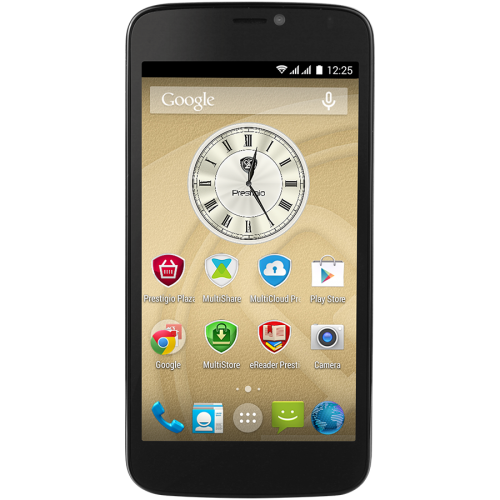
This ROM is only for Prstigio PSP3502DUO. Flash with SP Flash Tool.
ROM Version: 1.0.4
Android Version: 4.4.2
※Please make a backup of your device before installing or updating ROM
thanks, it works, i delete checksum file and it work, salamat po ^_^
goood
THANKS
Tks.
tnks sir
Thanks for the firmware and guidance, a phone of my friend had serious malware and popup problem, which could not be removed manually in normal mode or Safe Mode (it would reinstall all apps right after I would remove), with MalwareBytes or any other trojan killer or AntiVirus.
I have tried removal tools, Factoy settings from phone or Reovery Mode (VOL+ & Power) but the only solution was firmware restore from PC so when I was trying to enter download mode the phone would restart and enter the OS or the Recovery Mode. I have tried the VOL- & Power which was making the phone showing chinese in yellow on the top left of the screen which of what I could understand was not the download mode because the SP FLash tool would not upload anything to the phone. I have also tried pressing the VOL+ & Power put the battery in (phone was trying to boot to Download mode but I suppose the trojan was preventing it), and then the USB cable or VOL- & Power and put the battery but what was doing was to go into Recovery Mode. So the only way that triggered the Download mode and the SP Flash tool was to press and hold both of the VOL+ & VOL-, plug the USB on the Phone and then put the battery back on. That triggered the SP Flash tool and restore the stock firmware back on.
Phone as good as new.!
SP Flash Tool it shows me this message "Image UBOOT checksum failed! Checksum reference value (0×0) inthe config ini file. Please re-fill correct checksum value and re-load scatter file again." Any clue on how to fix this issue?
thankssssssssssssssss
Please! Deactivate Adblock For this Site!
This website is living on advertisement.
You need to disable Adblock for Downloaded
After you have disable Adblock Refresh 2 times this page
The phone is not connecting to any pc but just showing charging. I need to flash the phone due to error update via sd card.
help plzz