
- Title: Primo Gm mini Official Rom
- Listed: February, 2015
- Last modified: 02/22/2015 6:36 pm
- Version: 4.4.2 Kitkat MT6582
You must be logged for ROM download.
15452 total views, 1 today
OFFICIAL


 Member Info
DESCRIPTION
1. Install driver.
2. Open Flash Tool
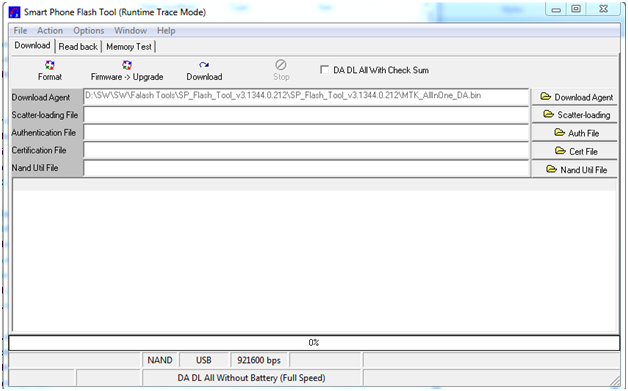
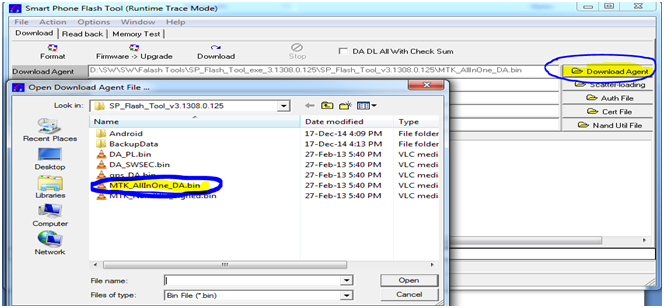
3. O pen Download Agent and select MTK_AllinOne_DA
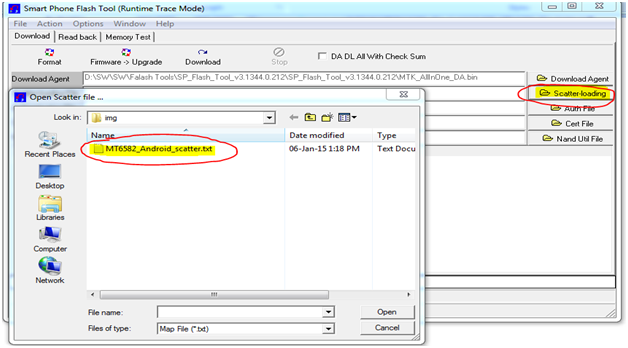
4. Open scatter_loading and select scatter file
SW—> Primo_GM_mini_S004_26112014 After Sales SW �MT6582_Android_scatter
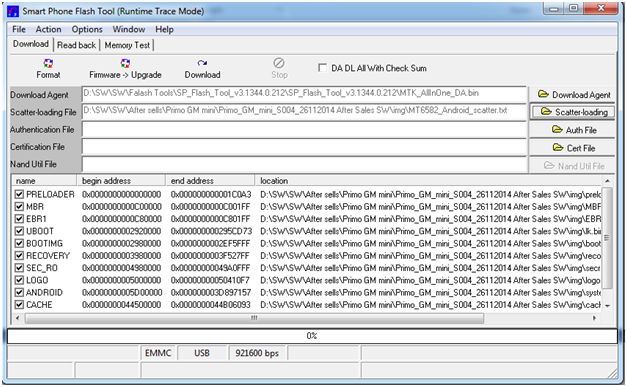
5. Click Firmware->Upgrade andconnect USB cable with mobile (mobile must be off)
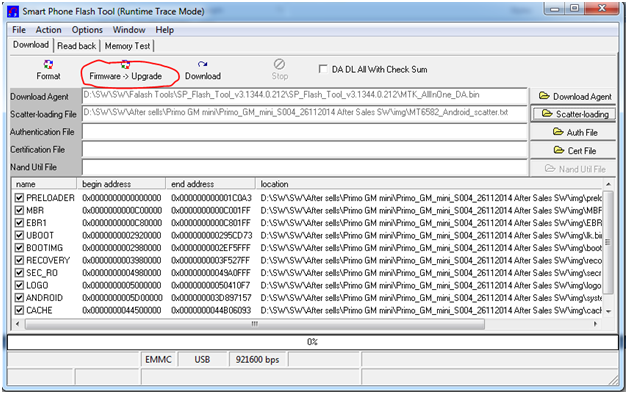
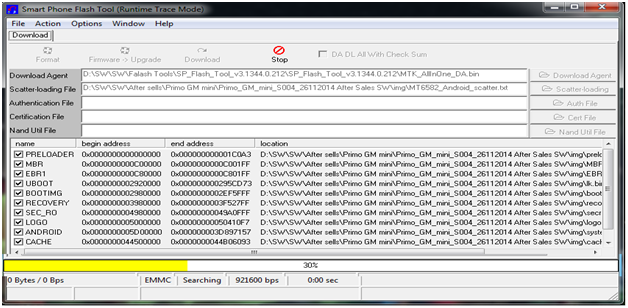
6. Then start downloading..
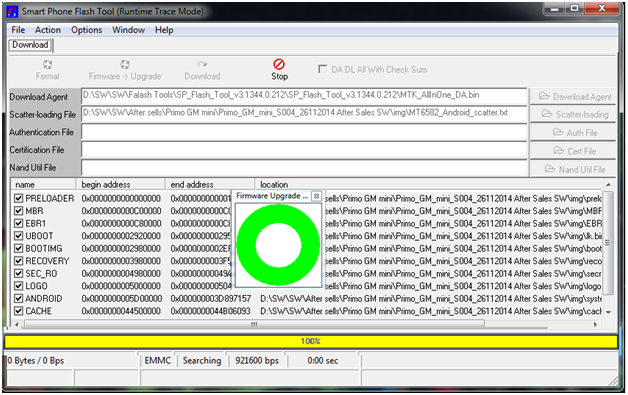
7. When it shows Firmware Upgrade , then installation is completed.
※Please make a backup of your device before installing or updating ROM
Primo GM MINI Problem hang on logo how to solve?
100% ok file