
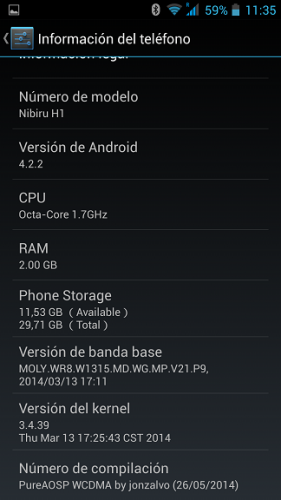
- Title: PUREAOSP Nibiru H1 Gravitybox WORKED
- Listed: May, 2014
- Last modified: 05/26/2014 5:31 pm
- Version: 4.2.2
You must be logged for ROM download.
18994 total views, 2 today
1 Total favorites
 Member Info
DESCRIPTION
ONLY VERSION WCDMA
CHANGES V1.0:
- Post Modem for WCDMA
- Installed and running 3.1.1 + Gravitybox Exposed
- Fixed the libraries of the camera (front camera not working)
- Fixed mounting the SD (not seen)
- Include APN and GPS Europe
- Delete Apps silly to leave as light as possible.
- Titanium Pro installed
COMMENTS:
- Button led, used for led notification ( gravitybox / Display tweaks / enable Button Backlight notification)
All sensors Worked
Gapps include
Rooted
Language support: Multilang
Install ROM :
CWM [ English)
Step 1: Download the custom ROM copied to an external SD card root directory
Step 2: the shutdown state. While holding down:
– Power button + volume button up, to enter the recovery mode.
Step 3: main interface Install zip from sdcard -> choose zip from sdcard -> Select your ROM
Step 4: Brush complete, – first boot takes a while
※Please make a backup of your device before installing or updating ROM
Sir, download link can't open
why this ROM is odex?
fix some bugs please..
1. special feature didn't work like smart wake, glove mode, etc..
i need help, my nibiru don t find the SD, its only see the 2nd 8GB partition in the CMW like the SD, but it isn’t the SD, can u help me?
i cant install any rom with the CWM, it’s always say "installation aborted"!
I received my Nibiru H1 from the vendor with this ROM and it works flawlessly. Free of rubbish and does not waste resources. I tried out a few other ones but always returned to this.
no game run on this!why?