
- Title: PureXperia Z2 H9500+
- Listed: May, 2014
- Last modified: 05/12/2014 12:57 am
- Version: 4.4.2 (Real 4.2.2)
You must be logged for ROM download.
25815 total views, 2 today
1 Total favorites




 Member Info
DESCRIPTION
Only MTK6589
If you like my work, rate me as author and make me a donation THX
Author: bgos10
All credits are for this great artist, I've only ported to our device, with your permission …
Introduction:
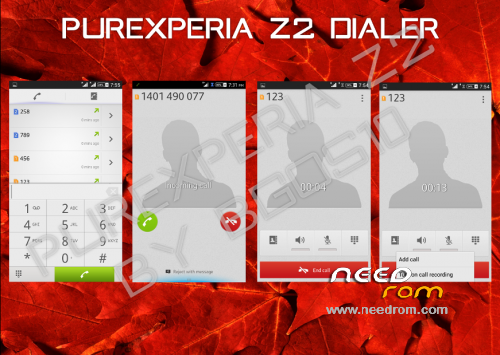
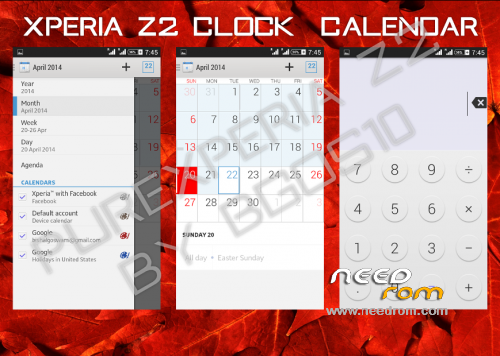
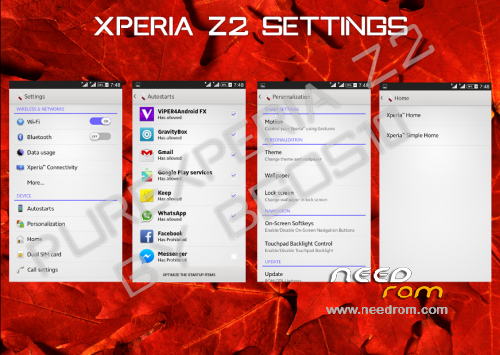
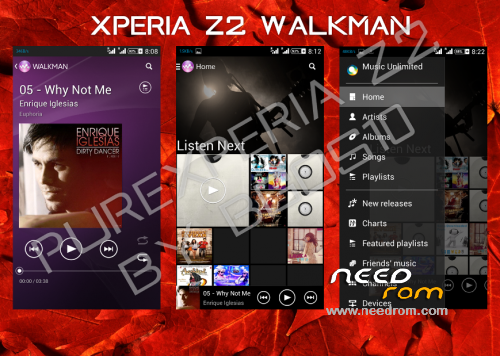
Modded Xperia C Rom to give you a Xperia Z2 (4.4.2) Sirius feel
Features:
-Based on Latest Xperia C 16.0.B.2.13 Base
A.Xperia Z2 HOME & Simple Home
B.Xperia Z2 Themes
C.13MP Rear and 5MP Front Camera
D.Xperia Z2 SystemUI
E.Xperia Z2 Framework
F.Xperia Z2 Media Apps (Album, Movies, Walkman, Movie Creator, Vid&Music Unlmtd)
G.Xperia Z2 Apps (Clock, Calculator, Notes, Sketch, Socialife, Select, Email, Calendar,Downloads, Sound Recorder)
H.Xperia Z2 Widgets (Camera, Clock, Walkman, Photo, Weather, World Clock, Top Contacts, recent, tools)
I.Latest Xperia Keyboard
J.Xperia Z2 Fonts
K.Xperia Z2 Smart Social Camera
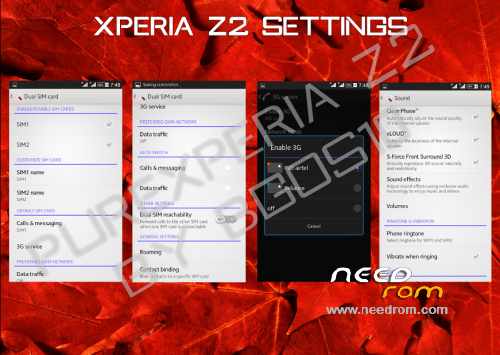
L.Xperia Z2 Style Settings
N.Xperia C Style Camera
O.Xperia Z2 Wallpapers
P.Xperia Z2 Sounds
Q.Xperia Z2 Bootanimation
R.True Viper4Android Integration
S.Xperia Z2 build.prop
T.No network/Wifi issues
U.3G SIM Switching
V.S-Force Surround Sound 3D
W.RAM Saving
X.Battery Savings
Y.Advanced Reboot Menu
Z.No Xposed PreInsalled
Z1. Smart Gestures
Z2. No Bloatwares
and LOTS more…
To deactivate battery percentage duplicate go to:
Settings> Power Management> Status bar information(untick)
Instructions:
-Download the ROM zip and Place it in Your SDCard
-Goto your Recovery Mode (CWM)
Wipe Cache/Dalvik Cache, Data/Factory Reset
-Install the Zip and READ EVERYTHING carefully and Follow Instructions
-1st Boot Might take upto 3 Minutes So don't panic
-After 1st boot You MUST Do the Following: It'll Prevent 90% of the Problems You'll Face Otherwise
Goto Settings>Storage> Preferred Install Location
Select Device Memory there
And Select DEFAULT MEMORY TO WRITE as SD Card
Credits:
bgos10 - Porting base, Modding, Making, Bug Fixing the whole ROM
Team PureXperia - Testing, Bug Reporting, fixing and providing Ideas
@RemZej - For the base Xperia C ROM, Camera Mod and 3G SIM Switching
@cmahendra - Camera, Sound & Performance Tweaks
@Back37- Helping with 3G SIM Switching
Special thanks to:
Viper520 & Zhuhang - Viper4Android and Integration
@rakz992 - Helping me with theming
@serajr - Helping me with theming
@niaboc79 - Amazing Guides
@Amarullz - Aroma Installer
XDA-Developers
Sony
HERE Link to the rom base where there are more screenshots addons and more …
※Please make a backup of your device before installing or updating ROM
Does this fix one of the two camera isseus?
I have two problems with the camera.
Camera does not focus sometimes due the lens wich gets stuck: (Seems to be a hardware problem)
Camera goes green (Seems to be a software problem, many have these isseus)
??
I have no such problems, my camera works perfectly…
Hello
Excellent work, very good firmware. Everything works, but I have a little problem. Signal is weak compared with the old firmware, especially as I am inside the building. Signal is weak and not stable in comparison with the old firmware. Are there somebody with a similar problem to help me.
Change modem.img for a rom that you know works well, is in the system/etc/firmware folder…
Hello, and thank you for this rom, and stronger than adhering to all, try until now how much for all alps H9500 works great (also updated)
I tried " Change modem.img for a rom that you know works well, is in the system/etc/firmware folder…" but the signal stayed without any change weak and unstable. Please if anyone has advice on how to improve the signal to help me because the software is really good.
Thx bro…
having problem with changing my date and time, it saying unfortunately setting has stopped.
Bro, I have no problem to change the date or anything, try flash the rom again and do a factory reset wipe before and after flash wipe/cache and wipe dalvik cache
please help
thanks i flashed it again and it worked.
Ok bro, THX…
This Rom is amazing, smooth , really good job! , the really big problem is the signal.. i have 2 sims and they have really weak signal, even if i use my old modem.img file … its really a pity because i would keep using this rom, but if i cannot find any solution i will have to get back to my old one. Have you dealt with this same problem? I see lots of ppl complaining about that, did you get to any solution about this? thanks! good job again!
if it helps to somebody I solved it removing the 3G feature anyways im not using it so I will have to deal it if I activate it someday. Go to settings> more> Mobile Networks > (select sim) > Network mode > GMS only. It seems to be good now to me, the signal is stronger than before, for the rest . Hope it helps, cheers!
Thanks, that work.
I can not assign a photo to a contact (Contacts application stopped working).
I add photos to my contacts without problem…
True, how the hell do you do that, I simply cannot see even the option from assigning a photo .. :/
Choose the contact, top right is the button to edit, click on it and enter the menu to edit and top left you click in the box to add photo, select it and save it, I making it so I have not had any problem…