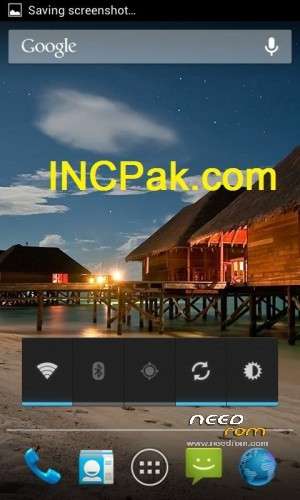
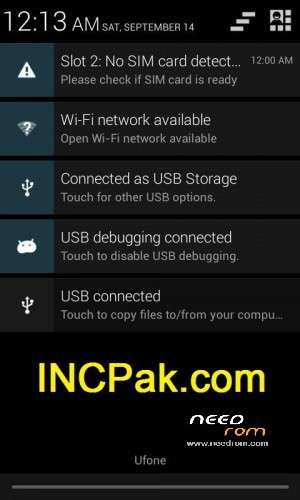
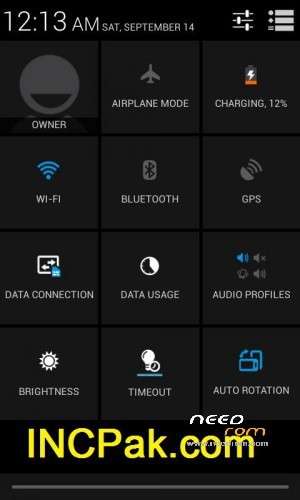
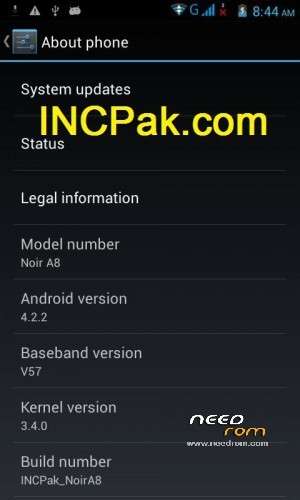
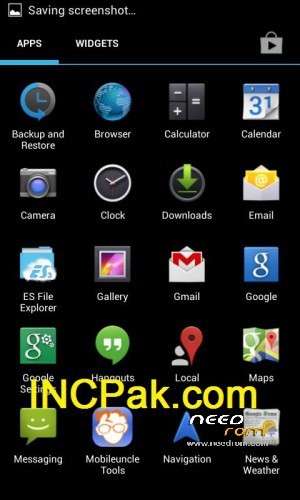
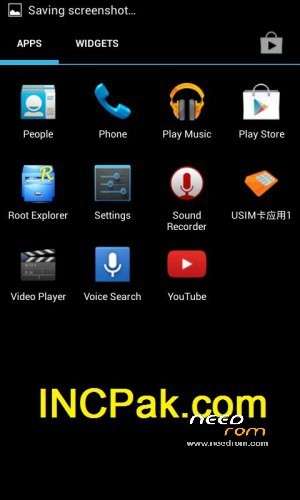
By grace of Allah we are proud to announce that we have successfully manage to port JellyBean 4.2.2 to Qmobile Noir A8 using Amoi n820 as base and kernal of Russian version. It is not cursed Q version that you get from Q’s centre, but it’s completely optimized version custom built. Previously we were the first to introduce 4.1.1 JB LeWa, TouchWiz, Xperia, MIUI and Raven for Qmobile Noir A8 all of them were 4.1.1 based, This time as you all been asking for Jelly Bean 4.2.x so here’s the first Screen Shots.
By grace of Allah we are proud to announce that we have successfully manage to port JellyBean 4.2.2 to Qmobile Noir A8 using Amoi n820 as base and kernal of Russian version. It is not cursed Q version that you get from Q’s centre, but it’s completely optimized version custom built. Previously we were the first to introduce 4.1.1 JB LeWa, TouchWiz, Xperia, MIUI and Raven for Qmobile Noir A8 all of them were 4.1.1 based, This time as you all been asking for Jelly Bean 4.2.x so here’s the first Screen Shots.
Do not skip any step, we strongly advise to make your backup in case any issue with the ROM you can switch back to original settings as before.
INCPak assist all the Android Users, stay off the thugs in market they are charging for our Roms to flash on your phones – we offer all android Roms and apps free
INCPak logo is Registered trade Mark if anyone has issue with the logo better don’t avail INCPak services, we offer the best services along with technical assistance neither we ever charged nor will for any of our ROM or App , INCPak deserves its share as Logo
For the technical assistance our INCPak Rom TroubleShoot Lab on the Facebook is specifically made for this purpose to help and guide, kindly when you join follow the rules Pinned on top as introduce yourself In the lab before placing your query.All the visitor those who comment via Facebook comments or intense debate are monitored by our team members .
INCPak IS NOT RESPONSIBLE FOR ANY KIND OF DAMAGE TO YOUR PHONE, IF YOU MADE ANY MISTAKE.
NOTE: FLASH AT YOUR OWN RISK !!!
This is a Flash-able Zip file that can be flashed only from ClockWorkMod Recovery ( CWMR ) . Make sure that your phone is ROOTED before Installing ClockWorkMod Recovery. If your phone is not ROOTED than first Root Procedure and require files are there on the post click the post below:
http://www.incpak.com/alerts/root-method-qmobile-noir-a8/
And for Installing CWMR
1)Download MobileUncle MTKTools from play store.
2) Download CMWR file from either of these links.
3) Copy CMWR(Recovery.img) to your SD card.
4) Open MobileUncle MTKTools software, select recovery update option and then select recovery.img file that you copied in to SD.
For flashing Rom follow these steps very carefully:
Update
Auto Focus fix(Credit: Haseeb Awan)
Gapps for 4.2.2:
Calendar
Chrome
Gmail
GmsCore
GoogleTTS
LatinIMEGoogle
Maps
Phonesky
QuickSearchBox
Talkback
Copy the downloaded file on your SD-CARD.
Power off your phone.
Turn your phone on in recovery mode (by pressing VOLUME UP + POWER buttons).
Make a backup.
Select “backup and restore”. And then select “backup”. When it is done select “Go Back”.
Select Wipe/Data Factory Cache.
Select Wipe Cache Partition.
Go to advanced and select wipe dalvik cache.
Go back to the main menu.
Select “Install zip from sdcard” –> “Choose zip from sdcard” –> Now select “Noir_A8_4.2.2_v2.zip” –> Select ”Yes”
Phone will reboot itself into Jellybean.
Install Googleeditioncamera.apk for Auto focus fix.




 Member Info
is it work on micromax a110 mobile india?
Looks on XDA forum. There you will find 4.2.2 roms for mmx a110.
Qmobile A10 is same as mmx a110. So u can try A10 roms available on incpak.com
sorry for bothering.. i tryied. but rear camera not working.. there are custom rom in xda. two amoi based.. one is canvas4, another one is jiyayu.. but none of that not working back camera.. developers are working.. can you help to solve the issue please..
It depends on the phone. I guess we got lucky that our camera works without autofocus.
Check this thread
http://forum.xda-developers.co.....d.php?t=2422404
I appreciate your honesty. Thank you for porting it to A8
Keep it up guys..
And Plzz Make Android 4.2.2 with S4 UI..
(y)
How can i remove the incpak logo
does it works on gfive a86??
yar mene apne a8 ja ndroid update kia hai to agar me qmobile ka logo wapis lana chahta hun to kese karun bhosre waloon bata bhe do kaam ke to tum ho he nae
my auto focus not work
Working awesome. Fast & smooth. Thx
It's working perfectly on my A8. Thanks
Ohno, Camera fix still has the problem. Video speed is perfect but it's dark and no option to increase brightness. And autofocus is also not working.