
- Title: Qmobile Noir I9 Stock Rom
- Listed: October, 2014
- Last modified: 10/15/2014 2:37 pm
- Version: Android 4.2.2
You must be logged for ROM download.
29071 total views, 3 today
11 Total favorites
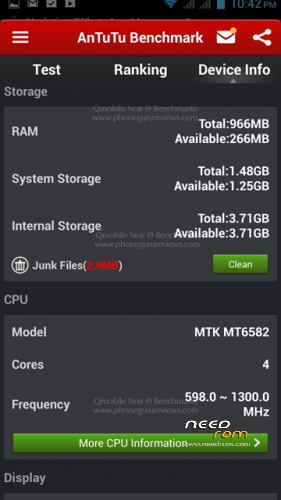
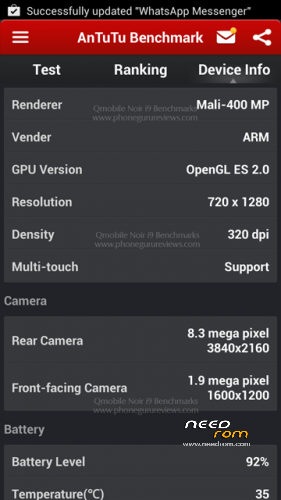
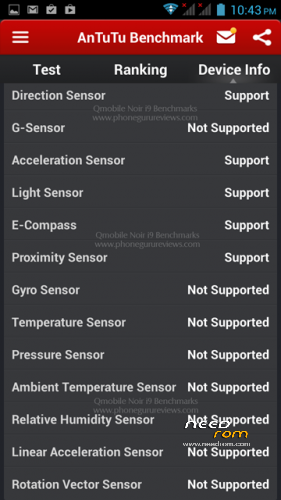
 Member Info
DESCRIPTION
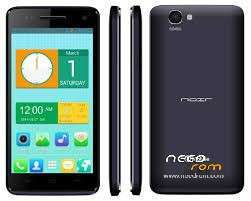
Qmobile Noir i9
Overall Specification
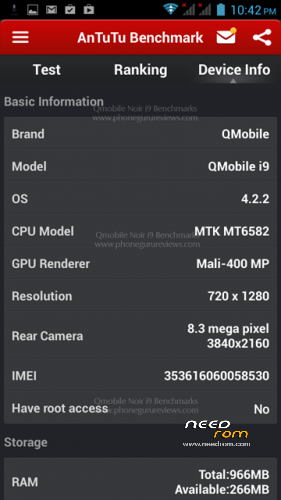
Size 146 x 74 x 9.3mm
Weight 167 g
SIMs Dual SIM
Battery 2000mAh
OS Android 4.2.2 Jelly bean
Memory 4 GB built-in, 1GB RAM, microSD card (supports up to 32GB)
Processor 1.3GHZ Quad-Core, ARM Cortex A7
Display Size 720 x 1280 pixels, 5.0 inches
Rear Camera 8 Mega Pixel Camera
Front Camera 2 Mega Pixel Camera
Network GSM 850/900/1800/1900 WCDMA 900/2100
3G, GPS, GPRS/EDGE, WAP/MMS, WLAN, Bluetooth
Technical Details
Hardware : MT6582
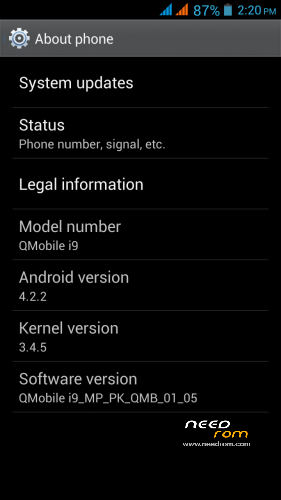
Model : QMobile i9
Build number : ALPS.JB5.MP.V1.6
Build date UTC : 20140331-061155
Android v : 4.2.2
Baseband v: MOLY.WR8.W1315.MD.WG.MP.V11.P3, 2014/03/17 09:16
Kernel v : 3.4.5 (user01@H03-VM1) (gcc version 4.6.x-google 20120106 (prerelease) (GCC) ) #1 SMP Mon Mar 31 14:02:11 CST 2014
LCD Driver IC : 1-nt35521_hd720_dsi_vdo_tcl
How to Flash..!
First of all, make sure that you have MediaTek USB VCOM drivers installed. use "Qmobile_Android_usb_driver.zip"
Download latest SP flash tools v 5.13 from
http://www.mediafire.com/download/5f5h3owa7s7y6g2/SP-Flash-Tool-v5.1352.01.zip
or from https://app.box.com/s/q1jvksn59qw1wtww7k5s
1- Download all 7 parts of stock Rom. (total size compressed 644 MB and uncompressed size 1.27GB)
2- Use WinRar to extract all parts into one folder.
3- Activate USB debugging from Deleloper options. Then Switch off Your phone and remove battery.
4- Open SP Flash tool folder and click on Flash_Tool.exe
5- Browse to the scatter File MT6582_Android_scatter.txt in the stock rom folder and ignore any message that may appear
6- Make sure all item are checked except USRDATA. Then press F9 (or hit Download button)
7- Connect your phone (without battery) into the computer via USB data cable.
8- The process will start and a red progress bar will appear.
9- After the red progress bar is complete, there will appear a purple progress bar, then yellow progress bar.
10- When the yellow bar is complete, you'll get a popup with a green circle and Download OK message,
which means that the process has been successfully terminated.
11- You are done. Put the battery in and Power on the mobile.
12- Enjoy your new Alive Handset.
Note: if you want to replace the original stock recovery with CWM recovery, then rename "CWM QMobile-i9_140331.img" with "recovery.img) and copy, paste/overwrite it in stock rom folder. Then do the above all procedure.
Credit:
Imtiaz ahmad Khan
※Please make a backup of your device before installing or updating ROM
Is it rooted!!!
No…
Its Stock rom.
now im doing ,,hope i found secsiss
After flsh with this room phone will be ok but camera not working ….
thanks bro worked like a charm (for novices download the complete mtk drivers or sp tools will not download when u connect without battery)
after flash camera is not working…….camera is upside down
Redownload & Reflash This Rom.
if camrea inverted then flash this http://www.mediafire.com/downl.....1.MP1.V2.10.rar
camera ulta arha hai mai nay bhi flash kiya hai i9 eith bin file this problem on q i9
kisi kay pass iss ka solution hai
new kharid lo
rear camera working wrong and front camera is not working ? this prob is only in jelly bean ?? any solution for v1.6 don't suggest v2.1 it's kikkat i want perfect working jelly bean
can this stock rom fix my dead qmobile i9??