
- Title: Qmobile Noir X30 Stock Rom (Sp Flash Version)
- Listed: August, 2015
- Last modified: 08/12/2015 4:18 pm
- Version: 4.4.2
You must be logged for ROM download.
31544 total views, 1 today
14 Total favorites
 Member Info
DESCRIPTION
|
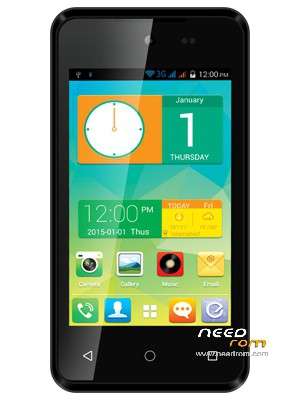
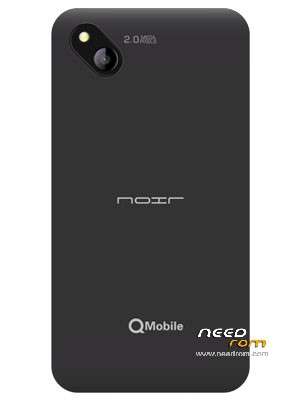
Qmobile Noir X30 Overall Specification Size 128x66x11mm SIMs Dual SIM Battery Li-Ion 1300 mAh OS Android 4.4.2 (Kitkat) Memory 4 GB built-in, 512MB RAM, microSD card (supports up to 32GB) Processor 1.3 GHz Dual core, MT6572 Chipset Display Size 800×480 pixels, 4" TFT WVGA Rear Camera 2 Mega Pixel Camera Front Camera VGA camera Network GSM 850/900/1800/1900 WCDMA 900/2100 3G, GPS, GPRS/EDGE, WAP/MMS, WLAN, Bluetooth
How to Flash..! First of all, make sure that you have MediaTek USB VCOM drivers installed. use "Qmobile_Android_usb_driver.zip" Download latest SP flash tools v 5.13 from http://www.mediafire.com/download/5f5h3owa7s7y6g2/SP-Flash-Tool-v5.1352.01.zip or from https://app.box.com/s/q1jvksn59qw1wtww7k5s
To Downlaod Rom, Make an account on Needrom.com and disable any popup blocker utility if installed.
|
※Please make a backup of your device before installing or updating ROM
Sir i need custome reecovery for qMobile x30 custome recovery not working from this rom that you share
I have not shared any Custom Recovery for X30. I just shared Stock Rom. and stock rom includes stock recovery. However I will try to create and upload custom recovery. So wait for that.
Dear Imtiazz2004 sb
Sir, My Qmobile X30 stuck on Qmobile logo, I tried Hard reset after reset phone booted but when i insert SIM it again stuck on Qmobile logo and after few minutes it shows no command. I an new to android flashing. Please help me. I i download this ROM will my phone start working ???
Waiting for your reply.
Regards
Thanks Imtiaaz2004 sahib.
Same Problem. I flashed that stock rom and my phone got bricked.
VERY VERY THANKS U BOSSSSSSSSSSSSSSSSSSSSSSSSSSSSSSSSSSSS
Thank you very much Sir it's Working OK
Thnkyewwwwwwwwwwwwwwwwwwwwwwwwwwwwwwwwwwwwwwwwwwwww So Muchhhhhhhhhhhhhhhh
tested 10000% working without user data and cache to
thnx
sir mein ne all part ek folder mein extract kr k flash kr rha hon lekin ho nhi rha pls help me
You have not followed the instructions.
Read step-2
2- Use WinRar to extract all parts into one folder.
Seriously…. this is very good for hard brick x30. my qmobile x30 stuck on noir logo. when i flash it with sp flash tool then it is OK now, but use "SP Flash Tool for Windows v.3.1352.01 (5.1352.01)" this version of flash tool….