
- Title: Recovery Cwm no Touch
- Listed: November, 2017
- Last modified: 11/08/2017 1:33 pm
- Version: Test1
You must be logged for ROM download.
10016 total views, N/A today
4 Total favorites
 Member Info
DESCRIPTION
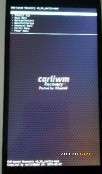
Only for Umidigi S2 Android 6
1) Unpack the zip file.
2) run flashtool for octa core devices.
3) In Flashtool select the scatter and after you will see only one flag in the program near Recovery
4) Make download in flashtool
5) Connect only now the usb to the device and to the pc
6) Wait for the flash process ..
7) restart the device with hold on the power button + volume up (+) in the same time and wait for enter in recovery mod.
(Attention ….if all of you don't install supersu at the first boot , the recovery after all of you will enter in android system and restart the device, the recovery modded will be replace automatically from the Umidigi protection system to the standard recovery and probably all of you will must flash again that recovery modded.
So, if you don't enter immediatly after the flash process you will lost the recovery just flashed.)
Many Thanks to:
The Needrom's Admin ..Socrate
The Official Umidigi Forum
※Please make a backup of your device before installing or updating ROM