
- Title: Recovery LA-Q1
- Listed: May, 2013
- Last modified: 05/30/2013 8:35 pm
- Version: Recovery v6.0.3.2
You must be logged for ROM download.
19946 total views, N/A today
2 Total favorites
 Member Info
DESCRIPTION
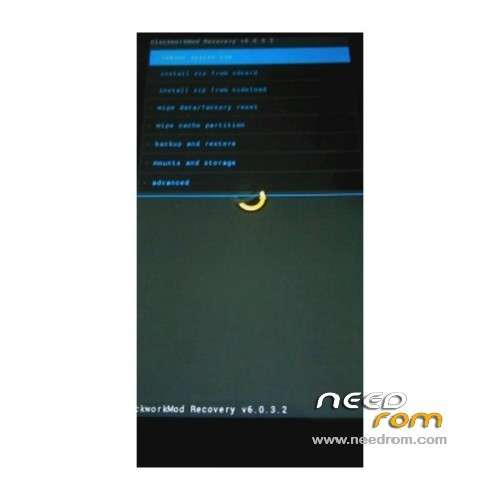
Hi all, this is my first submission. Thanks to everyone on this site, I was able to get my LA-Q1 working without too many tears. I'd like to return the favour by releasing this custom CWM Recovery image that I've built. The key features are English language and touch input.
I have tested this on my Small Chili and it all seems to work.
From the documentation included with this ZIP release:
Features:
- English.
- Modern.
- Touch input.
To install:
- Ensure you have the USB drivers for your PC. You can get universal drivers from website: AdbDriver.com
- Ensure you have root.
- Plug phone into PC via USB cable.
- Run "recovery.bat":
- Select option 1.
- It will prompt for root permissions on your android: grant them.
- It will finish writing the image.
- You can now quit recovery.bat, once it's finished and back at the main screen.
- You can now boot into Arfonzo's CWM Recovery.
Support:
You can find me on Fatcats BBS (fatcatsbbs.com):
- ART at FATCATS BBS dot COM.
Thanks to the original author of the "LA-Q1_Recovery.zip" package, which was modified to install this ROM image.
Enjoy!
- arfonzo, 30 May 2013.
※Please make a backup of your device before installing or updating ROM
Hi all, for clarification this is based on ClockworkMod recovery version 6.0.3.2, not the official recovery.
Regards,
arfonzo
Works great! Just used it to make a Nandroid backup. Using 'Choose .zip from SDcard' is a real upgrade from stock recovery! Thanks!
Great! Glad to hear it worked. You're very welcome.
Suitable for MT6589
Hello.
I cannot update with the batch file. The phone is not rooted, and in your documentation it sais something about root.
Do you know how to root this phone too ?
I would be very greatfull if you can help me with this.
I also can’t update the firmware, because the original recovery is and it tells me that the update.zip is not signed.
Hi cornel_ghisoiu,
You can read some other LA-Q1 threads for more details on rooting. Here are the basic steps:
ROOT INSTRUCTIONS:
You can get the root updater here: http://rocksteady.poorcoding.c.....root_update.zip.
- Rename root_update.zip to update.zip and put it on the root of your SD card.
- You can flash this using stock recovery or CWM recovery.
- You should not have issues with update.zip not being signed.
Regards,
arfonzo
Hello, I put update.zip in my sd but when I choose updete via sd, it does not start at all.
i need help this thing (bat file) is showing a bunch of weird characters instead of english letters help me plz
please help me
baseband unknow error
Baseband file backup
please share me sir