
- Title: Recovery TWRP 2.7.1.0 KK for THL 5000
- Listed: July, 2014
- Last modified: 07/30/2014 5:11 pm
- Version: TWRP 2.7.1.0 KitKat
You must be logged for ROM download.
47839 total views, 2 today
8 Total favorites

 Member Info
DESCRIPTION
Для установки KitKat прошивок!
Данные рекавери компилировал сам из исходников.
Установка через мод. Recovery, а у кого стоковое Recovery желательно прошиться через FlashTool.
Для прошивки через FlashTool необходимо вытащить из архива recovery.img и положить рядом со скаттер-файлом.
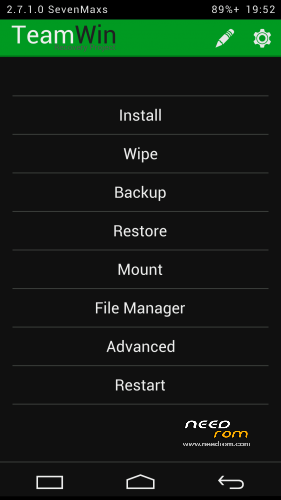
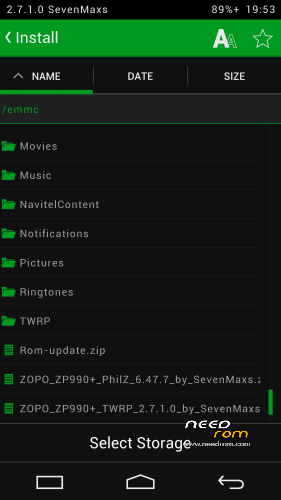
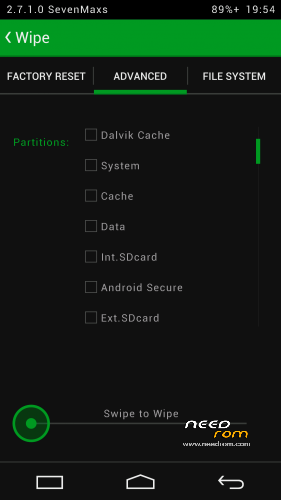
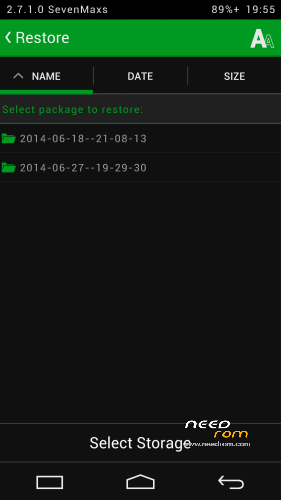
В данном Recovery мне удалось дополнительно реализовать:
- полноценную поддержку SELinux
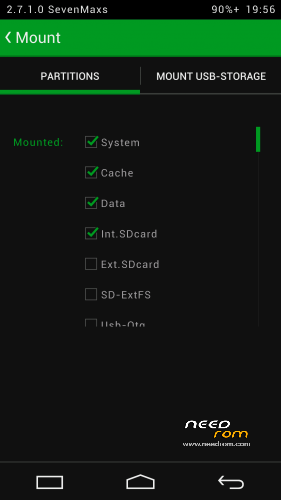
- монтирование обеих флешек - внутренней Emmc и съемной SDcard к ПК;- работу USB-мышек;
- работу USB-флешек с файловыми системами Fat32 или exFat (для этого подключаем флешку к телефону по Otg-кабелю и во вкладке Mount ставим галочку на против пункта Usb-Otg;
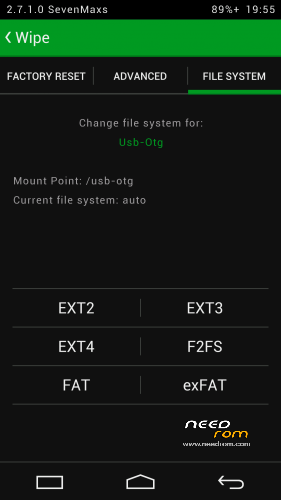
- возможность выбора FS для форматируемого раздела..
- поддержку ОТА;
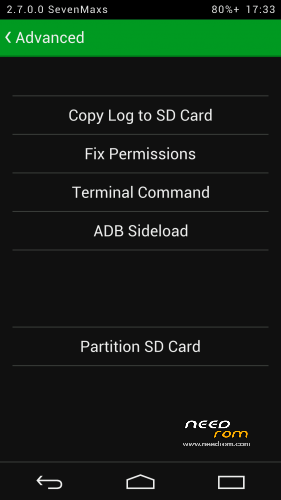
- полный функционал adb;
- работу заряда батареи;
- применена тема Holofied от пользователя z31s1g.
Благодарю товарища doperst за перевод на английский!
ThL_5000(16P128)_TWRP_2.7.1.0_KK_by_SevenMaxs.zip MD5: F92975C0357BC225A2018680CDF83473
ThL_5000(16P256)_TWRP_2.7.1.0_KK_by_SevenMaxs.zip MD5: F691883FC231238E8B976A5296B9610A
※Please make a backup of your device before installing or updating ROM
VROOT works, but ROOT apk in the phone is in Chinese language. I would rather English. What to do?
Download the SuperSU appplication ftom the Google Store and the Chinsese version will be replaced.
Can someone give us in detals the upgrade method of the Revovery partition using the FlashTool?
Thanks in advance,
Dionisis
how to install TWRP?
how do u install it?
Another way to install the twrp is with the flashtool,
download it from needrom also download the factory rom from needrom,
run the flash tool program locate the scatter file in the factory rom
then go to recovery and locate the twrp file uncheck all the files except the recovery file ,
then change to download only and press download,
this procedure must be done without the phone connected,
after you press the download button switch off your phone then keep pressing the red reset button behind the first sim slot
insert the usb cable and then release the reset button the procedure should start if the procedure don’t start it means that you’re missing the preloaded drivers of mtk.
With this way you can also installed a factory rom.
Thank you very much !
I use the following scatter file.https://cloud.mail.ru/public/d.....oid_scatter.txt
How can I uninstall it?
I want only factory bootloader/recovery.
I solved it.
Need overwrite with other recovery, for example with the official.
how about if it is having no touch functionality on twrp.. i have flashed the recovery and able to boot into it.. problem is that there is no touch function.. so i am unable to do anything with it.. i even have to remove back case to reset button because i can’t even select reboot from twrp.. as in nothing at all..
Hi,
Same here. TWRP without touch!!!
I got that f***ing problem even with the custom roms.. Only one stock is with working touchscreen.
I think there are 2 versions of thl 5000, one with mt6592w, one with mt6592t processor. I got the t
Probably different digitizer? Please help, I want custom roms!
I have the same problem. No touch anymore. I flashed stock rom again but it doesn't help. Still no touch functionality anymore….
I have the same problem.
Does anyone know if there is an alternative recovery?
thx
same problem like others NO TOUCH BUT resolve with TWRP 2.8.1.0 instaled with flash tool
thanks cech uploader!!!
here all you need:https://www.dropbox.com/sh/aey.....XFsJId5BXa?dl=0 (also super su zip)
multumesc , Eugen Ilie! Problems solved
scheise nicht arbeit kaput aq… yawsak