
- Title: Redmi Note
- Listed: January, 2015
- Last modified: 01/04/2015 3:24 pm
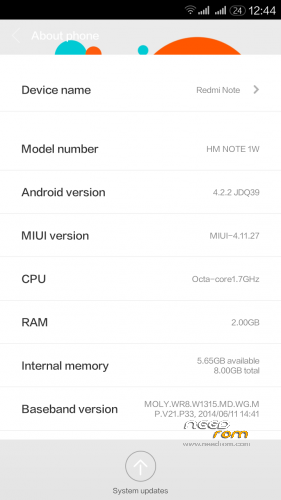
- Version: MIUI V5 4.11.27 V6 Theme 3G switch android 4.2.2
You must be logged for ROM download.
21662 total views, 1 today
1 Total favorites
 Member Info
DESCRIPTION
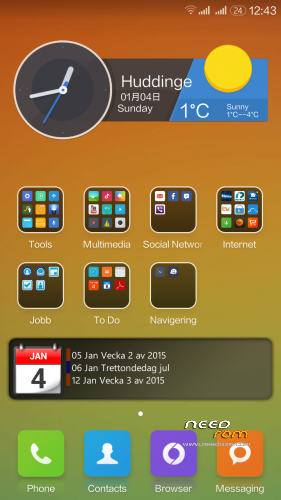
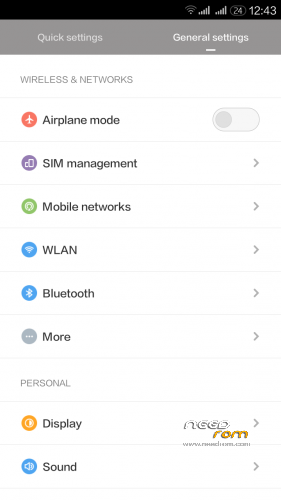
Here is Miui V5 4.11.27 V6 Themed with 3G switch for our Redmi Note WCDMA
You can switch 3G card with this version 
Known Bugs:
No native support for Dirac sound if you want better sound install viper4android
Contact names stored with +(country code) do not show up when someone calls. If anyone knows how to fix it tell me
If you cant find your files and folders on your internal Sdcard check a folder called 0 they are then in there.
———————————————————————————————————————
You need to flash it with custom Recovery. Boot is based on firmware Version 37
If you want you can donate something to my paypal
———————————————————————————–
HOW TO INSTALL YUN OS 3.7.3
First boot takes a while. Get something to drink and eat
No Gaps / Google Play Preinstalled
Download GAPPS here
http://media.celogeek.com/roms/android/miui/gapps/miuiandroid_gapps-4.2.2-small_signed-8012.zip
DO NOT FLASH ROM + GAPPS at the same time!
Install ROM :
CWM/TWRP
Step 1: Download the custom ROM copied to an external SD card root directory
Step 2: the shutdown state. While holding down:
– Power button + volume button up, to enter the recovery mode. (With USB cabel inserted to computer)
– Wipe Data / Factory Reset -> delete all user data
– Wipe Cache Partition -> Wipe cache
Step 3: Return to recovery main interface Install zip from sdcard -> choose zip from sdcard -> Select your ROM
Step 4: Flash complete, restart the phone Patience required – first boot takes a while
For Installing GAPPS
Step 1. Copy the Gapps zip file to sdcard
Step 2: the shutdown state. While holding down:
– Power button + volume button up, to enter the recovery mode
Step 3. Hold down powerbutton and choose reboot to recovery
Step 4. choose zip from sdcard -> Select the gapps zip file
Step 4: Flash complete and reboot
※Please make a backup of your device before installing or updating ROM
Mantap mas bro.. lanjutkan
pertamax,
good job.. nice rom miui 6 Jelly Bean
is multilanguage?
This Rom Is Good But i've have the problem in Browser Error(Force Closed).
is language global?
whether you are editing is phone.apk and framework.jar.? so that it can switch to a 3G sim 2. Please tell me…
GPS ora iso
is multilanguageeeee?
Can the 4G version use this?
No! Why would you want to use this rom on your redminote 4g? Its a totally difftent kernel + 4g redmi note miui is built on android 4.4
lelluh81 this is rom is multilanguage?
just to let you know: you can always find new versions with german language support at DECURO.de