
- Title: Resurrection Remix 5.5.9 (MT6753)
- Listed: June, 2016
- Last modified: 06/23/2016 4:30 pm
- Version: 5.1.1 (based on CM12.1)
You must be logged for ROM download.
16190 total views, 2 today
1 Total favorites
CUSTOM


 Member Info
DESCRIPTION
Resurrection Remix, all the CM12.1 features and more…
fixed rádio and engineer mode (not all functions)
rooted.
※Please make a backup of your device before installing or updating ROM
This pic doesn't show clockm speed. Choose CPU in AIDA options, like this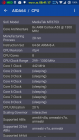
The other image of the CPU speed.
After repeated switching between modes alerts – gone ringtone, vibration works only! Configured profile ringtone, but after a while it was the same!
The camera when switching modes are also sometimes does not work!
Hi, great job, thank you.
Like others, camera does not work on my phone and I can't access to the last backup above with TWRP. Is it compatible with the version 3.0.2-2 ?
A further remark, it is a shame to have lost the on / off programming.
We need to create a folder on the memory card - TWRP\BACKUPS\ECOO_E04_3G and work
Perhaps the problem of loss of sound from a third-party dialers ?!
Unfortunately it still does not work for me.
Then, make a backup of your TWRP, and then locate the folder on the memory card! And then put it in the files!
Having dealt with ringtones! Files must be in RINGTONES folder (for example) on the device !!! No SD card !!! After connecting to a PC, SD card is disconnected from the smartphone and the ringtone is switched off and disconnected from the PC does not come back !!!
r u port this rom from elephone P8000 ???
For P8000 here
https://drive.google.com/file/.....ef=2&pli=1
With fingerprint support
Does This Support Fingerprint????
Because Most Roms Dont At The Moment
Doesn’t at this point in time
No fix for ringtone?