
- Title: R-Remix-OREO-8.1
- Listed: May, 2020
- Last modified: 09/01/2020 10:35 am
- Version: Oreo-8.1
You must be logged for ROM download.
10469 total views, 2 today
2 Total favorites
 Member Info
DESCRIPTION
Notice to all users;
In some countries of the world Google and providers no longer want ROUTed phones, because they cannot place commercial advertisements. They cut your data, or don't allow you
access your contacts or other things,
Commercial dictatorship, here we are!!!
ROM run well but no better as Lineage-OREO-8.1 here: https://www.needrom.com/download/lineage-oreo-8-1
1-UnRAR RR-6.1-OREO-8.1-Magisk on the Computer
2-Install ResuRRection Remix-6-Oreo8.1
3-Install MoreSound.zip after reboot in recovery.
Error: Diode; Missed call, SMS and Email.
If you cannot install your ROM following the description, read the text below "IF YOU HAVE BRICKED PHONE".
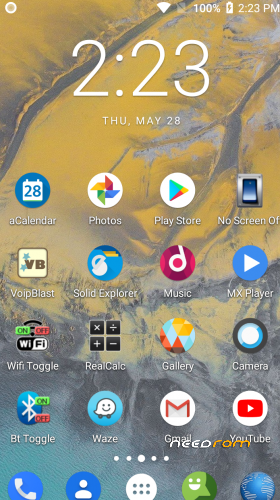
You have 2 Launcher, Trebuchet and Nova, for Nova restor "RR-OREO.novabackup".
ROM run correctly, and no major bugs.
Ready to use as is, no need to add something.
Gapps installed, ROOTed Magisk
Everything works perfectly. I'm not sure for USSD, you have to test.
Start application "Performance Control" and set maximum speed 1560 instead 1690 for better stability and lower battery consumption.
If SIM signal is weak, start "Power Menu" and click Soft reboot.
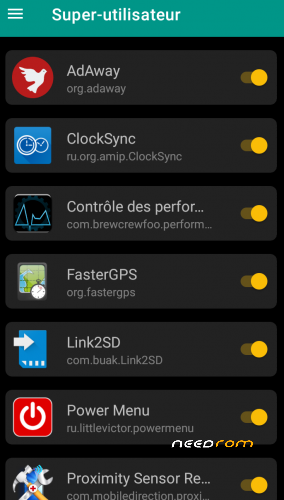
On first start, maybe all apps are not rooted; Start Magisk / superuser and check unchecked apps.
Network setting:
Go to System setting / Network and Internet / Mobile network / Advanced / Preferred network type / 4G auto.
LTE or 4G can run only on SIM 1
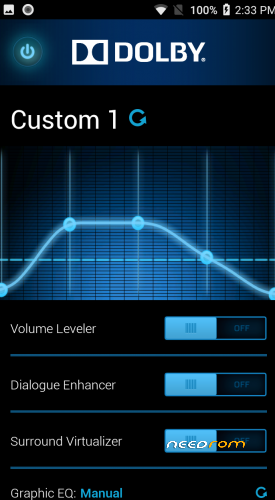
Dolby setting:
First click choose function, Second click, adjust volume by frequency.
Use Chamelephon to change IMEI if it is different from your usual IMEI, written on the phone's battery.
New ROM does not make a new phone, so do not dream.
IF YOU HAVE A BRICKED PHONE
This process works in all cases if the phone has the correct herdware.
Download Lenovo P70a Stock ROM:
https://mega.nz/#!E9cTiYrb!62r3RZ0o4NX8-Wq8I1CXH4W3UXOVK2j6pvRsLnCtQ5M
Download SP Flash Tool:
https://techprolonged.com/download-sp-flash-tool-all-versions/
Look here how to use Sp Flash Tool"
https://forum.hovatek.com/thread-159.html
If Stock ROM installed start the phone and wait end of install (long).
Switch off the Phone and install TWRP Recovery 2.8.8.6 .
Boot in TWRP Recovery and install the ROM from here, Needrom.
If ROM installed start the phone and wait end of install (long).
Switch off the Phone and install TWRP Recovery TWRP_3.2-2018.
When use SP Flash tool, start download, phone switshed off, plug in USB.
In the extreme case, if you have problem with Sp Flash Tool, with the same scatter file, format the phone and repeat all from "IF YOU HAVE A BRICKED PHONE"
In this cas you loos IMEI, but with Chamelephon you write it back.
Before asking questions, follow the instructions above. I tested everything and it works every time.
※Please make a backup of your device before installing or updating ROM
After flashing the ROM, the phone is stuck in the ROM boot animation, then restarts and again and again and again…… USELESS.
A small correction: You have to install it on a COMPLETELY ERASED phone (all except external storage (SD card) and USB-OTG). So you have 2 options to install it via TWRP: put the ROM on SD card (if you have one inserted) or via ADB SIDELOAD (my case).
But the usefullness assessment is still valid: Google Play is crashing whenever I click on its menu or search bar.