
- Title: Resurrection Remix CM13 6.0.1
- Listed: May, 2016
- Last modified: 05/16/2016 3:11 pm
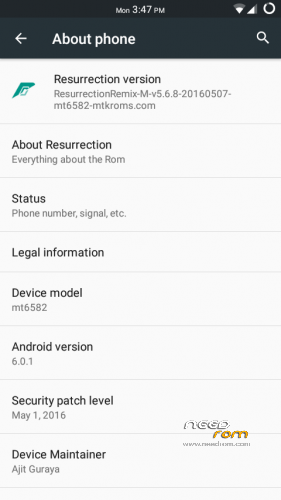
- Version: 6.0.1
You must be logged for ROM download.
20460 total views, 2 today

 Member Info
DESCRIPTION
ALL CREDITS GO TO AJIT GURAYA
Source: http://www.mtkroms.com/2016/05/stable-ota-resurrection-remix-mm-mt6582.html
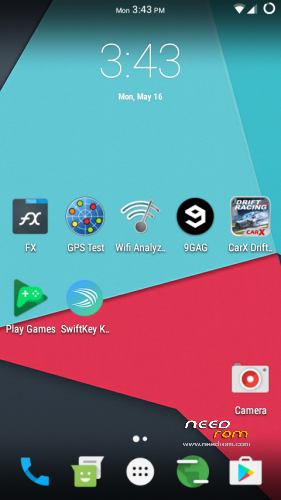
USSD, Calls, Camera, Video Recording, SMS, Bluetooth and other needed features are working in this ROM and it can be used as a daily driver.
Weekly to monthly OTA's will be provided for MT6582 users. For more information on how the OTA's work, consider reading this : http://pastebin.com/Ra2aWYjS
Do not try to edit build.prop otherwise OTA's will not work
Note : This ROM can be ported to any MT6582 device running Android Kitkat 4.4.x with kernel 3.4.67
This ROM is powered by www.mtkroms.com If you want to port this ROM and share then please give the link of original post along with proper credits ! THIS IS A MUST http://www.mtkroms.com/2016/05/stable-ota-resurrection-remix-mm-mt6582
Notes :
1) My only request is that do not at any cost forget to give proper credits and you must add link of this post when you share your ROMs. All credits are mentioned below
2) It only takes a few minutes to steal the ROM but it will take you months to request the developers to start working on development again. Many devs stopped working and sharing their codes just because of kanging and I do not want that to happen again.
3) I repeat again, please appreciate the hard work done by all the developers, do not share this ROM without giving credits. How hard is it to add the name of the people who worked hard on this ROM in your posts ?
Credits :
Ferhung - The man behind CM13 for MT6582
Fire855 - Another legend
Hyperion70
Diparth Shah
www.mtkroms.com
Ajit Guraya - Compiled Resurrection Remix v5.6.8 for MT6582 from source and fixed camera !
Minh Quoc and Karim Gahgah - For video recording fix
Aniruddha Adhikary - For his amazing USSD Fix
Team Roger That - Ajit Guraya, Diparth Shah, Pawan Diyal, Ashutosh Dubey, Waseem Maya, Ankit Bhatangar, Rohan Taneja, Vipul Jha, Pranav Reddy
Resurrection Remix Devs/Team - www.resurrectionremix.com
Required blobs (Really huge thanks) :
nofearnohappy, Varun Chitre, Ariafan, Vald.masti, Fire855, Alex
What's Working :
Camera
Video recording in stock/google camera is working with 1080P !
Audio in calls
Bluetooth
USSD
Audio
Mic
RIL
SMS (Receive and Send both working)
WiFi
Data
RIL is now more stable
Dual SIM
Gapps
Hotspot
Screen Recording
Both storages (SD and Internal) mounting in both Phone and PC
Gapps
720P working in youtube
Bugs :
GPS – Partially working
Few bugs here and there (might or might not be noticeable)
Installation Guide:
WARNING: After a lot of testing, I made the discovery that if you haven't installed another Marshmellow rom, this rom will not work properly (Like installing this rom on top of a 5.X.X rom). There are only two ways to fix this. 1) Flash another 6.X.X rom and then this one. OR 2) Start completely clean. Flash with SP Flash Tool the stock rom of the phone, then your recovery and then follow the Installation Guide. It's the only way to get this rom working properly.
1) Optional but still recommend it. Make a Backup of your files/rom!
2) Wipe Data, Cache, Dalvik Cache
3) Flash rom
4) Reboot device (First boot might take a few minutes for app optimization)
5) Enjoy
There is no AudioFX/Equalizer with the rom. If you want, download Divine Beats. Link is below the ROM Download Link.
You will also need to flash gapps. Link below the rom download link.
The only way to get 480p in the youtube app is to download the version that is in the link section
When you connect the phone to a pc, by default it is set to charge only. To change this option, bring down notifications, tap where it says "USB Charge only" and select the option "File Transfer".
You can now update from the OTA Update menu. Just check to see if it doesn't need to be ported first. (There will be a message somewhere on the site that will say if it is ok or not)
Working VPN Apps: Psiphon
※Please make a backup of your device before installing or updating ROM
Il start this rom with PhilZ Touch 6.59.0 and ClockworkMod v6.0.5.1 its that problem. For now download gaaps here:
http://forum.xda-developers.co.....inimal-t3276606
Gapps Download link is up
Il try new with fix dpi and gaaps.BUG gps on my devices dont work. Its turn on but with GPS Test plus.apk no satelite find zero 0…
BUG – when il want to conect lenovo with PC they open blank folder mt6582 … !!!
GPS as stated in the description is partially working. It’s a hit or miss actually. And for the pc one, when you connect the phone to the pc, bring down notifications and press where it says USB charge. The select file transfer or mtp (I don’t remember what is says)
can´t flash .. ext 4 /dev/block/mmcblk0p5 error .. i tried Philz and TWRP ..
Try with the latest twrp 3.0
The data connection is lost after I use easy DPI changer. After reboot the data is not working. I flashed it but there’s an error.but I don’t know what makes the data is not working.it almost there. The gapps is missing after the ROM installed finish. Sorry to my bad english.
Partially working after I reboot it.
just change dpi in build.prop in rom zip to around 210 I prefer 196
SD Card not detected?
How can I fix it, or wrong !
Reflash the whole rom. I have flashed 2 times and the SD card was always detected.
YouTube Quailty is on 360p. Whats is chanche to be 480p and 720p ?
I’m also working on a fix for that. Stay tuned.
Can any one port a kernal to lenovo a536 plz
#JohnSmith199 – Here is link for SD card default. It work on my lenovo… SD default
Thanks. Saved me a lot of time there. Also for the youtube, you need to install a version that isn't from youtube. It's the only way that you will be able to use 480p. I will post a link to download that version soon, along with a fix for green screen in some videos on the youtube app.
So this is the first rom that I have ever ported, so if you find any bugs let me know. I'm not an expert but I will do my best to fix any bugs you guys find as soon as possible.
youtube 480p fix: after install youtube, open this file: /data/data/com.google.android.youtube/shared_prefs/youtube.xml and change the value from false to true at the end of the page:
<boolean name="h264_main_profile_supported6.0.1" value="true" />
WORK on my devices… lets go to next problem…
I forgot work with update new version YT….
Damn, you are very good at this. I have put up a link for a no playstore version of youtube that has 480p. Do you mean that with this, even if the youtube app is updated, it will always have 480p?
Yes it is with newes version 11.16.62 and up correction in code I have 480p but stil have problem with some videos and green screen.
I tried your method but it doesn't work. It enables the 480p option all other options show only green screen. Try the app that I have posted. It works fine without any problem.
When i go to engineering mode for network.go to dial phone and i enter this code *#*#4636#*#* it seems that wcdma preferred cannot change into wcdma only. I will wait the update johnsmith.thanks anyway.this rom is nice.
Download the Xposed Framework (link: http://dl-xda.xposed.info/fram.....work/sdk23/arm/) the one that says "xposed-v84-sdk23-arm.zip" And The Xposed Installer (link: http://forum.xda-developers.co.....38;d=1435601440). Flash the xposed framework first and then reboot. It will optimize all of the apps that are in the rom. Wait until it is done and then install the Xposed Installer. After that Download GravityBox MM (Open the xposed installer, go to downloads and Search for GravityBox and download the one with the [MM]). Once it's done, go to the modules menu and enable it. Reboot and open gravitybox. Give it the permissions it needs and then go to Phone, Smart Radio and enable the "Master Switch". Then press the second and the third option and choose the Network you want. Reboot the phone and you are done. I hope this helped.