
- Title: P780 Android 4.4.2
- Listed: April, 2014
- Last modified: 06/06/2014 3:20 pm
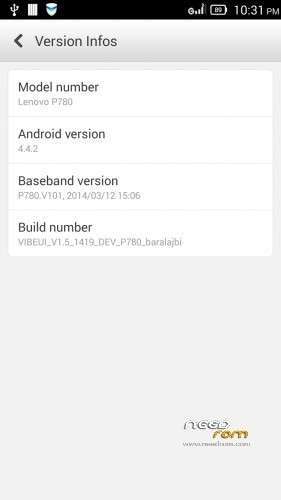
- Version: VIBEUI V1.5 1421 DEV P780 1A2C baralajbi
You must be logged for ROM download.
140471 total views, 22 today
211 Total favorites

 Member Info
DESCRIPTION
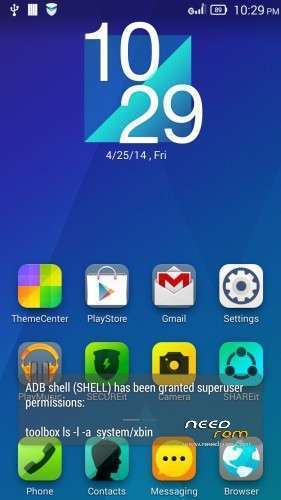
ROM for Lenovo P780 – Android 4.4.2
————————————————————————————————————————————————–
Official Lenovo P780 VIBEUI_1.5_1419_DEV_P780
PLUS :
Gapps included
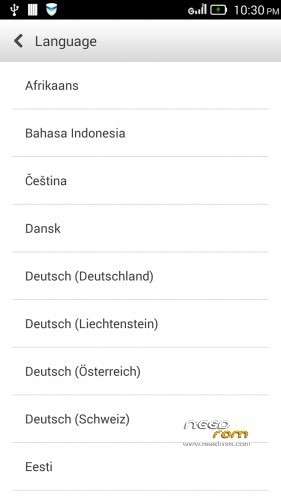
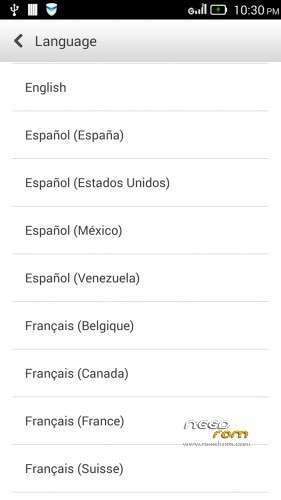
Language support: Multilang
This rom is rooted
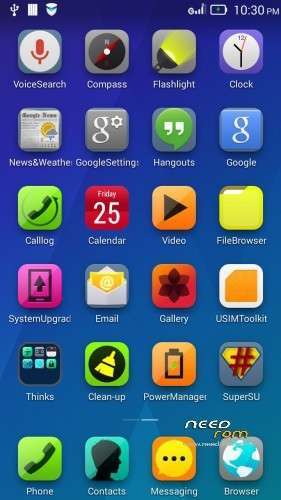
Removed all chinese app
V2 :
- Fixed Exchange problem
- Fixed SMS delete problem
V3:
- Fixed front camera problem
- Added many new languages, what the last versions do not contained
V4: (base : VIBEUI_V1.5_1419_5_DEV_P780_3E43)
- Fixed battery charging problem
- Changed modem (many users have requested)
- Fixed many languages
V5: (base : VIBEUI_V1.5_1421_DEV_P780_1A2C)
- fixed some languages
V6 : (base : VIBEUI_V1.5_1421_DEV_P780_1A2C)
- fixed Hungarian, Hebrew (thanks to nbjob) languages
V7: (base : VIBEUI_V1.5_1423_9_ST_P780_5B7B)
- fixed hebrew crash
- fixed ideaFriend problem with russian language
Many users wrote me a request for update.zip rom. I created one from V7 version! The update.zip version isn't rooted, so if you use that, and want to root, use the root zip with cwm!
Many users requested from me, if I share the Language files of VibeUI, then they can translate.
If you want to do this, Only download the "Language files From Rom.zip" file.
Use the Notepad2 to translation, or use AndroidLanguage project. That is comfortable than Notepad2, because you can use online translator, and don't have to watch the xml errors.
if you ready for the translation, just send for me, tell me your native language, and I build that to rom, and I will share here the new rom, with new fixed language.
If you want to do this, Only download the "Language files From Rom.zip" file.
Use the Notepad2 to translation, or use AndroidLanguage project. That is comfortable than Notepad2, because you can use online translator, and don't have to watch the xml errors.
if you ready for the translation, just send for me, tell me your native language, and I build that to rom, and I will share here the new rom, with new fixed language.
description for translation:
-download the “Language files From Rom.zip” file
-extract
-open notepad2, what you found in ZIP
-open with notepad2, what you want to translate
-you can found 3 different xml files, array, plurals and strings.xml, but what the notepad2 appear in black color, that the sentece, what have to translate
-important! sometimes you found “%1$d” or “%1$s” or “%1″ or etc…, these are known as variables. These build whitout change to your translated sentence
other way to translate the strings.xml:
-download and install AndroidLanguageProject
-choose the “Lang Editor” page
-open a strings.xml
-you can write your translated words to Editor column
-you can use online translator, set the translate settings on bottom of the ALP
-if you click with mouse right button on english column, then ALP translate this sentence to Editor column
-if you double click with mouse left button on english column, then ALP copy this sentence to Editor column
-if you ready then do not forget save your job
-if you want to back to work, then open the saved strings.xml with ALP
Install ROM :

- Unpack FlashTools, and Click on Flash_tool.exe
- Select the MT6589_Android_scatter.txt in ROM
- Wait file to be added into Flash Tool
- choose Option->USB Model,click USB Model
–> Choose Option->DA DownLoad All->Speed->High Speed, click High Speed
- choose DA DL All With Check Sum
- Turn off your phone, (push the red reset button)
- "Press F9 (hit Download button)" OR " if upgrade ROM Firmware->Upgrade "
- and connect your phone into the computer via USB data cable.
- The process will start and a red progress bar will appear after color purple, yellow, if no, then have to install the driver from Flash toolSP_Drivers_v1.5 folder
- And green circles display
- Finish !
- You can now safely disconnect your phone and turn it on.
- If the imei left, use the imei_mtk65xx
- if you want to change modem.img, just download and follow the Readme.txt
This ROM created by Android Lang Project http://www.androidlangproject.com/
※Please make a backup of your device before installing or updating ROM
When the new version is released ?
Hi! Version 1421 is ready! Just download , and I waiting for the test results!
Hello to all.
I have a problem with bluetooth. When try to make a call with bluetooth device the system freezing. The other phone answer to my call but I can't hear anything. The bluetoth is not cooperating. Any solution?
Also at first minute of call I hear a noise that is very annoing. Any solution too? This problem was the same on 4.2 (first version).
Thanks
I have the same problem, too.
I got this problem in first 4.2 VibeUI rom. You mean works the bluetooth in 1421 too?
Hi . first i want to thank you for this ROM , and i want to ask , my phone is now runninng ROW ROM not an Asia ROM . Can i flash your ROM or should i move to an asia rom and flash you rom. and why is some people lose imei?
You can flash this rom to your phone. I dont know why lose imei some people, when flash rom. For me never happened. Maybe, they first make format, enough the Firmware Upgrade in flashtool!
it would be on your rom do reallocation of memory?
thanks in advance for your answer.
For asia rom not exist working app for repartition. But you can use link2SD app
Contact manager don’t work after first restart. Need some patch to fix it
For me, works. I dont know what is this problem!
Hy . I have Miui V5 4.2.5 on my P780 4 GB Version.
Can i flash this Rom directly or i got to do it other way ???
yes, you can flash this rom directly!
How to restore my apps and data everytime i update this ROM lets say from V4 TO V5
Before upgrading to this ROM, I backed up everything using "lenovo backup and restore" on my previous ROM, but it is not included in this new 4.4.2 ROM. Is it possible to download it so i can restore my contacts, calendar items and apps etc ? Thanks
Hi this Rom have Stock CWR how we can change to TWRP Recovery.
And can you make this Rom next update To install By
TWRP better than Flashtool… thanks.
This rom have stock recovery. I think the flash tool methood better than update.zip, because, if the phone bricked, the recovery methood not work, but flash tool allways, or have ROW, or other custom rom, then not sure the update.zip works correctly, but this allways work, because the flash tool change the file system on phone, not only system maybe recovery, boot, uboot partitions.
If you want to TWRP or CWM recovery for P780, you can found very easy with google search! This is no problem!
Hi, APN settings is accessible?