
- Title: ROM LENOVO S820 ROW
- Listed: January, 2014
- Last modified: 01/24/2014 7:20 pm
- Version: 4.2
You must be logged for ROM download.
37167 total views, 2 today
3 Total favorites
 Member Info
DESCRIPTION
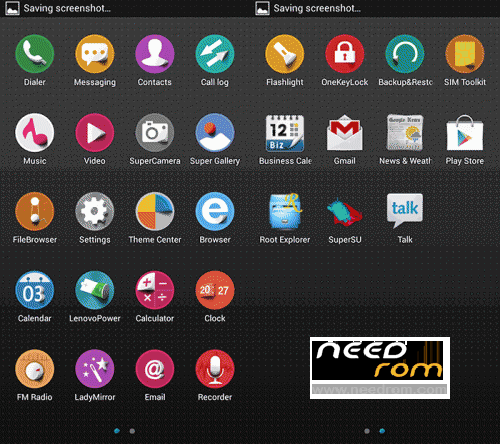
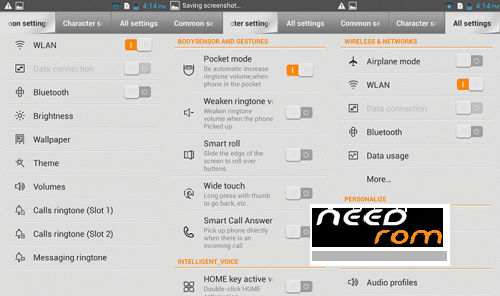
Official ROM Lenovo S820 Version: Lenovo S820_ROW_S129_0613
Gapps NOT INCLUDE
No rooted
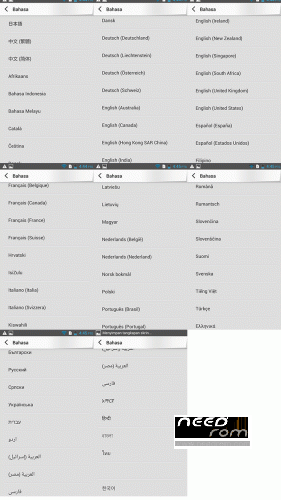
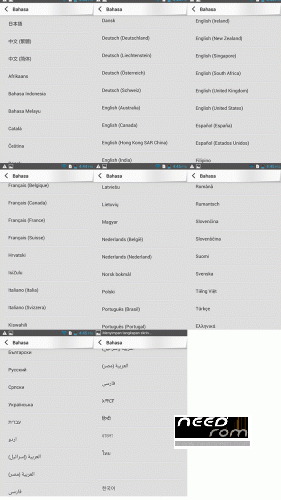
Language support: MULTILANGUAGE (52 language)
ROM Install :
- Unpack FlashTools, and Click on Flash_tool.exe
- Select a the MT6589_Android_scatter_emmc.txt in ROM
- Wait file to be added into Flash Tool
- choose Option->USB Model,click USB Model
–> Choose Option->DA DownLoad All->Speed->High Speed, click High Speed
- Turn off your phone, remove the battery.
- "Press F9 (hit Download button)" OR " if upgrade ROM Firmware->Upgrade "
- and connect your phone into the computer via USB data cable.
- The process will start and a red progress bar will appear after color purple, yellow.
- And green circles display
- Finish !
- You can now safely disconnect your phone and turn it on.
SORRY, but can not upload all, so it is in two parts.
※Please make a backup of your device before installing or updating ROM
is it included Polish language in offer 52 in?
tak jest język polski widać na załączonych screenach:)
update multilingual?
My camera error…i try reset phone..still my camera error..what can i do?
Thank you very much for your rom
Everything works great
Just one thing if you could help me I would be happy
Via text messages, receive or send a phone number or link
You can not click the message immediately
Link does not make a clickable link
What is the gapps apps?
In the picture there but it says it does?
I has also 2 reason.
camera doens't work
Flash light also not working
Use this rom! https://www.needrom.com/mobile.....ang-gapps-root/
Hello everyone, first of all thanks for the Rom.
I would ask, if possible, how to install this rom divided in two rows?
CIAO PATRIZIO1991 SEI RIUSCITO A INSTALLARE LA ROM?
si, il processo è andato anche a buon fine, ma adesso il cellulare non si accende più, morto..
ho provato a riflashare ma mi da sempre quest'errore:Error BROM ERROR: S_FT_ENABLE_DRAM_FAIL (4032)
Yes, the process has gone too successful, but now the phone will not turn over, dead ..
I tried to reflash but I have always this error: Error BROM ERROR: S_FT_ENABLE_DRAM_FAIL (4032)
ENABLE_DRAM_FAIL (4032)
how to fix?
hi friends, after i install this rom my phone bricked and doesnt power on. so fin a solution for a few days.
last i find a solution. check this threads
http://forum.xda-developers.co.....d.php?t=1594998
http://forum.xda-developers.co.....d.php?t=2576898 (use this rom to return stock)
http://bm-smartphone-reviews.b.....g-tutorial.html (use this 6589 mtk drivers and spflash tool to flash stock rom without any error)
i will post detailed info if needed.