
- Title: ROM Mate 7 TL10 Premium for 3G RAM model only ! based on official B120SP03, rooted and optimized
- Listed: October, 2014
- Last modified: 10/23/2014 3:12 pm
- Version: B120SP03
You must be logged for ROM download.
28236 total views, 2 today
1 Total favorites
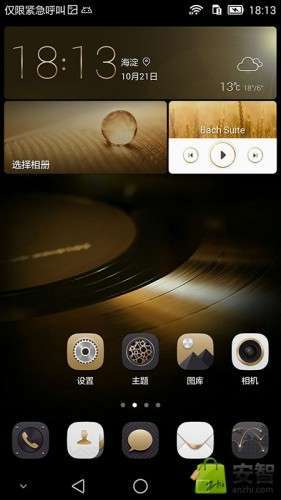
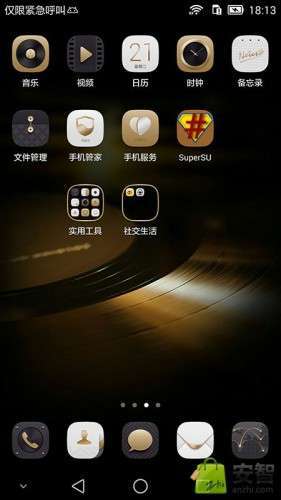
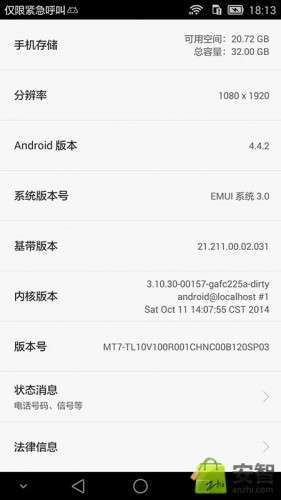
 Member Info
DESCRIPTION
This is for Mate 7 Premium (Gold ) with 3 Gb of RAM. For model TL10. Dont try it on 2 Gb RAM model !
FEATURES
Multilanguage
Based on the end of the package to unpack production B120SP03
Since writing Brush Script
Add Root permissions and use SuperSU 2.02 as an authorized management software ,
Be Zipalign,
Add busybox
USB debugging is enabled by default
Adding support init.d of
The official added only streamline the promotion of software, pure mild streamline
Adding ING markets Brush after facilitate common software download
Some small optimization
Stay tuned for more features
Please read the "Introduction" and "Notes"
Source Download link:
http://pan.baidu.com/s/1ntwVAZJ
Password: d8ke
Source:
http://bbs.anzhi.com/thread-9227146-1-1.html
You will need to have bootloader unlocked to do so follow these steps:
Tutorial to unlock bootloader on Huawei Mate 7
We must know our serial number and IMEI / MEID. To do this we use the panel to make calls and enter: * # * # 2846579 # * # *
Enter into a Menu where our serial number appears. We noted.
Now to find our IMEI you type * # 06 # and we appear. If we use two SIMs we scored the first sim to come out. Write it down too.
Also need to find our Product ID.
To do this enter: * # * # 1357946 # * # *
We'll get a 8 digit code, write it down too.
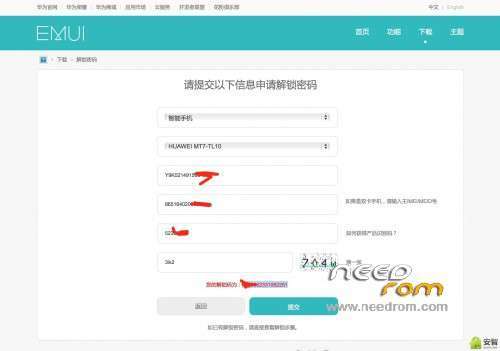
We introduce this data on page Huawei unlock bootloader:
http://www.emui.com/plugin.php?id=unlock
You can use this method to unlock bootloader of any Huawei phone. To get code to unlock bootloader of Unicom 2 Gb RAM version choose MT7-UL00 . To get code for Unicom Premium 3 Gb RAM choose MT7-TL10.
As a result we unlock code generated for nuestor Mate 7 appears.
Now comes the most important part is to unlock our bootloader using the code that was given to us.
Steps to unlock bootloader:
1-. Install the necessary drivers to acknowledge either the Mate PC 7 is recommended to install Huawei HiSuite as it tends to automatically install the drivers. Another application could be recommended Snappea.com. ADB also install TOOL
https://www.dropbox.com/s/9iff2jusliijeno/adb-setup-1.3.exe?dl=0
2. Enable developer mode in Mate 7. We go to Settings, About Phone and give 5 times in ROM version number. Now we the Developer option (developer) will appear and activate the USB debugging mode option.
3. Now we execute a Windows CMD (command window) window and enter "adb devices" and enter. It would appear that a message saying that the connection is correct.
4. We now introduce the following:
adb reboot-bootloader
The phone will reboot and enter into FastFoot mode (totally blank screen)
5-. We now introduce:
fastboot devices
and a message should appear saying that the connection is correct
6-. We now introduce:
oem unlock (unlock the bootloader code) (this number is the 16 digit unlock code that Huawei has generated page)
Thus exemplary remain with this:
oem unlock 1234567812345678
Enter and give the phone will reboot and go back into fastboot (blank screen) mode and see a message that gets made successfully unlocked.
We now introduce:
fastboot reboot
The phone will restart normally and you will have unlocked bootloader and flash CWM and Recovery is possible without problem.
How to re-lock the bootloader (if you need to pull warranty)
The process is basically the same except that the command to enter fastboot mode is:
oem relock 1234567812345678
Then once that is done we will show that the state becomes locked bootloader.
※Please make a backup of your device before installing or updating ROM
Once phone is unlocked then you will be able to flash CWM Recovery. You will need to have drivers installed correctly and have developer mode activated (Settings- About – tap 5 times in version number) then developer options will appear and you can activate USB debugging mode.
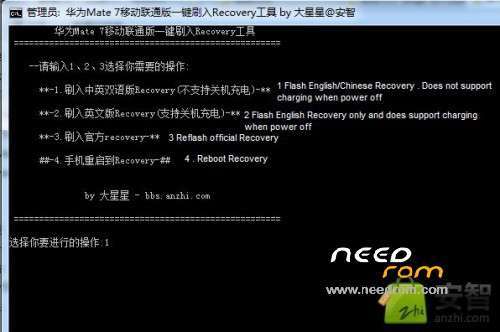
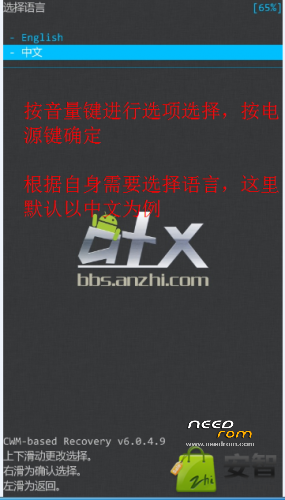
Then connect phone to PC and you can exectute MT7-TL10_Recovery.exe with USB debuggind mode activated and select option 2 . That will install English CWM Recovery. Once Recovery installes you can enter Recovery this way: once phone is off you press volume up keep pressing and then power button and you will enter Recovery . You can now move through menus using volume keys and power button to accept option.
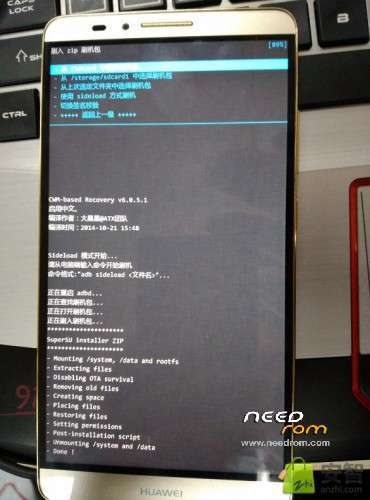
Now with Recovery you can flash Zip modded ROMS like this one. Also you can install Google apps. Just download the google apps pack according to your android rom version.
This CWM Recovery and ROM is meant to be for Mate 7 Premium (Gold version with 3 Gb RAM) Model MT7-TL10. Don't try to flash it in 2 Gb version. Maybe Recovery will work but Im not completely sure.
huawei MT7-UL00 For 2gb model how to root
You should unlock the bootloader first. Then install Suame program in your PC .
http://www.shuame.com/
Dowload this file :
http://pan.baidu.com/s/1jGtDdg.....q
Now in Shuame program choose this option:
to add the seventh step on the brush upgrade package it :
a, download, install the " Brush Wizard "[If not, the Baidu search bar];
2, Run " Brush Wizard ", click a button above the [Brush] menu, then click on the ROM file] [select other side of the [Browse] button in the dialog box to find my elf download Brush ROOT upgrade package" ShuameRoot_V8.rom ", In the [Select File] dialog box, click [upgrade package (not empty data)], point [OK], as shown;
3, please agree "Brush Wizard" permission request in the phone after, then click " Brush Wizard "[Brush] button on, if no accident, then, the phone will automatically enter the" fastboot "screen, after the completion of the phone will automatically restart. . .
Note: If the "Brush Wizard" prompts not confirm Mate7 what type, then choose Huawei Glory 6 bar.
http://imagizer.imageshack.us/...../912/auj0Je.jpg
Select shuameroot_v8.rom file and if program dont detect phone select Huawei Honor 6 . It should work .
Source:
http://bbs.anzhi.com/forum.php.....6typeid%3D15658
You can also root flashing SuperSU-PRO-V2.09.zip using CWM Recovery but you'll need to unlock bootloader first. Here's link to download SuperSU-PRO-V2.09.zip . Mate.zip file also include latest version of Hisuite and windows drivers.
https://mega.co.nz/#!aB8mRATA!.....LoyEyHagPi6RMGI
only china language?
Emotion UI 3.0 multilanguage .
as means to extract the password
Is this the chinese rom, which does not have the play store?
Can anyone please help with the rom having gapps and without chinese bloatware in english version for MT7-TL10
Hi. Thenks for this instructions!
by step 6
must be typing so:"fastboot oem unlock & code"Hi. This ROM does not Contacts from Google Account
hi.please give mi the download link ROM Mate 7 TL10 Premium for 3G RAM model only