
- Title: Rom philips s337 RU
- Listed: November, 2016
- Last modified: 11/02/2016 2:09 pm
- Version: 5.1
You must be logged for ROM download.
13604 total views, 1 today
3 Total favorites
 Member Info
DESCRIPTION
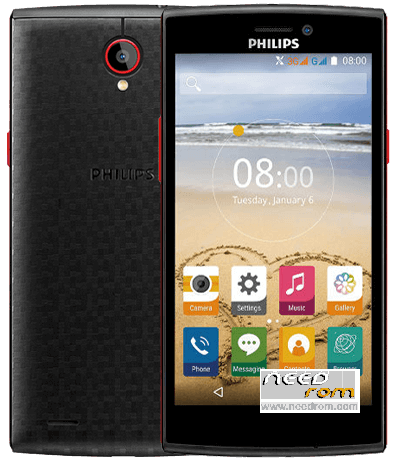
Philips S337
You can use FACTORYDOWNLOAD TOOL and UPGRADEDOWNLOAD TOOL . Thanks you!
Android 5.1
Language English,Russia,Romania
https://yadi.sk/d/gun1-soarrtm5
———
Instructions for the firmware:
1. Install the drivers to your computer (SprdNpiDriverInstall(USB驱动).rar )
2. Run this program UPGRADE DOWNLOAD (UPGRADEDOWNLOAD_R2.9.9015.rar )
3. Select the firmware file (button 1 in the picture)
4. Start the process of firmware (button 2 on the picture) (Fig.1)
5. Turn off your smartphone and get the battery
6. Connect the USB cable to your phone
7. Tighten both the Volume button and hold it, insert the battery.
8. Wait until the firmware status and appearance, as in the picture (Figure 2)
9. After flashing to reset to factory settings.
——
Hướng dẫn cài firmware:
1. Cài đặt trình điều khiển cho máy tính của bạn (SprdNpiDriverInstall.exe)
2. Chạy chương trình UPGRADEDOWNLOAD này.
3. Chọn tập tin firmware .pac (nút 1 trong hình)
4. Bắt đầu quá trình nạp firmware (nút thứ 2 trên hình ảnh) (Hình 1)
5. Tắt điện thoại di động của bạn và tháo pin ra
6. Kết nối cáp USB với điện thoại của bạn
7. Bấm giữ cả hai nút + và – âm lượng và giữ nó, đồng thời lắp pin vào.
8. Chờ cho đến khi tình trạng firmware và xuất hiện, như trong hình (hình 2)
9. Sau đó tắt máy khởi động lại để thiết lập như lúc mới mua máy.
https://vk.com/topic-107211031_33881179
http://4pda.ru/forum/index.php?showtopic=875649&st=0#entry49222359
※Please make a backup of your device before installing or updating ROM