
- Title: ROM V967S AOSP
- Listed: January, 2014
- Last modified: 01/20/2014 12:21 am
- Version: 4.2.2
You must be logged for ROM download.
29576 total views, 2 today
2 Total favorites
CUSTOM



 Member Info
DESCRIPTION
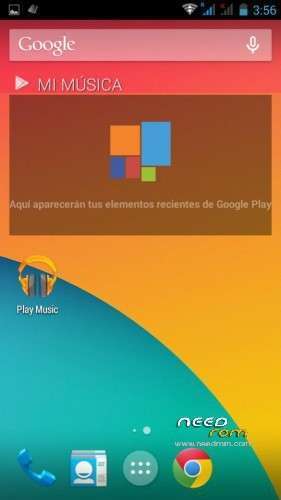
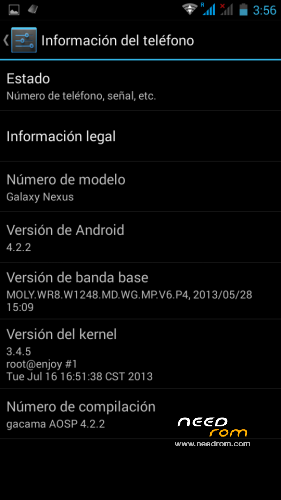
4.2.2 totally AOSP ROM for ZTE V967S
Android 4.2.2
Rooted
Deodexed
Zipaligned
Gapps included
init.d support
Multilanguage
Some tweaks applied
Light and fast rom, very few ram comsuption
Instalation method:
Reboot in CWM
Wipe Dalvik Cache
Wipe Factory Reset
Wipe Cache
Install Zip from sd card V967S_AOSP
Reboot
※Please make a backup of your device before installing or updating ROM
How good is the camera on this rom?
Bad, the camera is so poor, not rom related, hardware related
Gravity box not working.
gravity box works perfectly in this rom mate
Hi dude, great work. Bluetooth is working, camera can be a bit fixed by better cam-app
But i have one thing: Can you please make the rom without gapps? I mean, just another mirror for download or so, it would be lovely, because this rom is so far the best for our V967, but i dont want gapps.
If not, no problem Just asking, have a great day
it´s so easy, just delete gapps from rom zip, and you have a zip without gapps
Nice ROM, except the delay when back home from menu screen. It great if you can fix this issue, thanks for your support
Im very pleased whit that ROM. Stable , faster and everything looks awesome! I recomend it for everyday use. Best ROM I ever try for my ZTE.
My device has a problem after using AOSP Rom, it usually be powered off while over night. Otherwise, it drop battery rapidly (not good as stock rom). Any one has this problem when try this Rom?
Based on Acer Liquid E2?
hi Shikhar, no, it´s based in lenovo s750 aosp one, I follow your work in xda, keep the good work mate
Is both sim 3g
gacama, could You preper (and add in links section) packages for CWM with lates Xpposed, Gravitybox and Mobileuncle Tools that works with AOSP? This would be a nice short cut, especially for people doing ROM installation and basic configuration without active internet connection.
Also, switching internal and external SD card (vold.fstab) as default would greatly improve usage comfort, especially ability to install many applications.