
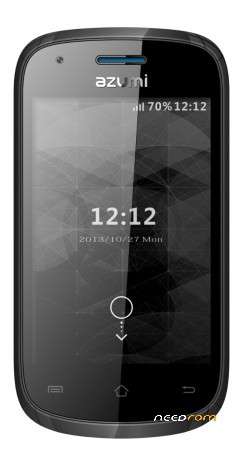
- Title: ROOM AZUMI A35s Lite TELCEL
- Listed: February, 2017
- Last modified: 02/10/2017 2:29 pm
- Version: 4.2.2
You must be logged for ROM download.
15881 total views, 2 today
4 Total favorites
 Member Info
DESCRIPTION
esta room es exclusivamente para celulares azumi a35s Lite telcel que tengan las teclas del touch pintadas o que se vean de color blanco! hay otro modelo de azumi casi identico en ese no funciona el touch con esta room!
Modo de instalacion
- Apagar el movil con mas de 50 de carga.
- Instalar Driver del celular en el equipo.
- Abrir flash tools, seleccionar archivo MT6572_Android_scatter
-Preciona Download.
-Conectar en el equipo apagado.
- Empezara el proceso de Flash..
- Luego de finalizado el proceso dar un hard reset y limpiar cache
- Unpack FlashTools, and Click on Flash_tool.exe
- Select "scatter-Loading" and search MT6735_Android_scatter.txt in ROM
- Wait file to be added into Flash Tool
- Select "Download Only" or if upgrade "Firmware upgrade"
- Turn off your phone, remove the battery (if the battery is removable) and replace it after some seconds (and don't turn on the phone).
- Press “Download” button to start
- and connect your phone into the computer via USB data cable.
- The process will start and a red progress bar will appear after color purple, yellow.
- And green circles display
- Finish !
- You can now safely disconnect your phone and turn it on.
※Please make a backup of your device before installing or updating ROM
Exelente para firmware para los equipos telcel Mexico, solo cargar el firmware en flash tools y dar en download
EXCELENTE GRACIAS FUNCIONA MUY BIEN
Funciona, Excelente para Equipos Telcel Mexico… 22/04/2019