
- Title: Root+Deodex+Busybox
- Listed: April, 2014
- Last modified: 04/21/2014 9:15 pm
- Version: ROM Android 4.2.2
You must be logged for ROM download.
18200 total views, 3 today
CUSTOM
 Member Info
DESCRIPTION
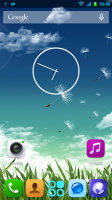
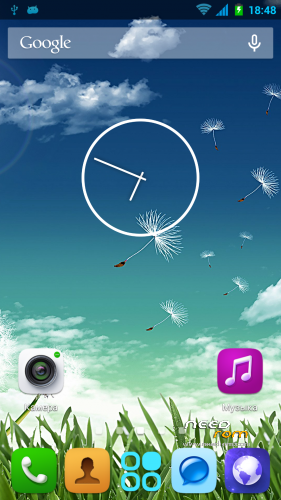
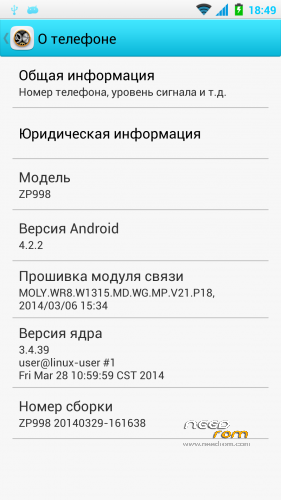
Based on latest stock ZP998 20140329-161638 ROOT+DEODEX+BUSYBOX
Language: Multilang
Support Xposed Framework? – Yes
############## Installation ##################
1. Put zip to internal/external sdcard
2. Reboot into recovery
3. Wipe data / factory reset
4. Install zip from sdcard
5. Reboot phone
############### HOW TO FIX GPS #################
1. Install this patch from recovery http://yadi.sk/d/IrDyG2YTNPSCR
2. Pick gps.conf for your country https://app.box.com/s/w57s1v1n3hie7l5lk28i and install it.
※Please make a backup of your device before installing or updating ROM
Hi there,
I am unable to install the ROM in Recovery from sd card. It says aborted when clicking on ZIP file.
Please help as I am having issues with GPS
Thanks.
Hi all,
Kred0 this is the best ROM i used until now (i used all the official ones, and some of the Gacama's ones). About everything work just fine with it. I have applied the CrossBreeder patch too (http://forum.xda-developers.co.....d.php?t=2696775) and get a 25781AnTuTu score. I haven't tested GPS and NFC yet.
There is a problem though
My agenda does not show the caller names, only the tel numbers (all have the contry code at the beginning +40). Any solution to this? I use the ZP998 LOGO too (https://www.needrom.com/mobile.....8-logo-bin-mod/)
Thank You for your work.
Hi again,
I have solved the agenda problem by copying the Contacts and ContactsProvider apk's from the https://www.needrom.com/mobile.....cwm-zopo-zp998/ ROM into /system/app directory and a davlick cache wipe. The GPS seems to work better than other ROM's too (i see 2 satellites only but it's better than none).
Regards
Does my phone need to be rooted to flash that rom?
for the first time
no !!
It will be rooted after !!
and how to install it?
my problem is how to enter the recovery mode
To enter recovery mode you need to press the up volume same time you start the phone (stay on the up volume)
If you cannot access recovery sometimes you need also to plug in usb cable
If still impossible .. maybe you have no recovery mode !! Install one with Mobile uncle tools