
- Title: Salamander ROM
- Listed: February, 2015
- Last modified: 02/08/2015 11:03 pm
- Version: 4.4.4
You must be logged for ROM download.
67146 total views, 3 today
22 Total favorites

 Member Info

DESCRIPTION
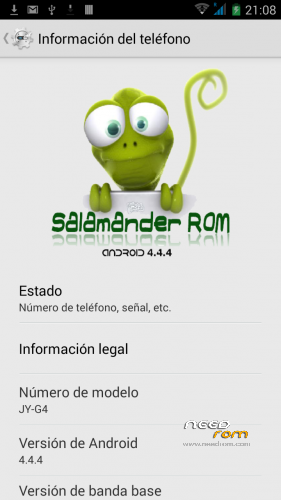
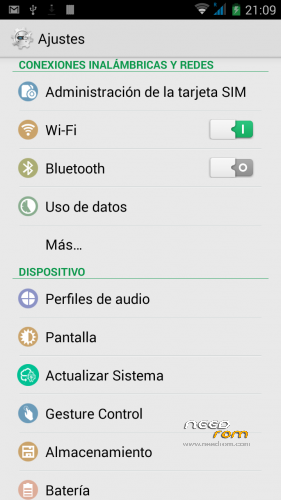
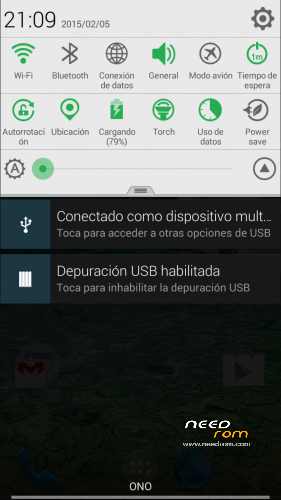
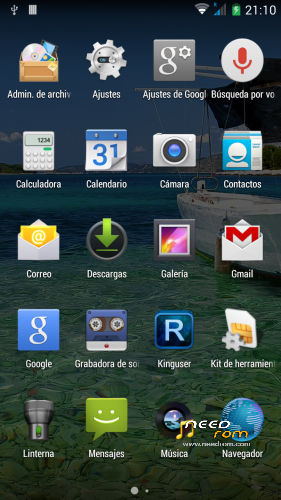
We introduce you to the Salamander ROM, for Jiayu G4S, G5S and S2. We have improved and optimised the whole code so as to gain smoothness and stability so that the Android experience on your device is fast and complete.
A colourful ROM with a personality of its own so your phone looks original. A ROM with all the necessary features so your device can give its all without running into any problems nor experiencing slowness or bugs. Enjoy it!
Name: Salamander ROM TF V1.
Versión: 4.4.4.
Date posted: 08-02-2015.
Size: 431,9MB.
Changelog:
- Faster
- Smoother
- GPU acceleration improvement
- Added recovery in power menu
- Improved WiFi signal
- Deodexed
- Init.d support
- Fast GPS
- Multilanguage
- New uboot included, Now you dont need to connect the USB cable to enter recovery
- Root
- Latest GAPPS KK
-Tweaks:
- Energy saving
- Touchscreen improvement
- Better scrolling
-Scripts:
- TF Multistript.
- Entropia
-Installation:
It installs recovery, CTR recommend you can download from our website.
- Download ROM and install it on the internal SD card..
- Enter CWM Recovery.
- Wipe Data.
- Wipe Cache.
- Wipe Dalvik Cache.
- Format system.
- Install ROM from SD.
- Auto reboot.
Update 1.2
Changelog:
-
- Fixed problem led notifications
-
- Added smartwake
-
- Changing modem for better signal
-
- Added MAX Audio (thanks to arcatac)
- - Updated OTA application
CAUTION: It is recommended before flashing Update make Wipe Cache.
※Please make a backup of your device before installing or updating ROM
Hi TF,
i've installed this rom but i found the signal poor yet …. another thing: when i use the headphones, after disconnecting those, the logo doesn't disappear and the speaker is unable! I have to do two wipes to reset the phone.
Those bugs you mention are strangers, the network problem can be solved depues of last update.
I would appreciate TFKernel 0.70 much more..
@Erfae, i would like to say Congratz for this ROM! Its amazing for daily use, the battery savier its the best, i’ve tryed some others rom, but when it comes for save the percetage even when its 5%, yours is the best. One negative feedback i would like to add, the signal its still poor. I would like to give you a hint, use the modem from “Himax_Polymer_material” or the “infocus_ui_Jiayu_G4S21022015_1″ because in what i remember they had a better signal, when i tryd them.
Regards, Florin!
It would be great if when you have time to compile for the next update an option for download and upload status.
Regards, Florin.
And maybe if its possible to add the option Driver On/off. You know, when your driving and someone calls you, to answer by voice, something like Siri/google assistente, a driver assistant.
So the poor signal, in My case on the slot1, was not only an impression of mine. Please check the headphone issue too. Thanks for your job!
When you make a call and have headphones plugin, if you use one withouth microfon ( like in picture) it works like a charm, well if you use a headphone with microphone it enables your speaker as primary and can't hear nothing on the headphones… Any clues ?
I've used 3 types of headphones, an iphone 5c, samsung s4 and allview v1, on all of those the microphone from the headphones doesn't work..
I didn't try the headphone to make calls but only to listen music … And after i unplugged the jack, it's impossible to use the microphone and speaker to make or receive calls.
Thanks for the update, and I must say that many things have been improved such as
- The volume of the microphone bluetooth works well now …
- Flashing LED
- Smart Wake
However unfortunately the signal level for the sim 1 when this is enabled the data connection is really poor.
Team Force You can fix this serious problem?
We are looking at the problem of signal seems to be a problem in the animation icon sign, make sure you truly have no signal.
Hello,
using new update 1.2 in G4S. Almost everything working very fine except for two/three little things:
- Torch not working with icon in notification bar when blocked screen. It only flashes once and that's all.
- Double click not working for wake up when blocked screen using gesture control.
- What's the difference in flashing LED in this version and the previous one?
Tks,
Tomeu Camps.
- What's the difference in flashing LED in this version and the previous one?
Now notifications do blink led before but it was always on
We are working to fix these little problems. The difference with the operation of the LED is that in the previous version did not blink, that problem has been resolved in version 1.2
Another thing … there is a very high consumption of battery.
Use Greenify!
Tks, sunvit, noticed it now.
hi, thanks for this rom.
i like to ask, if anyone have this issue to;
on smartwake the opction off two touch for wake screen don´t work? (the other´s opction work fine)
Yes, pkfloyd, I have posted it as well