
- Title: SAMPRO INSTALLER V2.0 SETUP MULTIMARCAS
- Listed: December, 2023
- Last modified: 12/19/2023 6:36 am
- Version: ANDROID
You must be logged for ROM download.
4700 total views, 1 today
2 Total favorites
 Member Info
DESCRIPTION
SAMPRO TOOL V2.0 SETUP FUNCIONAL
Redesigned User Interface
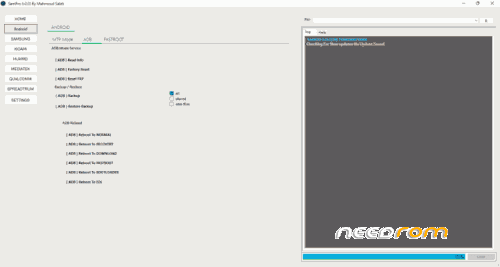
The revamped user interface is the most apparent feature change in SamPro version 2.0. With distinct sections for various brands and chipsets, the updated layout is more intuitive and easy to use. This makes it easier to locate the commands you need, no matter the type or model of gadget you’re running.
New Features for Android Devices
- Read device information
- To bypass the browser, use MTP mode
- Directly access websites, applications, settings, and much more from the device.
- Reset factory settings
- Reset FRP
- Reboot the device to different modes
- Enhanced Features for Samsung Devices
- Use #0# to bypass FRP to access a new security starting June 2023.
- To bypass the browser, use MTP mode
- Improvements for MediaTek, Qualcomm, and Xiaomi Devices
SamPro V2.0 also contains numerous bug fixes and enhancements to MediaTek, Qualcomm, and Xiaomi devices. For instance, the program is now addressing problems with slow operation on start-up in MediaTek devices.
New Operations for SpreadTrum Devices
- Connect the device to the off-state without using any buttons
- Make a factory reset
- Switch to diag mode and then exit
- New Fastboot Section for Huawei Devices
- Huawei users can access the new “Fastboot” section in SamPro version 2.0. The section offers a variety of beneficial options, including:
- Reading device information
- Resetting FRP (bootloader unlocked)
- Unlocking the bootloader
- Locking the bootloader
- Resetting FRP using code
- Samfirm v3.3 Discontinuation
It’s important to note it’s important to note that Samfirm v3.3 will cease to be available at the close of this month. However, You can continue to use it without having to log into the app specific to downloading firmware until Mahmoud Salah comes out with an unpaid version that can download only limited firmware.
Streamlined Device Management
If you’ve signed up for”sampro,” or “samfirm” in your account, you can now activate the “sampro” or “samfirm” program. After downloading the latest update, you can quickly change or install an additional device via your control panel. There’s no need to contact the distributor again to request modifications.
How to Update Device Information
To update your device’s information, you must sign in to the tool and then enter the following details:
- Username
- Email address
- Country
- Number of serials for “sampro” program only
- In less than 10 minutes, you’ll be emailed a password. This password will allow you to access Your control panel.
How Do I Install It?
- Then, download the software by clicking the below link.
- Setup file for extract
- Install the setup file
- Start your shortcut ” SamPro V2.0.”
- Then, enter the login details that you were able to use
- Once you have logged into the tool, you can access all the SamPro tool’s features.
- Enjoy!
※Please make a backup of your device before installing or updating ROM