
0
- Title: Samsung FRP New Security Tool
- Listed: December, 2023
- Last modified: 12/13/2023 6:11 pm
- Version: ANDROID
You must be logged for ROM download.
4487 total views, 1 today
1 Total favorites
CUSTOM
 Member Info
DESCRIPTION
How to bypass Samsung FRP
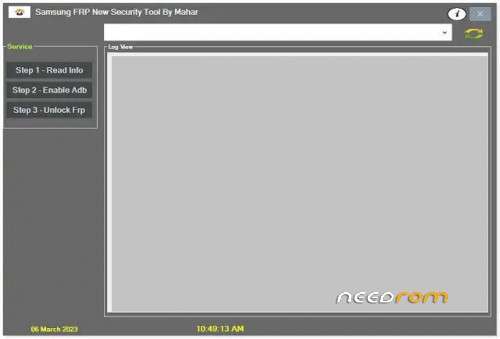
Mahar’s Samsung FRP New Security Tool is a simple and effective way to unlock FRP on Samsung devices with new security. The tool follows a three-step process, which is as follows:
- Step 1 – Read Info: Connect your Samsung device to your computer using a USB cable and launch the Samsung FRP New Security Tool. The tool will automatically detect your device and display its information, including the model number, Android version, and security patch level. It’s important to double-check this information to ensure the tool works correctly.
- Step 2 – Enable ADB: To enable USB debugging and ADB on your Samsung device, dial in Emergency “#0#” and use the new code “##88##”.
- Step 3 – Unlock FRP: Click on the ‘Unlock FRP’ button in the Samsung FRP New Security Tool to unlock FRP on your Samsung device. The tool will automatically download the necessary files and patches to unlock FRP on the device.
Once the tool has successfully unlocked FRP on your Samsung device, it will display a message on the screen. You can then disconnect your device from your computer and set up the screen without entering any Google account details. The tool is compatible with most Samsung devices with new security, including the latest models.
FOR: Windows 7, Windows 8, Windows 10, Windows 11 (32&64bit)
※Please make a backup of your device before installing or updating ROM