
- Title: Samsung Galaxy Note 4 Exynos(SM-N910C)
- Listed: December, 2014
- Last modified: 12/29/2014 2:52 pm
- Version: Clockworkmod Recovery v6.0.5.1
You must be logged for ROM download.
21464 total views, 1 today
3 Total favorites

 Member Info
DESCRIPTION
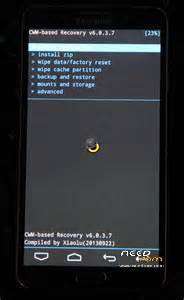
Clockworkmod Recovery_v6.0.5.1 for Samsung Galaxy Note 4 Exynos(SM-N910C)
To unlock bootloader with CF-auto root : http://galaxynote4root.com/galaxy-note-4-root/how-to-root-galaxy-note-4/
Complete Step-By-Step Instructions:
Step 1 - Download ClockworkMod Recovery 6 for Samsung Galaxy Note 4 to your computer and extract this file anywhere in your computer.
Step 2 - Download ODIN v3.09 which will help you to install CWM Recovery on Samsung Galaxy Note 4.
Step 3 - Switch OFF your phone. Now go to Download Mode. How? Press and hold the Volume Down + Home buttons together, and then press the Power button till you see the construction Android robot and a triangle. Press Power again to confirm to enter into Download Mode.
Step 4 - Make sure you have your Samsung Galaxy Note 4 USB drivers installed on your computer.
Step 5 - Open ODIN on your computer. Connect your phone to your computer while your phone is in the Download Mode.
Step 6 - If your phone is connected successfully, one of the ID:COM boxes will turn yellow with the COM port number. This step might take some time.
Step 7 - Now select the following file that you have to flash/install on your phone. This file will be found from the extracted file in Step 1.
- Click on ‘PDA’ and select the file ‘n910c-cwm-recovery-6.0.5.1(1113)tar‘.
Step 8 - In ODIN, check the Auto Reboot and F. Reset Time options, if not already.
Step 9 - Now click on the Start button in ODIN. Installation process will start and would take a few minutes to complete.
Step 10 - After the installation is completed, your phone will reboot into Recovery Mode automatically and install the root package / files. Your ID:COM box will also turn green.
Step 11 - After you see the home screen, unplug your phone from the computer.
To enter Recovery Mode, shut down phone and then hold down the Home + Volume Up buttons and press the Power button for about 5 seconds to enter Recovery Mode.
In CWM , backup your existing rom then reboot .
Recommended apps for Note 4 – download Quick Reboot from Play Store because it has more recovery option including download mode instead of using combo keys .
※Please make a backup of your device before installing or updating ROM
c Android Combien sa ?